45
Archive Content
ToarchiveyourcontentontheenTourageserver:
1.PresstheLibraryicontoviewthecontentsofyourlibrary.Selectthefolderforthe
contenttobearchived.
2.
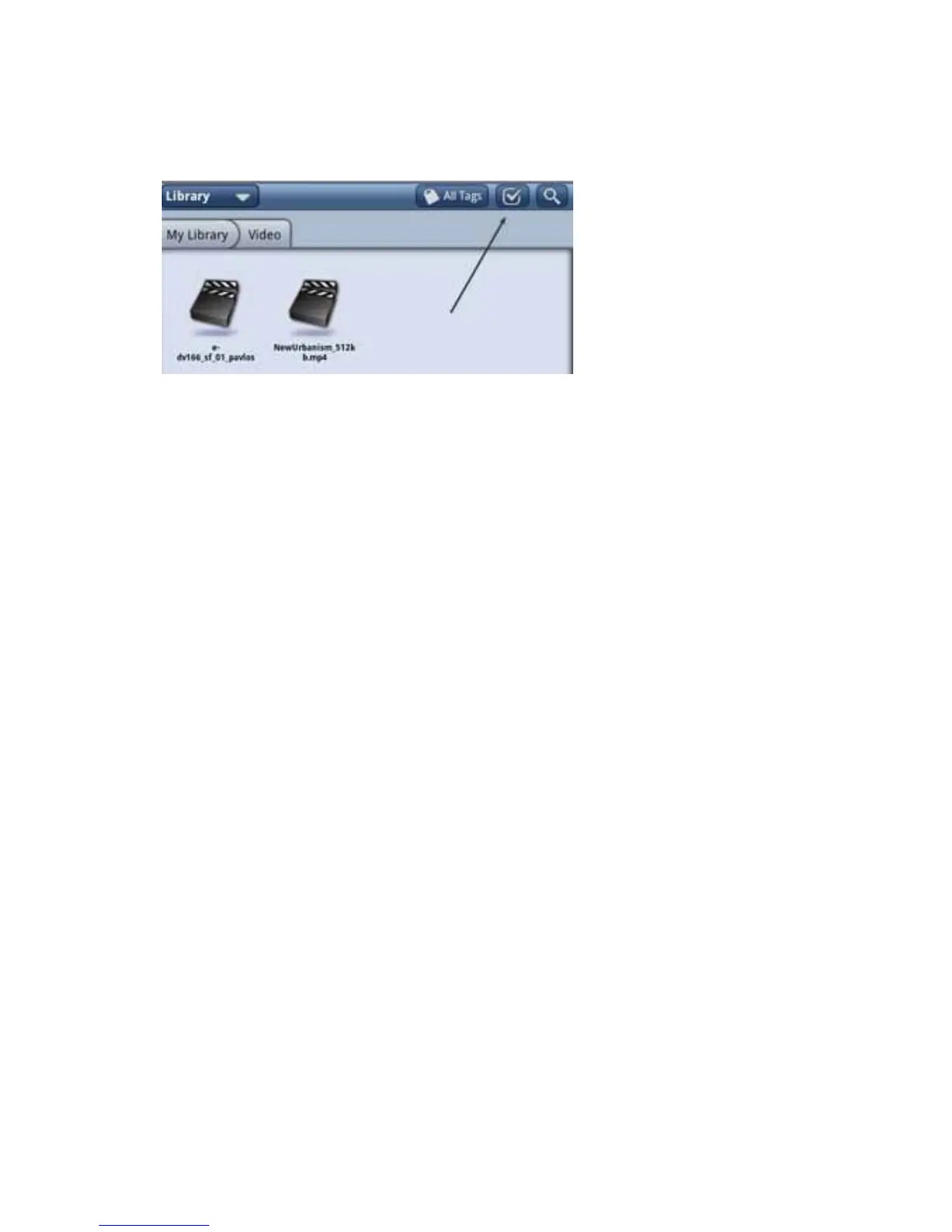
SelecttheCheckmarkatthetopofthelibraryscreentoturnoncheckmarks.Select
thechecknexttotheitem(s)youwanttoarchive.
NOTE:Youcanarchivebookmarkups,journals,andothernon-DRMcontent.Your
contentwillbearchivedontheenTourageSystemsserver.Eachregistereduserisallot-
tedupto1Gofstoragefreeofcharge.
NOTE:Tocreatealocalbackupofyourlibrary,seeBackingupYourLibrary.
3.Atthebottomofthetablet,touchArchive.Thedevicewillconrmthatyouwantto
archivetheitem.Yourdevicemustberegisteredtoarchiveyourcontent.Youwillseea
noticationthatyourcontentisbeinguploaded.Whenitiscomplete,acheckmarkwill
appearinthenoticationbar.
ToRestoreyourcontent
1.OpentheLibrary.
2.Openthepulldownmenuonthetopright(Library)andselectArchive.
3.Locatethecontentyouwanttorestore,andselectit.Adownloadnoticationap-
pearsinthenoticationbarwhentherestoreiscomplete.
Return to Contents



 To Next Page