5
Getting to Know the Pocket eDGe
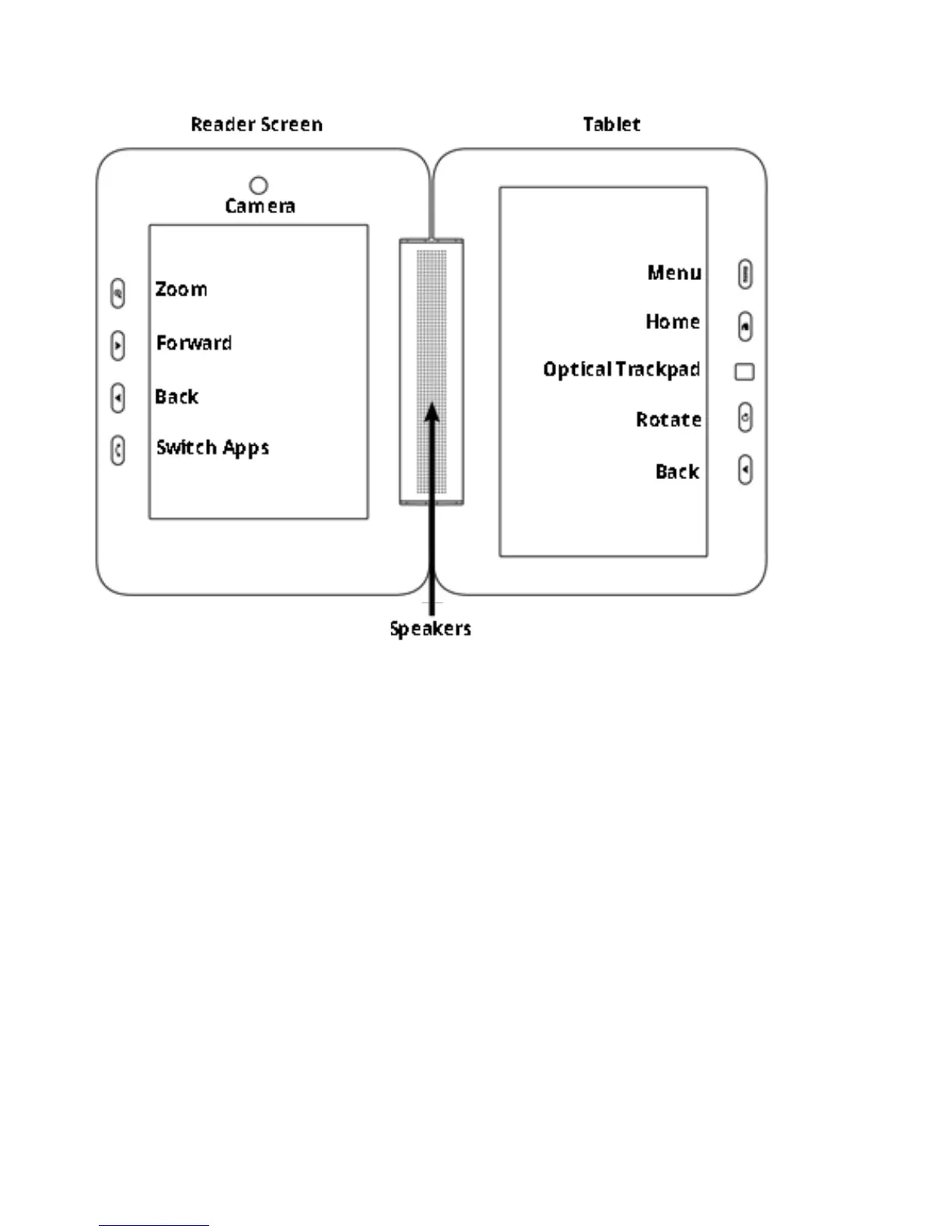
ThisimageshowsthePocketeDGescreensandbuttons.
Theleftscreeninthisimageisthereaderscreenwhereyoucanreadbooksandtakenotes.Youmustusethe
stylusonthereaderscreen.TheSwitchApplicationsbuttonswitchesbetweenopenapplicationsonthereader
screen.YoucanopenapplicationsforthereaderbyselectingtheiconsforJournal,Reader,orCalendaronthetab-
let.Seethesectionsbelowfordetails:
• Journal
• Reader
• Calendar
Therightscreenisthetabletwhereyoucanuseyourngerorthestylus.Youcanopenabrowser,thelibrary,and
manyotherapplicationsthataredisplayedinfullcolor.
Return to Contents



 To Next Page