18
Transmitter Sensor 1 Sensor 2 Sensor 3
M20 M20
6. Operation
The ProSens dust measuring instrument measures the dust content in a gas passing the sensor using
the electrodynamic principle by means of the exchange of charge carriers between the dust particles
and the sensor's probe.
After switching on, the ProSens already begins to measure with the default factory settings.
Commissioning can be carried out at the Evaluation unit MSE 300 optionally via the touchscreen or
with the conguration software. Only PC conguration is possible for the DIN Rail version. The menu
structureornumberingisidenticalfortouchscreenandPCconguration,whichmeansthedetailed
description for this applies to both versions in this operating manual. Any deviations from this will
be explained separately.
6.1Basicoperationofthetouchscreen(onlyeldhousing)
To start the conguration menu, the top right half of the touchscreen needs to be pressed for a few
seconds.
The main overview with software version number as well as four operating keys appears on the right
of the screen.
- Up key
- Down key
- C key (e. g. also E key)
- Enter key
Press the Up or Down key to navigate in the menu, or the Enter key to enter a submenu item. To quit
a submenu or the entire conguration menu, press the C key (Cancel), likewise to cancel an entry or
selection. The can also be the E key (Escape), depending on the menu or function.
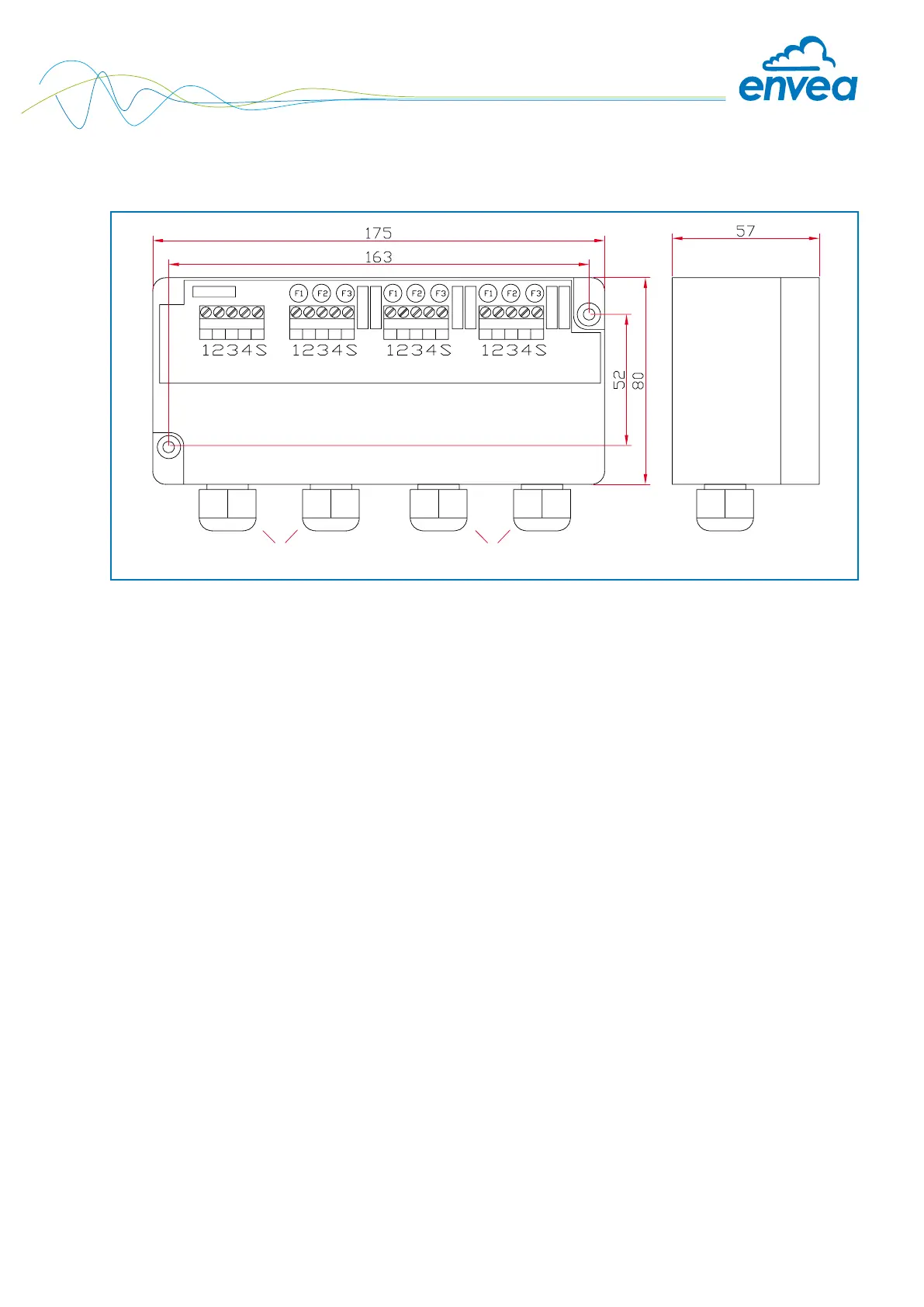
5.5 C3-Box dimensions (optional)
Fig. 15: C3-Box dimensions


 To Next Page