20
6.4 Display
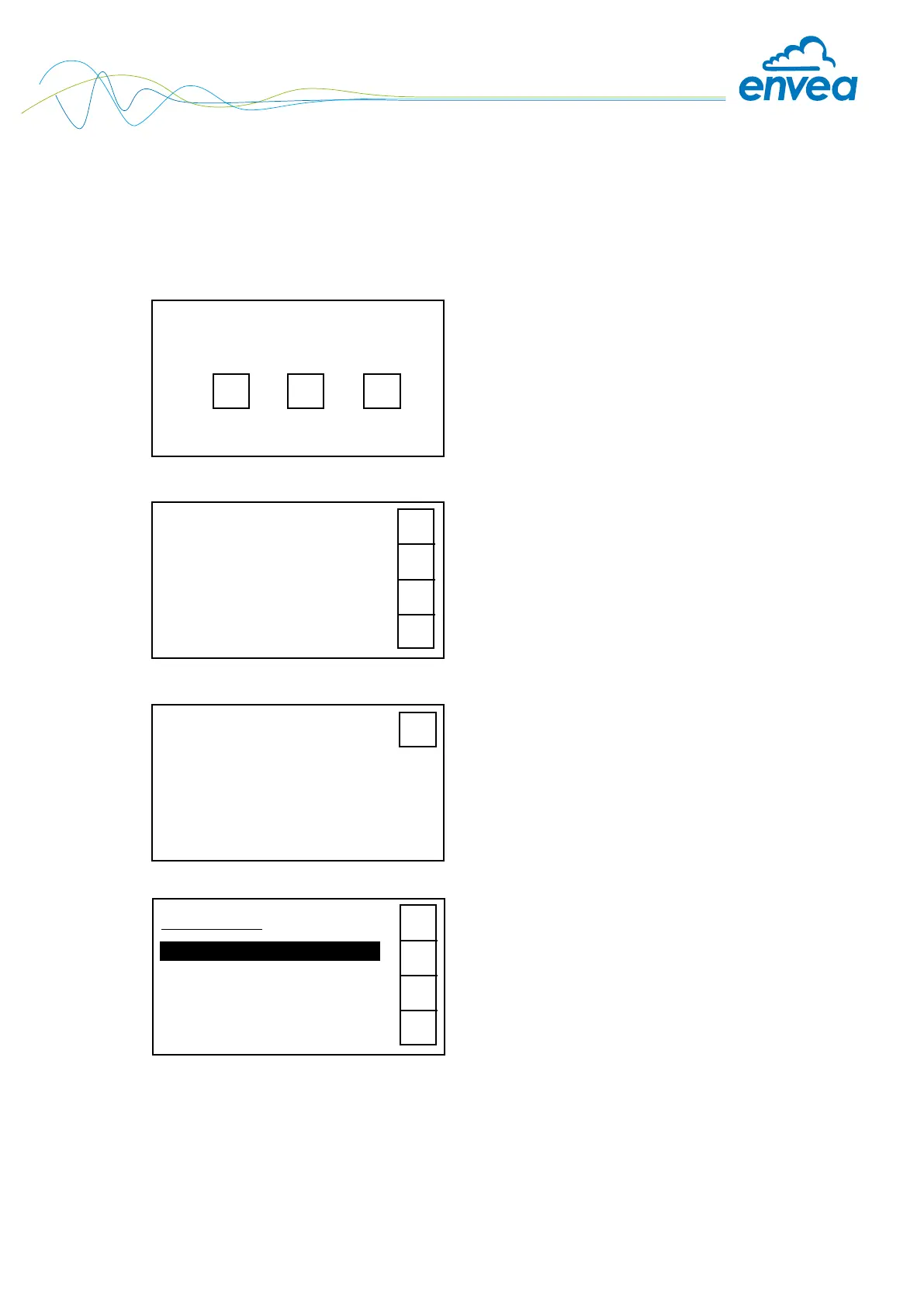
The display is touch-sensitive. Available keys are displayed directly in context. When the measuring
system is rst started, a query is initiated to select the language and sensor.
If no selection is made, the initialization disappears and the German language with a SolidFlow 2.0
sensor is selected.
Initialization screen when the Evaluation unit in the eld
housing started rst time.
Selection of the menu language:
Deutsch, English, Français
If a language has been selected, the sensor to be used
must be selected.
To be available:
SolidFlow 2.0, Paddy, PicoFlow, MaxxFlow HTC,
DensFlow, SpeedFlow 2.0, SlideControl 2.0, ProSens,
M-Sens 3, M-Sens 2, M-Sens WR2.
Afterwards the start page appears.
The start page display the following values:
• Tag No “ProSens“, freely selectable text which
describes the material or the measuring point
• Measurement, here in mg/m
3
• [ I ] key for info
To access the menus, press and hold any area of the
display for several seconds.
The sub-menu selection will be displayed:
In the menus and input elds, the displayed keys can be
used to browse, select, edit or reject:
• Arrow: Scroll down the page, Select an option,
Select a position in the input text
• [ E ] for ESC: Interrupt the function without making
any changes
• [8 ]: Select the function or conrm the input
• [ C ] for Clear: Delete a symbol or number.
ProSens
41.23 mg/m
3
I
Select Language
D E F
E
#
$
8
Select sensor
ProSens
E
Main menu 6.xx
1. Measurement range
2. Calibration
3. Alarm
4. Analogue output
#
$
8


 To Next Page