24
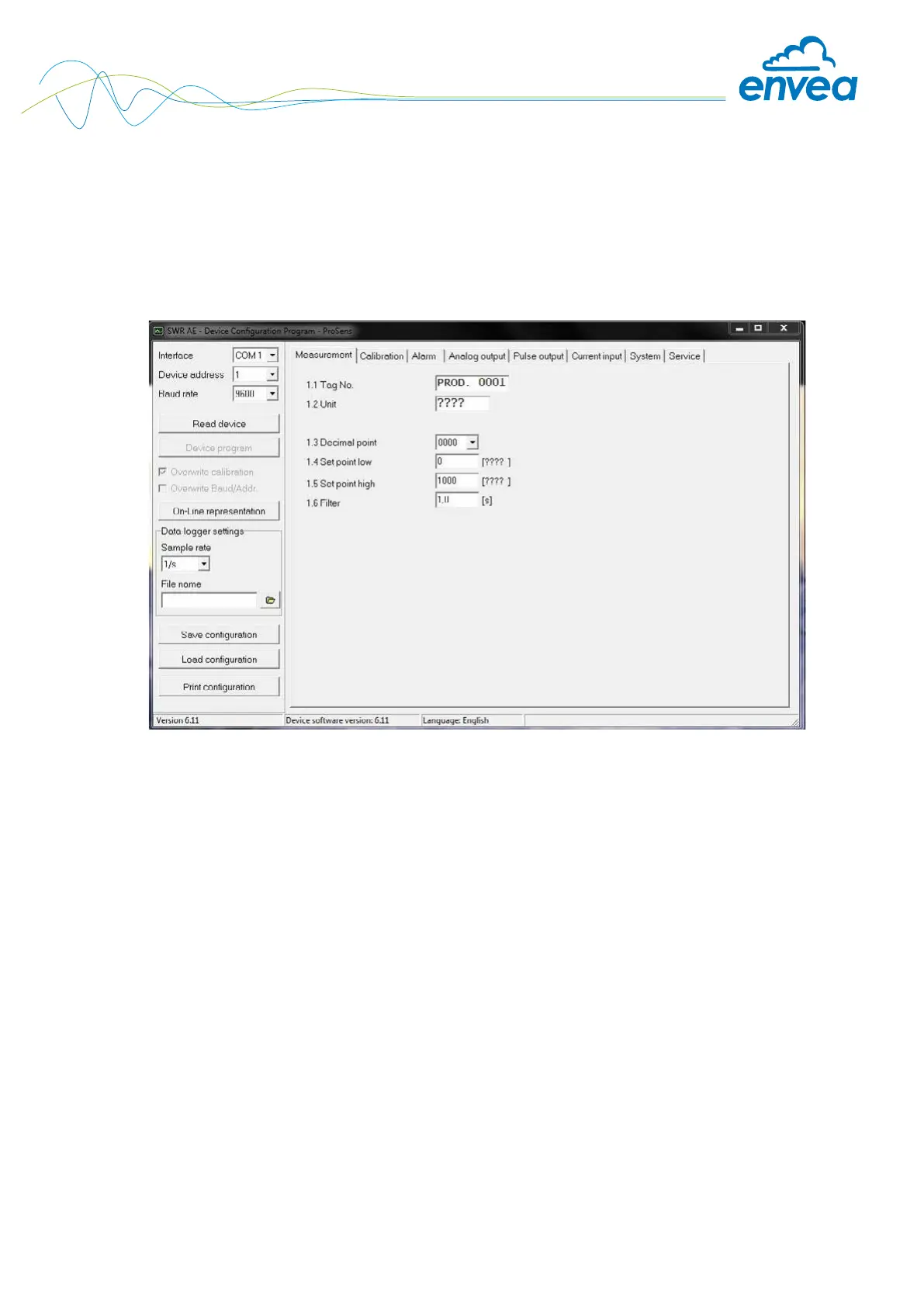
6.6 Menu structure
The menu structure supports the user when adjusting the measuring range, the calibration, the
measurement values and the choice of additional functions. In this connection, the numbering both
on the display and in the PC interface is identical:
Tab 1: Measurement range
Setting al relevant measuring range settings.
1.1 Tag No. Input: Free text (10 characters) Name of the measurement point or product.
1.2 Unit Input: Unit text, e.g. kg Required mass ow unit.
1.3 Decimal point Selection: Number representation and decimal point-
0000, 0.000, 00.00, 000.0 accuracy in the measurement menu.
1.4 Set point low Input: 0 … 9999
Throughput rates under this value will not be
displayed at the current output.
This does not concern the display indicator,
totaliser or pulse output.
1.5 Set point high Input: 0 … 9999
Throughput rates above this value will not be
displayed at the current output.
This does not concern the display indicator,
totaliser or pulse output.
1.6 Filter Input: 0.0 s … 999.9 s Filtering of measurement for the indicator
and the output values.


 To Next Page