25
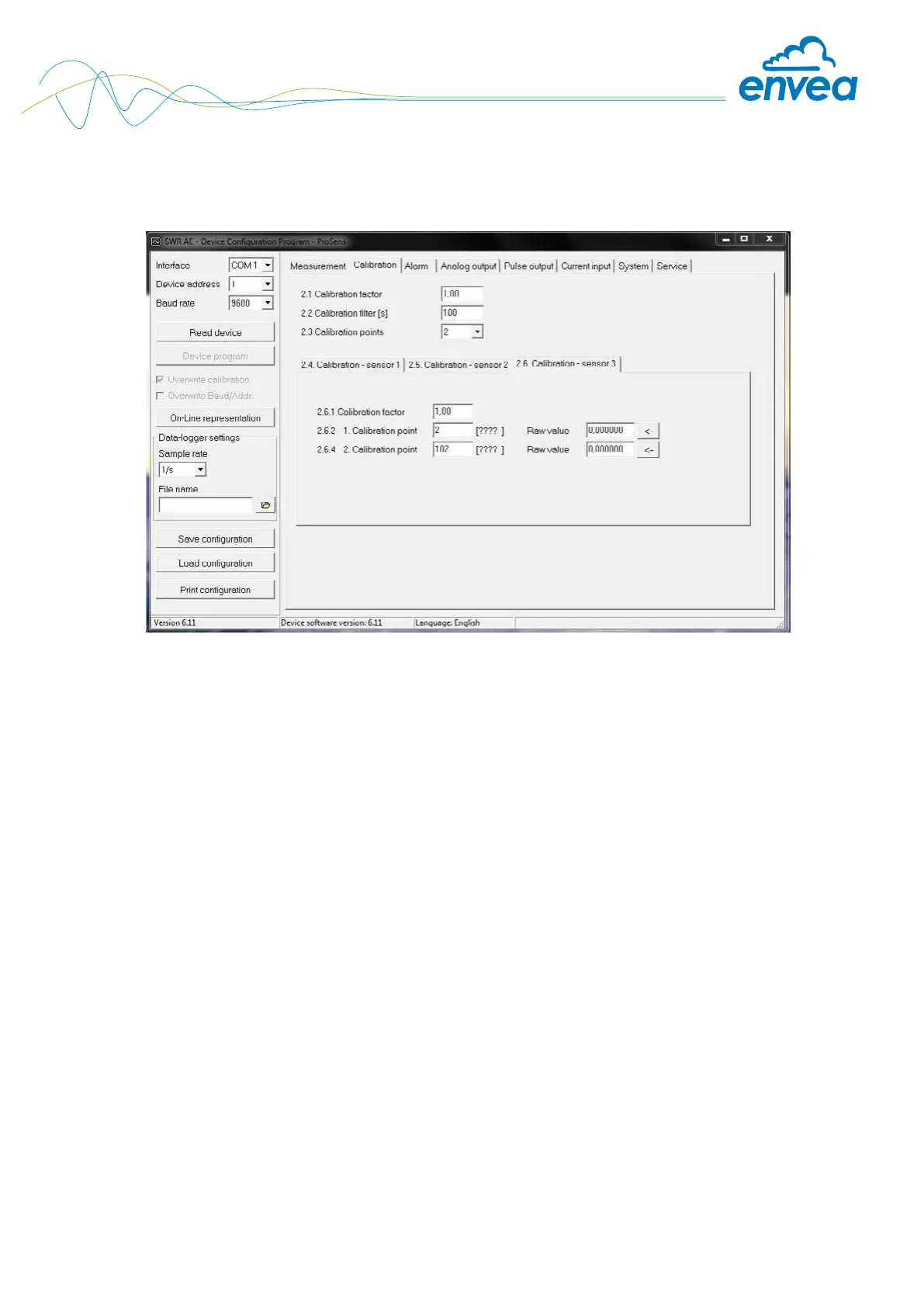
Tab 2: Calibration
(Differences between the eld housing and software now result here.)
2.1 Calibration factor Input: 0.01 … 99.99 Adjustment of the measurement value,
multiplies the (Field housing and software)
calibrated measurement value, serves for
subsequent correction of the calibration.
2.2 Calibration lter [s] Input: 1 … 9999 Quiescent lter for the calibration log.
2.3 Calibration points Input: 2 … 5 Selection of the calibration points in the
calibration table.
2.4 Calibration Calibration submenu
2.4.1 P1 value Input: Output measurement value in the selected
measurement value mass / time unit.
to be shown
(2.4.2)
P1 calibration Adoption: Raw value Adoption of the instantaneous raw value
current raw value (ltered) from the mass ow with the key
[ ← ]. The value can also be entered
manually.
. . . (depending on the number of support points)
For additional support points (depending on
[ 2.3 ]), additional value pairs can be set.


 To Next Page