33
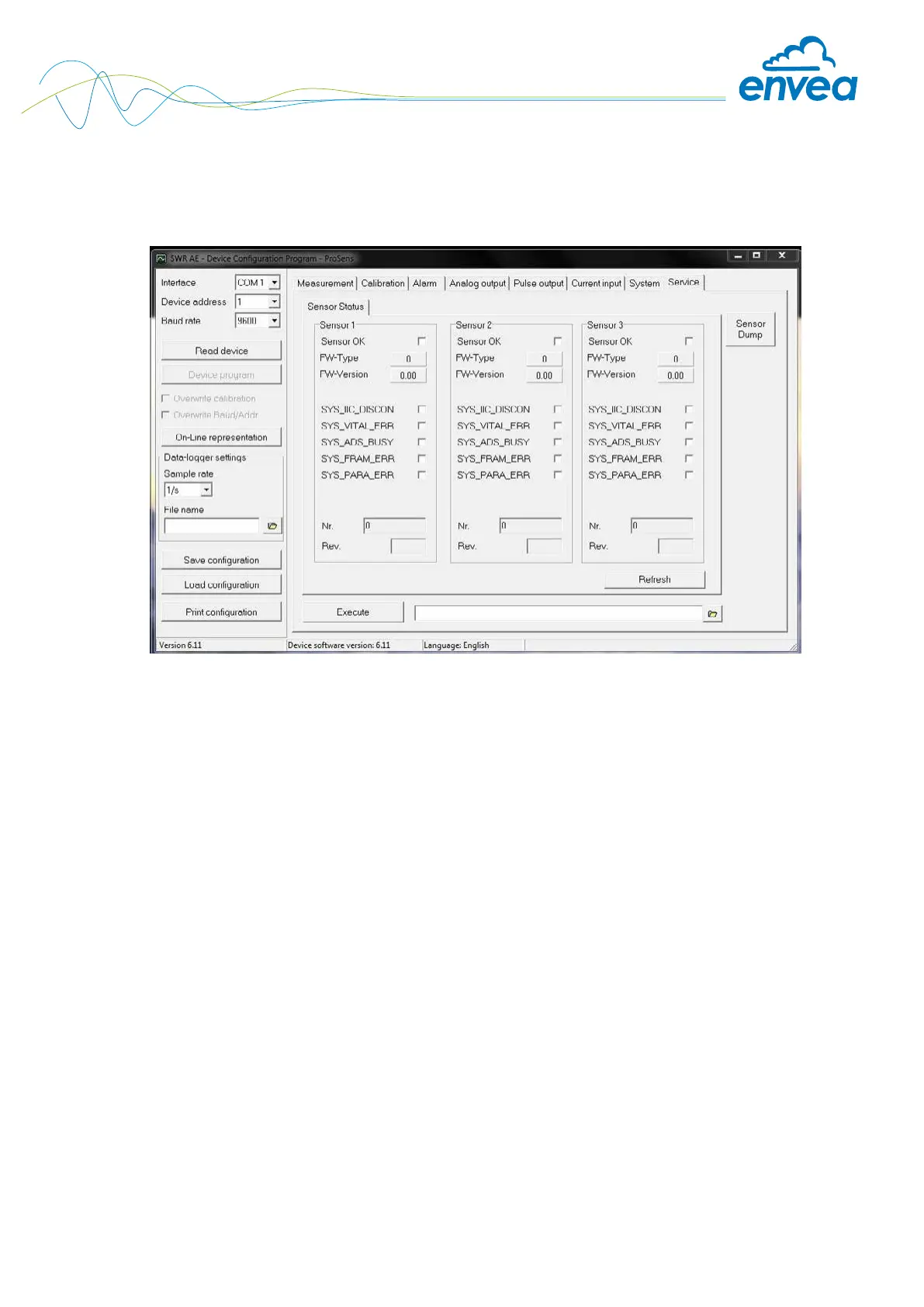
Tab 8: Service
Special functions for deeper diagnostics/settings.
These are read in once after opening the tab.
• Sensor status: indicates the status of the connected sensors
- Error status: Sensor OK
- Fw type (31 for ProSens, PicoFlow – otherwise sensor ID error)
- FW version
- Error messages of the sensor for diagnostics
- Serial number/Revision
• Contrast: external adjustment option for the sensor contrast value
• Refresh: read in again
• Start (le selection, path display): an external program can be saved and started here.
- Service functions with deeper access to the sensors
- Log functions via service software
- The customer software pauses as long as the external program is executing
• Sensor dump:
- Save the Modbus register of the connected sensors
- ENVEA Process own number format, helpful for diagnostic purposes by
ENVEA Process
- Directly in the program directory
- Default name


 To Next Page