REV. 10/2021
12B
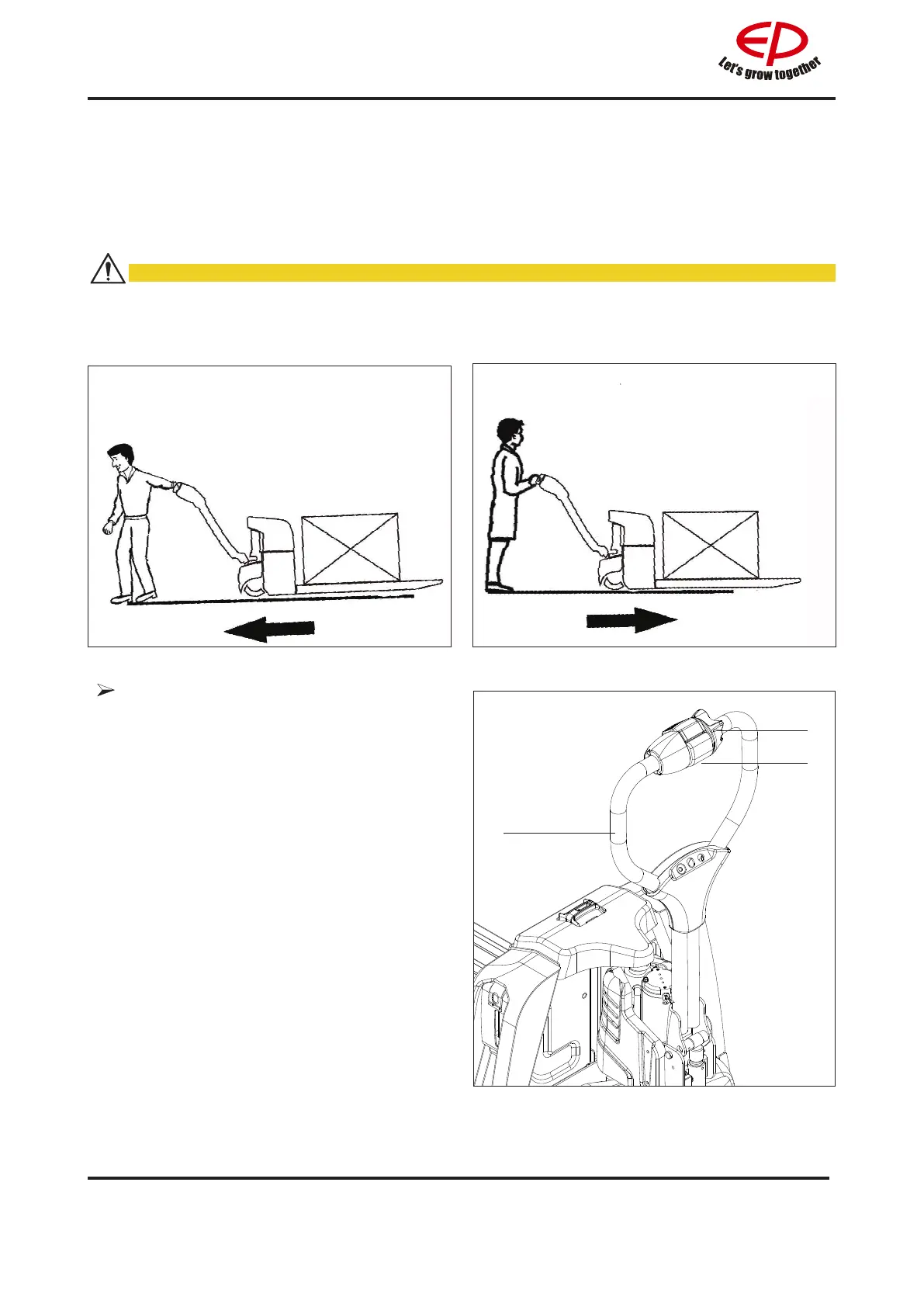
Driver should walk in front of the truck and keep at the side front of the truck when travelling. One
hand holds the handle, and operates travel switch with thumb. Always watch moving direction and
guide the truck. Or hold the handle with both hands and push the truck go forward.
CAUTION
• Operator must wear protective boots.
• When enter narrow area as lift, rst get fork go.
• Travel according to regulated route. Keep road clean and no slipping.
Slow travel
When you apply the slow travel speed
button and drive switch in the brake zone
(B), the truck travels at reduced speed and
acceleration.
Procedure:
• Press the slow travel speed button (1)
and drive switch (2) in the brake zone
(B).
• The truck can be operated with a control
lever (3) (e.g. in congested areas/travel
seat).
• Set the drive switch (2) to the required
direction (forward or backward).
• The truck travels at slow speed.
1
2
3
Fig0000-00350OM Fig0000-00349OM
Fig1154-00003OM


 To Next Page