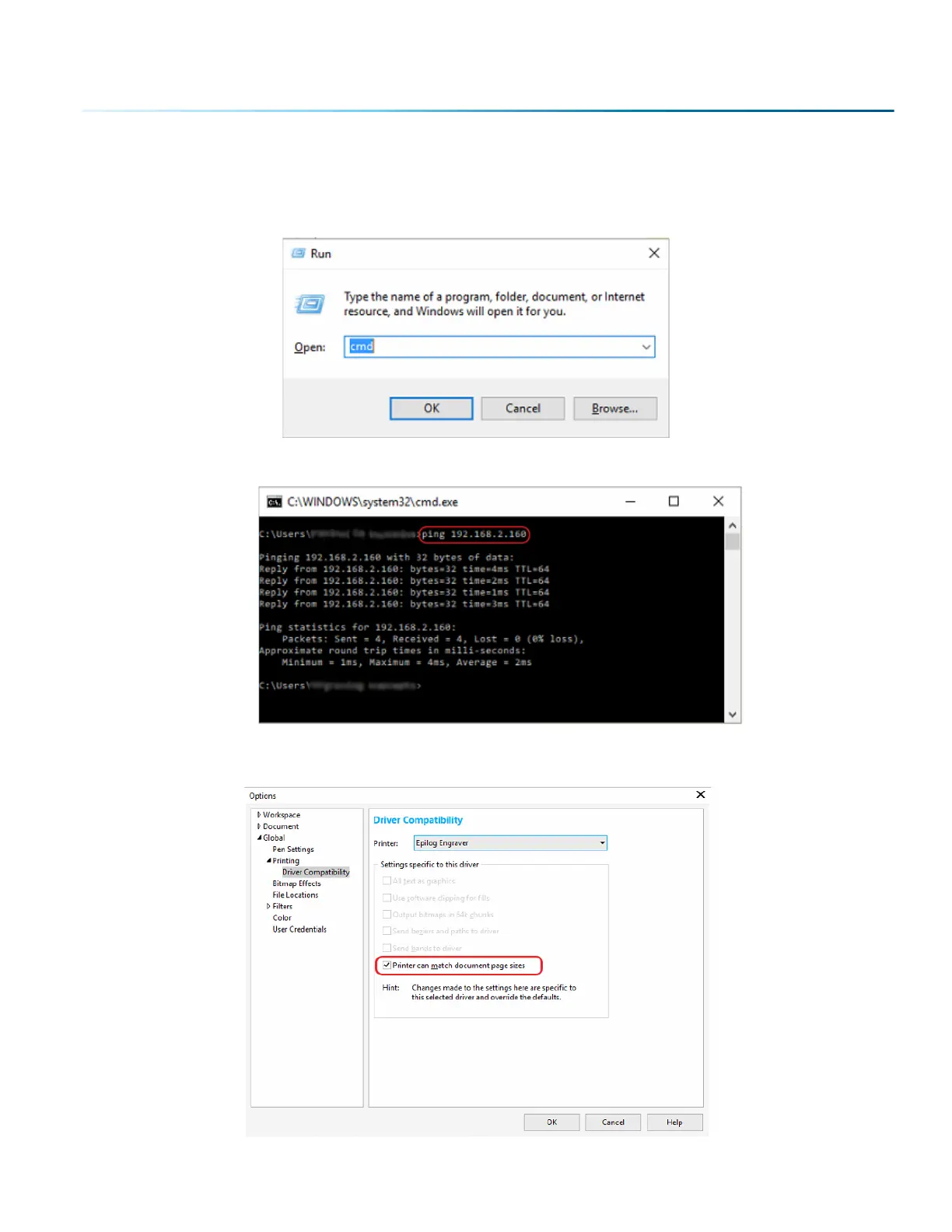
1. First press and hold the Windows logo key + “R” + Enter to open the Run dialog box. Alternatively
you may search “Run” in the Windows search bar and open it that way.
2. Then type “cmd” and press “Ok”.
3. At the prompt, type: “ping” followed by the IP Address assigned to your laser.
4. When the command prompt is finished, the connection to the laser should be fixed. Open the
Options window of CorelDraw again to check the box “Printer can match document page sizes”.
- 89 -
SECTION 5: THE LASER DASHBOARD



 To Next Page
 Loading...






