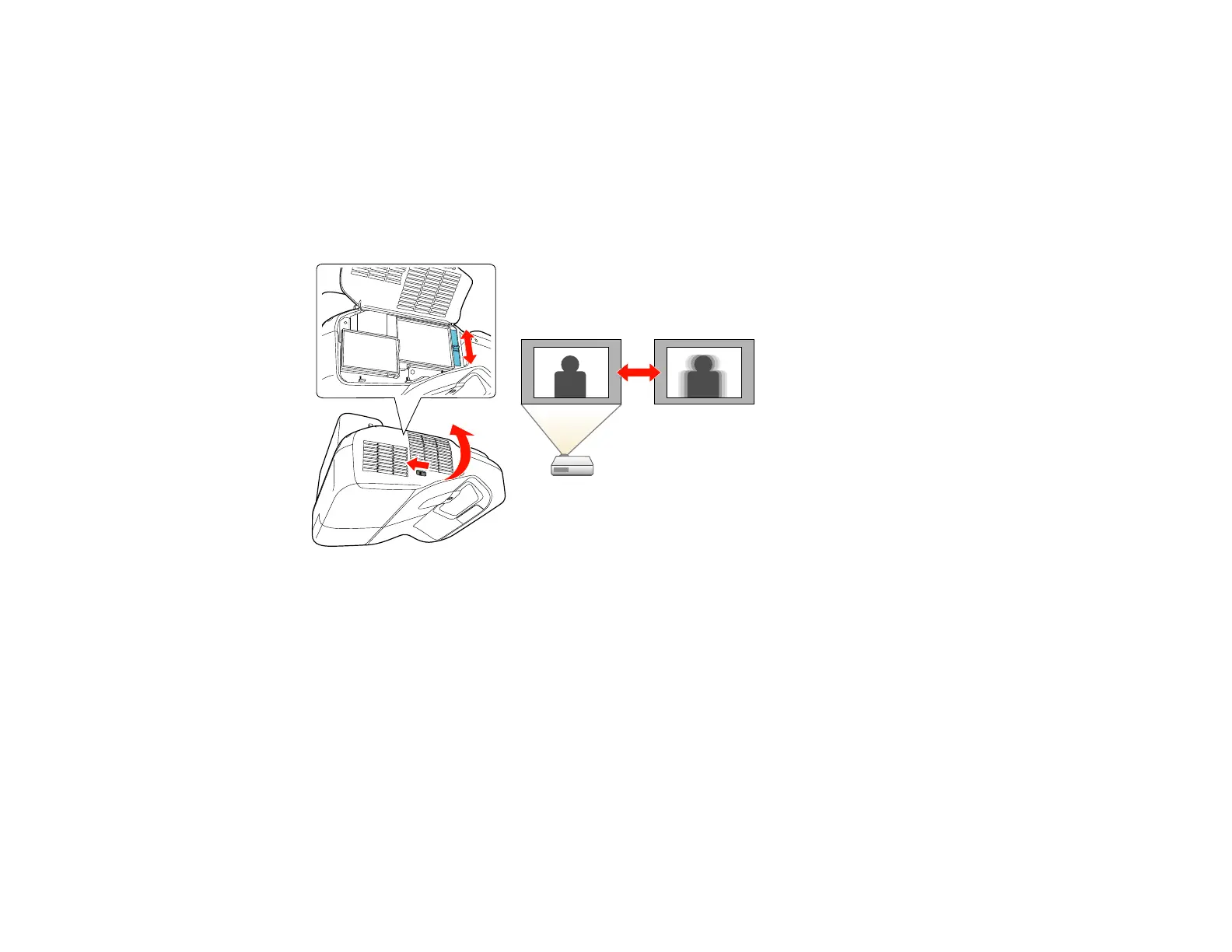
Focusing the Image
1. Turn on the projector and display an image.
Note: You can display a pattern to aid in adjusting the projected image using the Settings menu.
2. Slide the switch to open the air filter cover on the side of the projector.
3. Raise or lower the focus lever to sharpen the image.
Parent topic: Using Basic Projector Features
Related references
Projector Feature Settings - Settings Menu
Remote Control Operation
The remote control lets you control the projector from almost anywhere in the room, up to 19.7 feet (6 m)
away. You can point it at the screen or board, or the front or back of the projector.
Make sure that you aim the remote control at the projector's receivers within the angles listed here.
98












 To Next Page