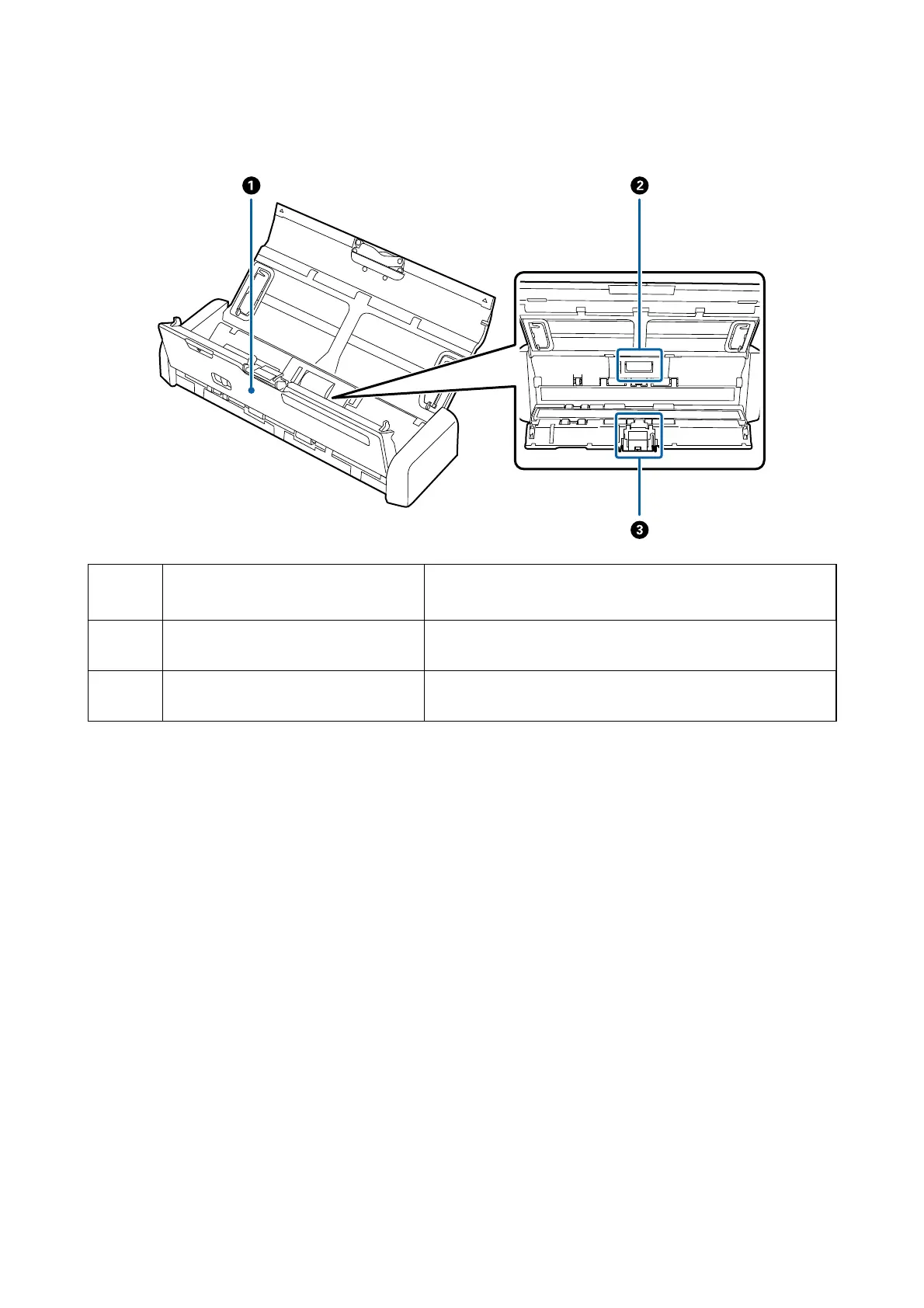
Inside
A
Scanner cover
Pull the edge of the scanner cover rmly at the
d
mark to open it
when cleaning inside the scanner and removing jammed paper.
B
Pickup roller Feeds originals. This needs to be replaced when the number of
scans exceeds the service number of papers.
C
Separation pad Feeds originals separately one by one. This needs to be replaced
when the number of scans exceeds the service number of papers.
Related Information
& “Cleaning Inside the Scanner” on page 74
User's Guide
Scanner Basics
12


 To Next Page