Advanced Scanning
Scanning
Dierent
Sizes or Types of Originals One by
One (Automatic Feeding Mode)
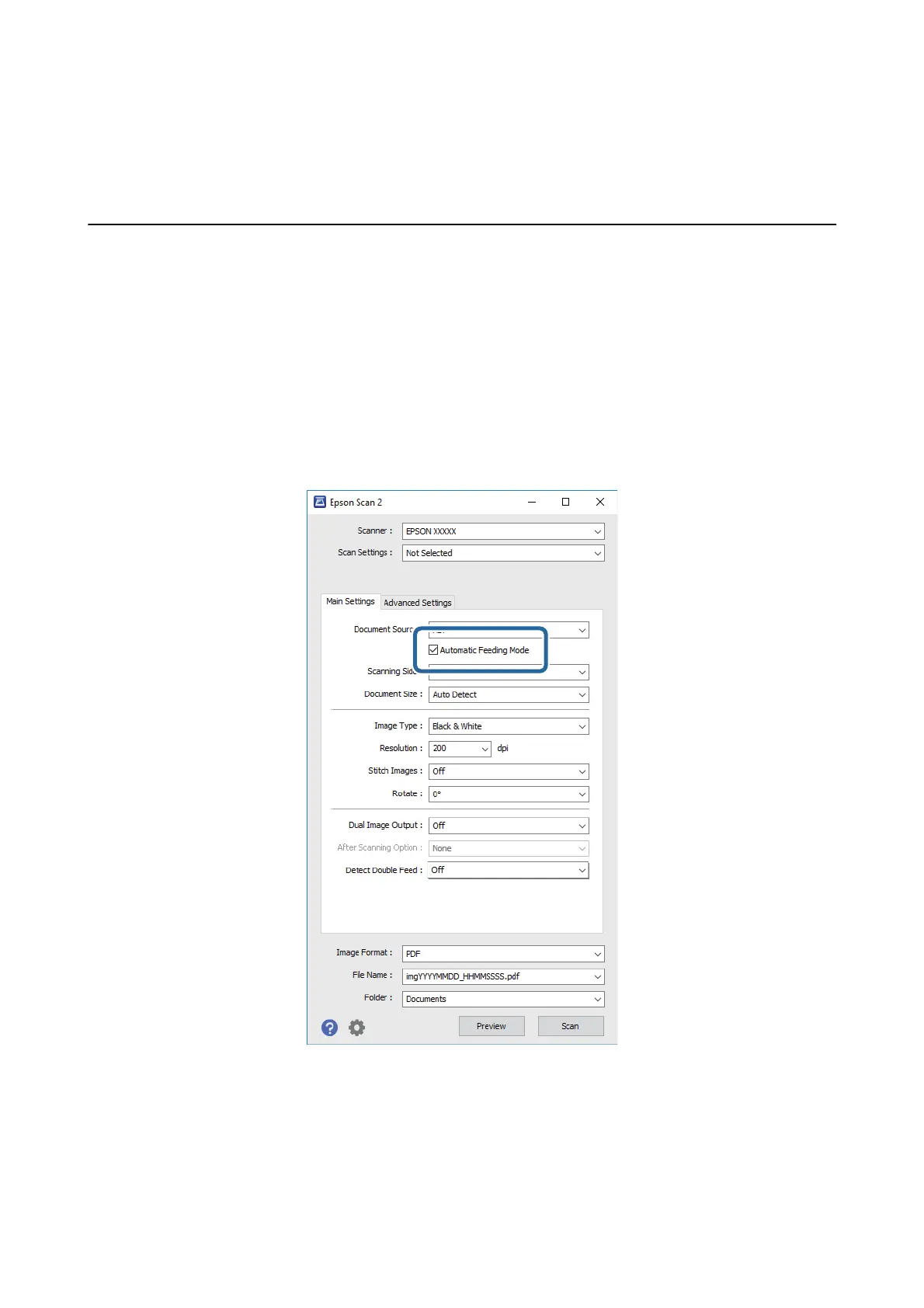
You can scan dierent sizes or types of originals one by one using Automatic Feeding Mode. In this mode, the
scanner starts scanning automatically when originals are loaded in the ADF.
You can also use the card slot to scan plastic cards in Automatic Feeding Mode.
1. Start Epson Scan 2.
2. Select Automatic Feeding Mode on the Main Settings tab.
3. Make other settings for scanning on the Epson Scan 2 main window.
4. Click Scan.
Automatic Feeding Mode starts.
User's Guide
Advanced Scanning
56


 To Next Page