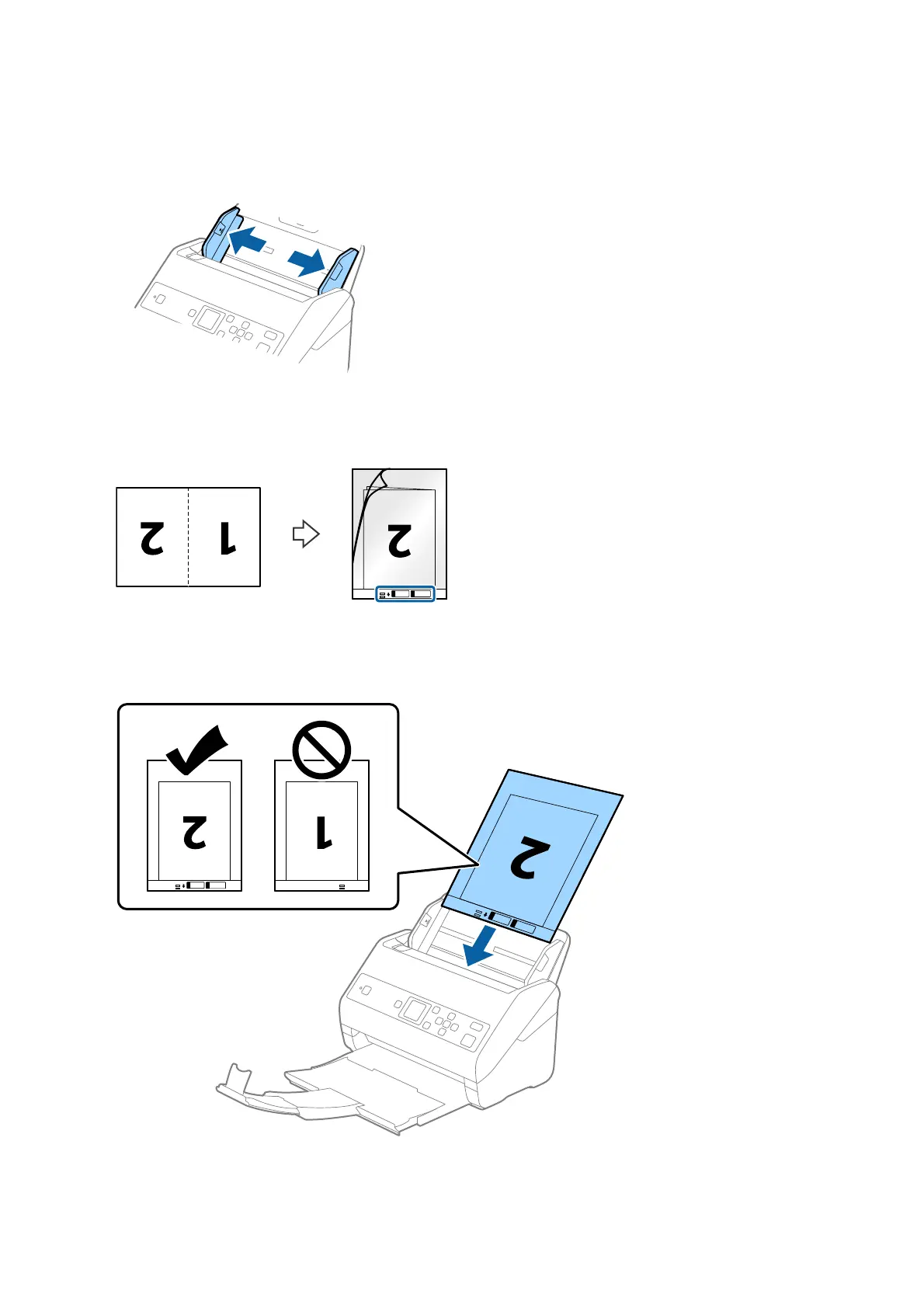
2. Slide the edge guides on the input tray all the way out.
3.
Place the Carrier Sheet with the illustration on the front edge facing up and place the original in the carrier
sheet by folding it in half so that the side to be scanned is facing out, with the right side at the front.
4. Load the Carrier Sheet into the input tray with the top edge facing into the ADF.
Slide the Carrier Sheet into the ADF until it meets resistance.
User's Guide
Specications of Originals and Placing Originals
40



 To Next Page