Back
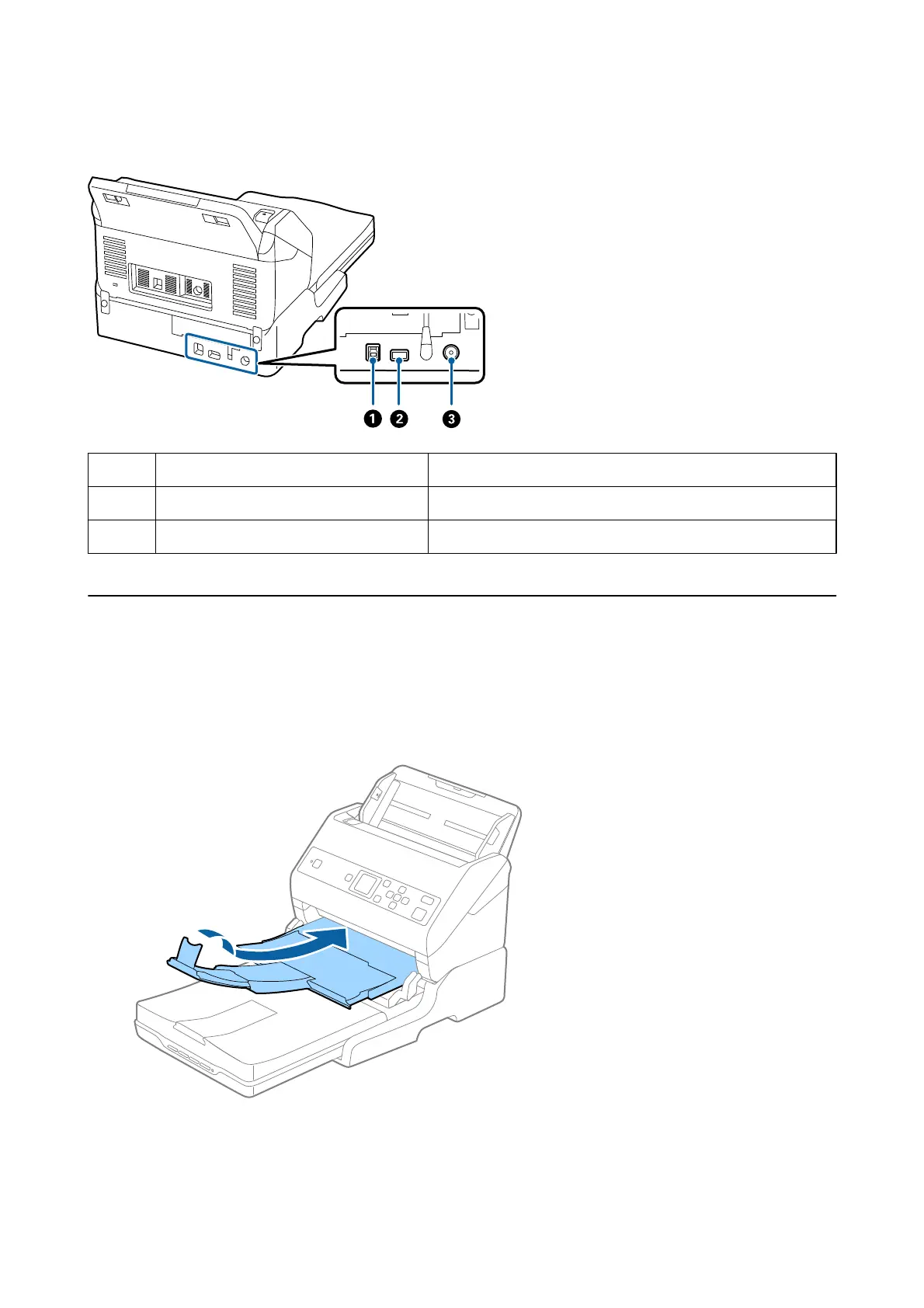
A
USB port 1 Connects a USB cable to connect to a computer.
B
USB port 2 Connects a USB cable to connect to the sheet feed scanner.
C
DC inlet Connects the AC adapter.
Scanning from the Scanner Glass
1. Close the output tray.
User's Guide
Using the Flatbed Scanner Dock
93



 To Next Page