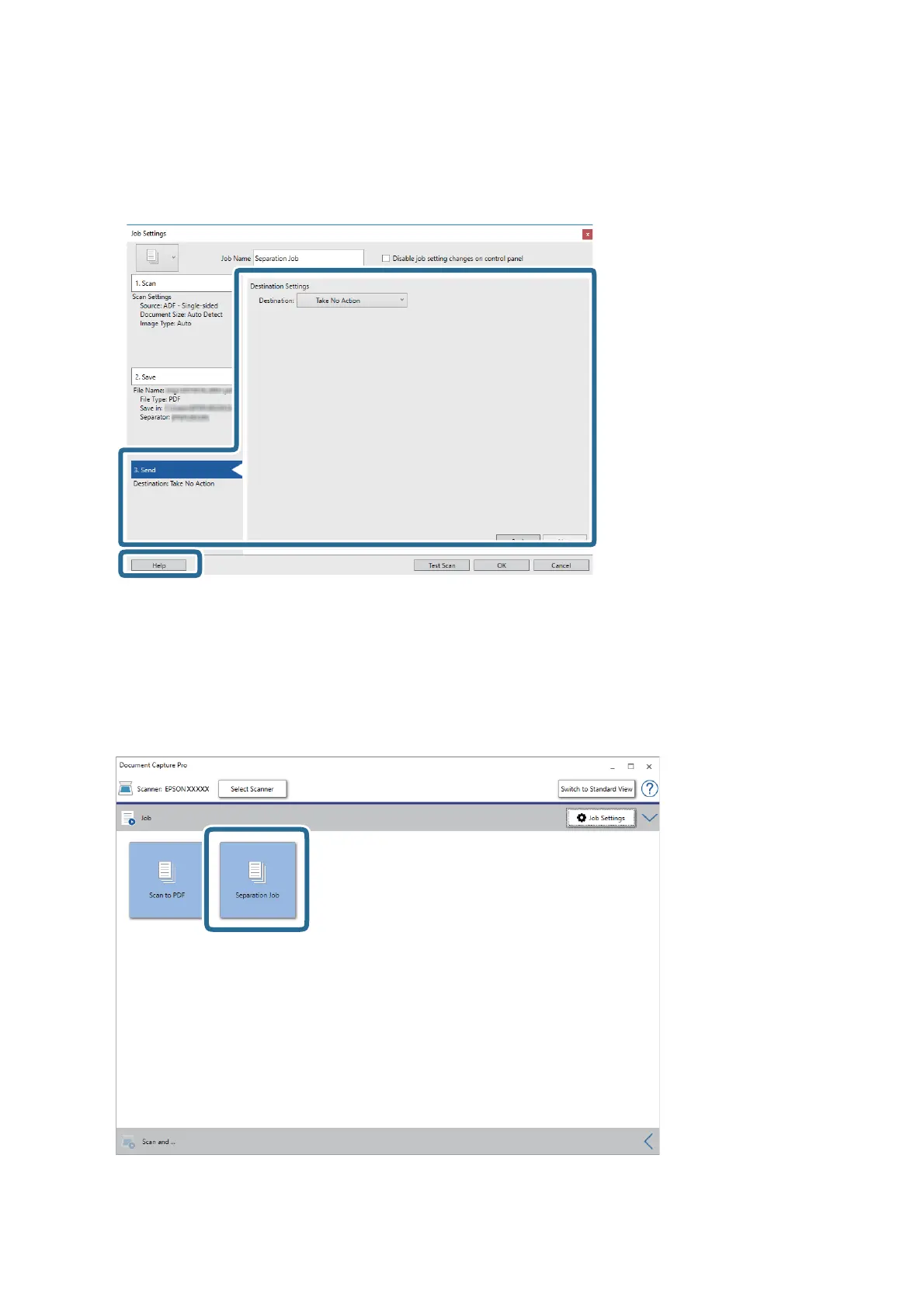
11. Click 3. Send, and then select the Destination.
Destination setting items are displayed according to the destination you selected. Make detailed settings as
necessary. Click Help for details on each item.
12. Click OK to close the Job Settings screen.
13. Click OK to close the job list screen.
e separation job is created.
14. Click the job icon.
e separation job is performed.
User's Guide
Advanced Scanning
83



 To Next Page