1.4 OPERATING INSTRUCTIONS
This section describes functions performed through the control panel, such as printing a status
sheet, hexadecimal dump, and printer settings functions.
1.4.1 Control Panel
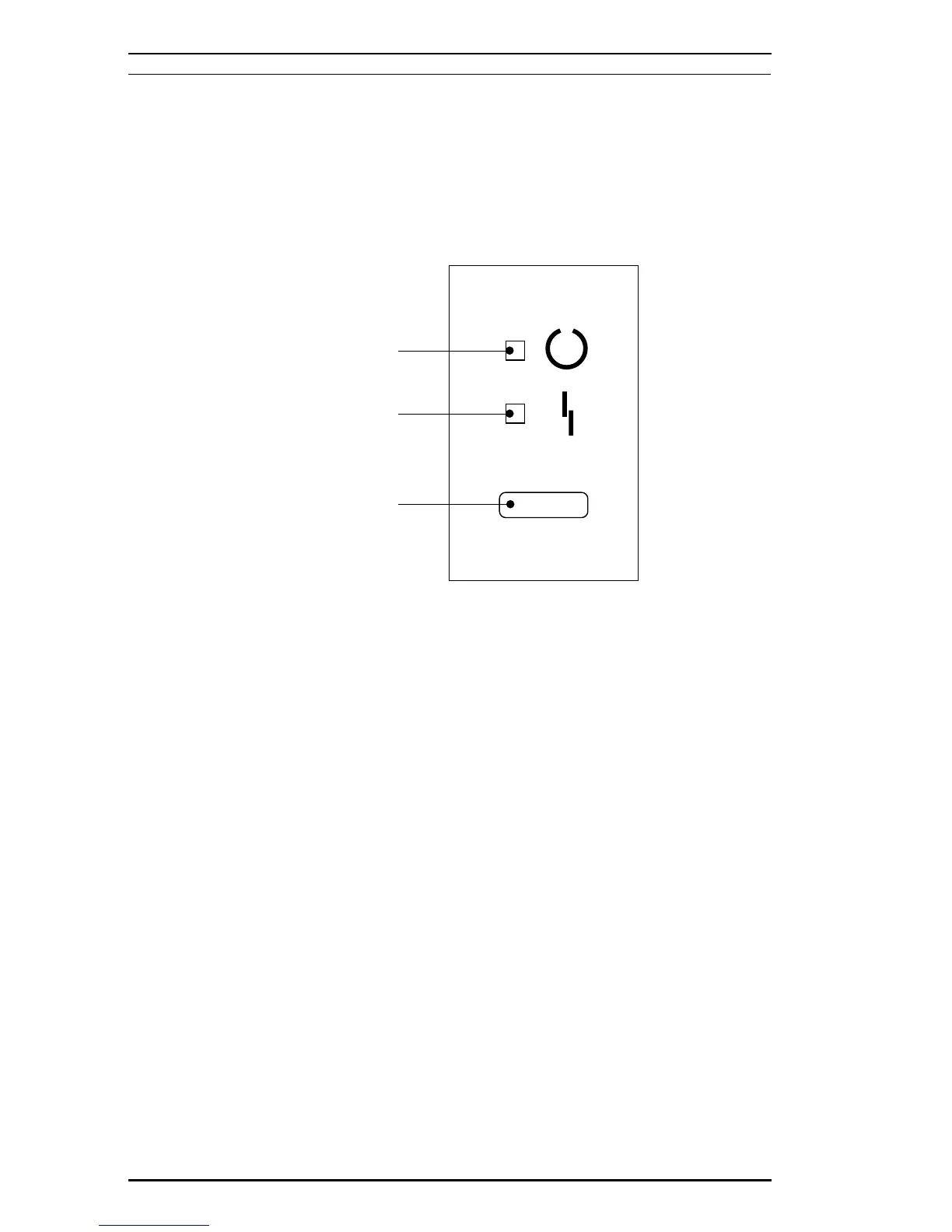
The printer control panel gives you easy control over most common printer operations. The panel
consists of indicator lights and a button.
Indicator lights
❏
Yellow light
ON: Communication with the host is possible.
Fast flashing: Receiving data or warming up.
Slow flashing: Received data is stored in the printer but has not been printed.
OFF: Printer is power off.
❏
Red light
ON: Paper jam or cover open.
Fast flashing: Feed jam, paper empty.
Slow flashing: One of these errors: SOFT ERROR, PRINT OVERRUN, MEMORY OVERFLOW,
CHECK PAPER SIZE, IMAGE OPTIMUM
OFF: No error condition.
LED (Yellow)
LED (Red)
Button
Figure 1-9. Control Panel
General Description EPL-5500 Service Manual
1-18 Rev. B



 To Next Page