3.2.3.2 Image Transfer Unit Removal
1. Open the top cover.
2. Remove the harness cover A. (Refer to Section 3.2.3.3.)
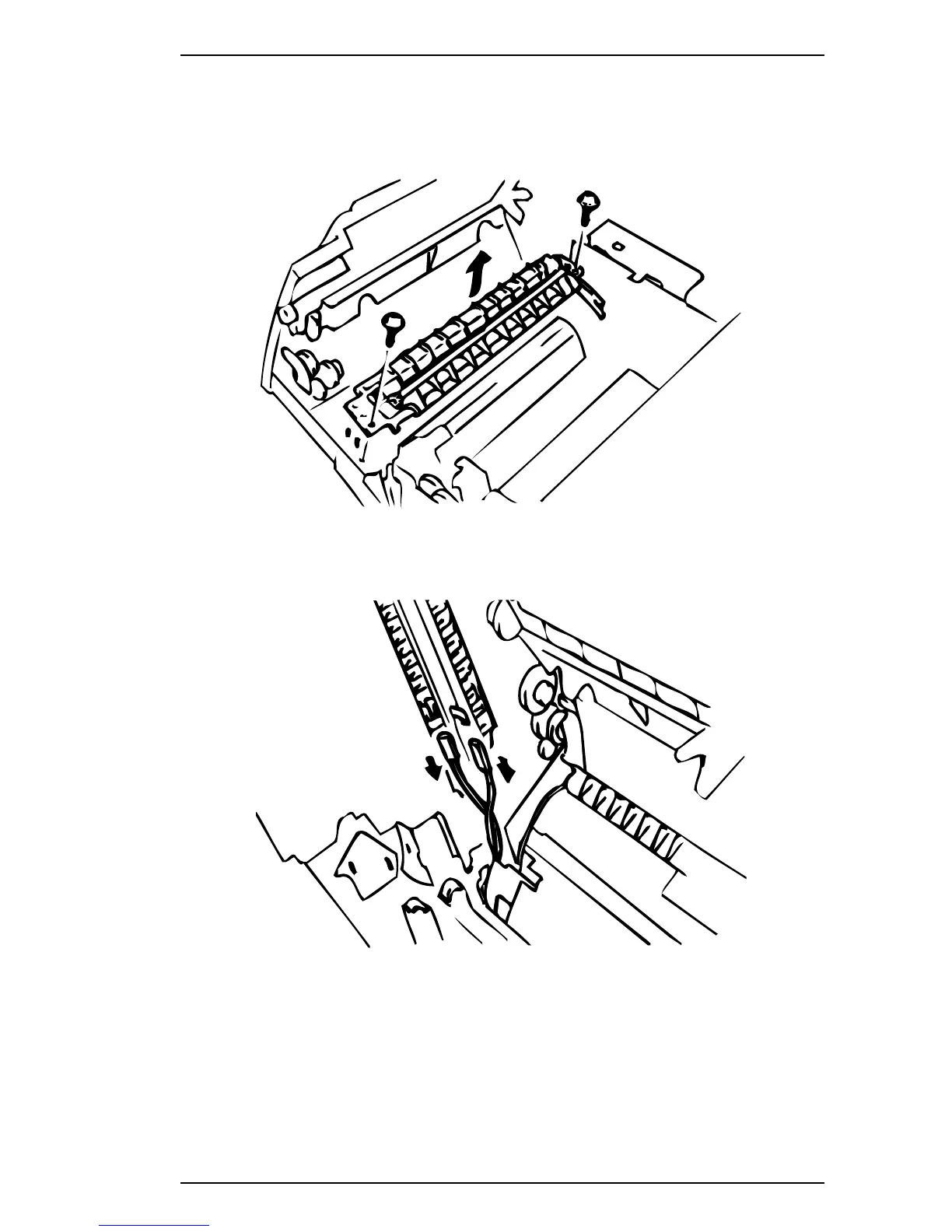
3. Remove the 2 screws (#5) and holders at both ends of the image transfer unit.
4. Disconnect the 2 connectors and remove the unit.
Figure 3-5. Removing the Image Transfer Unit - 1
Figure 3-6. Removing the Image Transfer Unit - 2
EPL-5500 Service Manual Disassembly and Assembly
Rev. B 3-7



 To Next Page