3.2.3.9 Paper Take-Up Sensor and Paper Take-Up Solenoid Removal
1. Remove the housing components. (Refer to Section 3.2.1.1.)
2. Turn over the printer on its back.
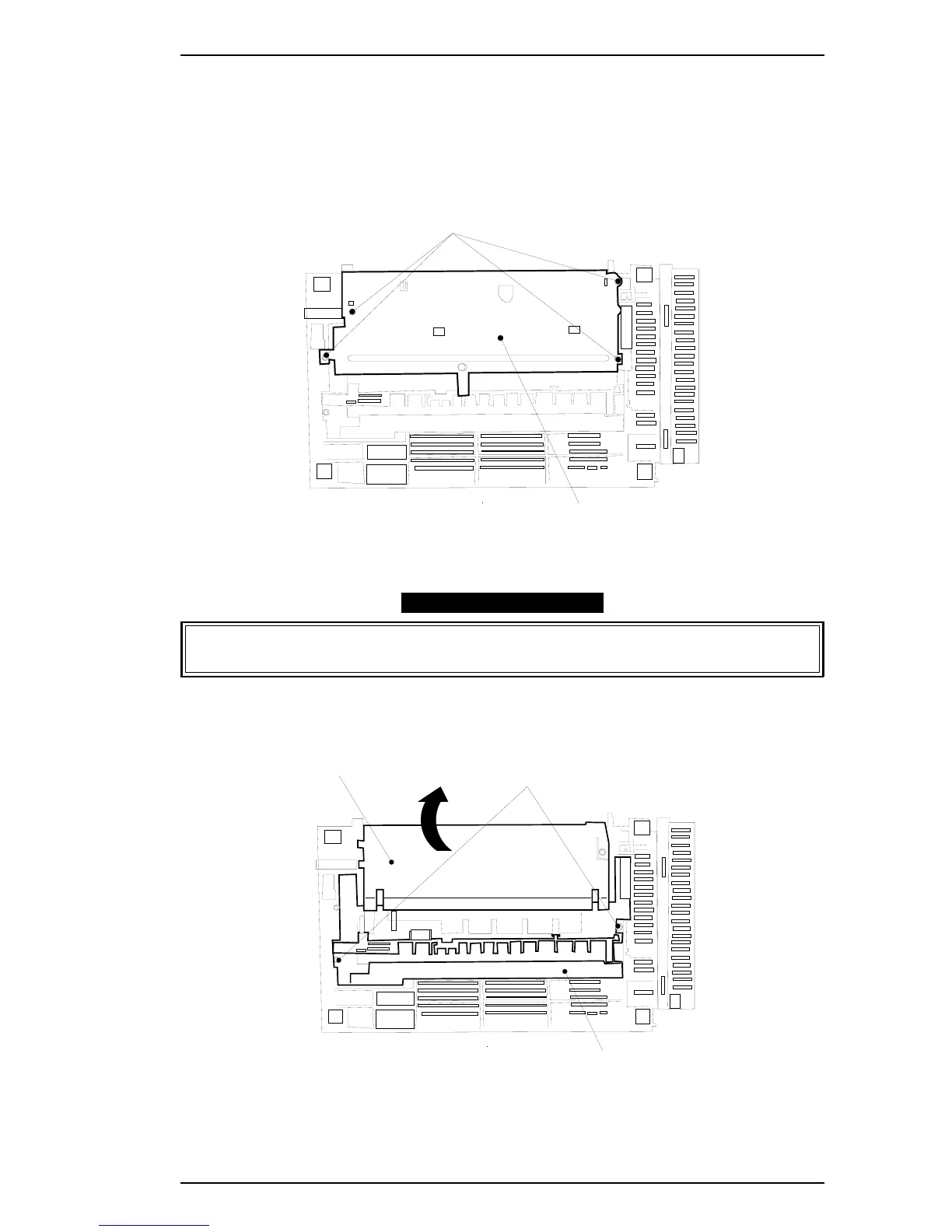
3. Remove the 4 screws (#6), and remove the ground plate.
4. Turn up the lifting plate.
ASSEMBLY POINT
When turnning up the lifting plate, be carefull with the grounding plate which overlapping
the lifting plate.
5. Remove the 2 screws (#6), and remove the paper guide assembly.
6. Remove the paper take-up sensor and the paper take-up solenoid from the assembly.
Screw (#6)
Ground plate
Figure 3-32. Removing the Ground Plate
Lifting plate
Screw (#6)
Paper guide ASSY.
Turn up the plate
Figure 3-33. Removing the Paper Guide ASSY.
EPL-5500 Service Manual Disassembly and Assembly
Rev. B 3-21



 To Next Page