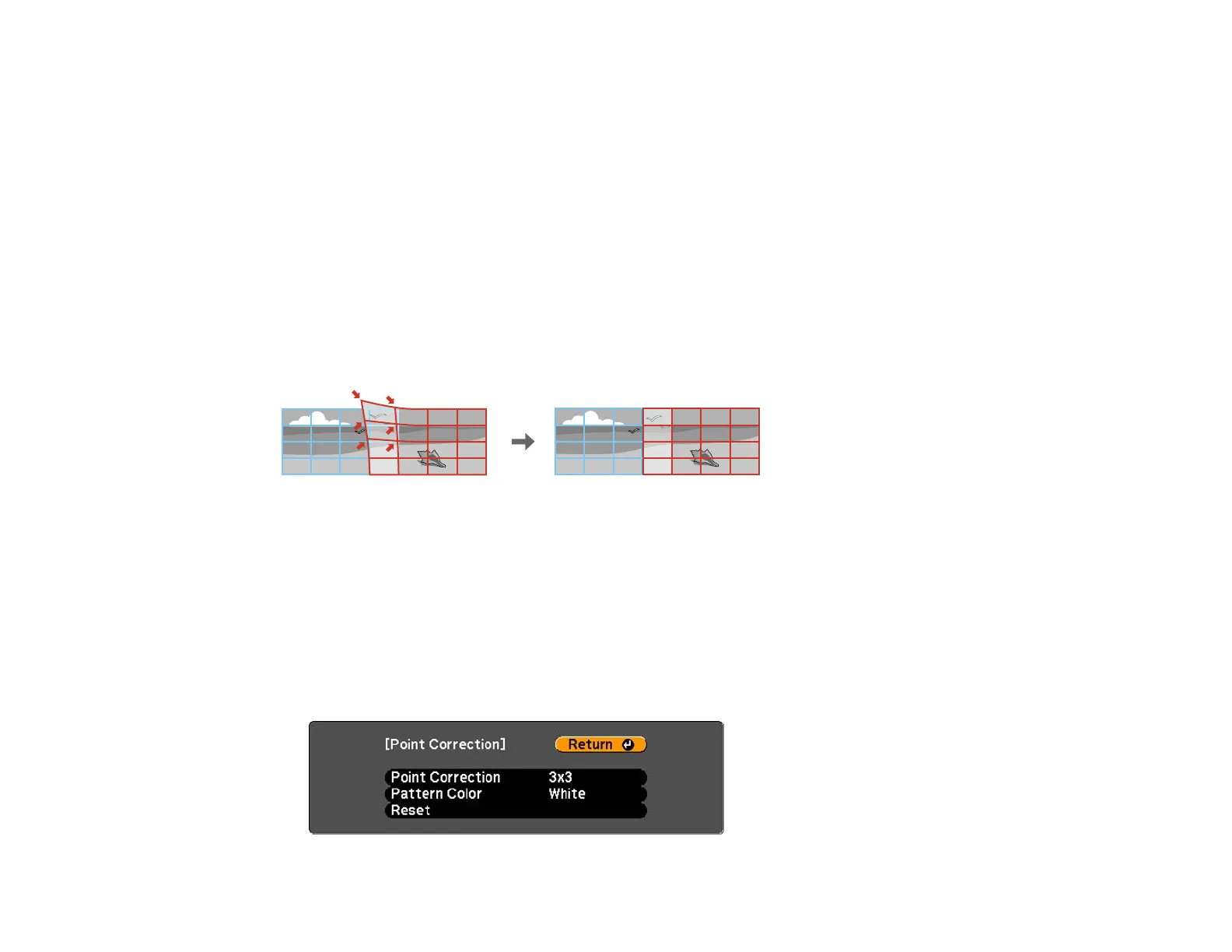
Note: If necessary, you can fine tune the results of your Curved Surface adjustments using Point
Correction.
Parent topic: Image Shape
Related references
Projector Feature Settings - Settings Menu
Related tasks
Displaying a Test Pattern
Correcting Image Shape with Point Correction
Correcting Image Shape with Point Correction
You can use the projector's Point Correction feature to adjust the image via points on a grid. This is
useful to adjust overlapping areas in multiple projections that do not line up correctly.
1. Press the Menu button.
2. Select the Settings menu and press Enter.
3. Select the Geometric Correction setting and press Enter.
4. Select the Point Correction setting and press Enter.
Note: If you see a confirmation message to continue, press Enter again.
You see this screen:
103




 To Next Page