Attaching and Removing the Lens Unit
Follow the instructions in these sections to attach or remove the lens unit.
Attaching the Lens Unit
Removing the Lens Unit
Parent topic: Setting Up the Projector
Attaching the Lens Unit
You can attach a compatible lens to the projector.
Note: Make sure the front of the projector is not facing up while the lens unit is removed to help prevent
dirt or dust from entering the projector. Be sure to attach a compatible lens only.
Caution: Avoid touching the lens with your bare hands to prevent fingerprints on or damage to the lens
surface.
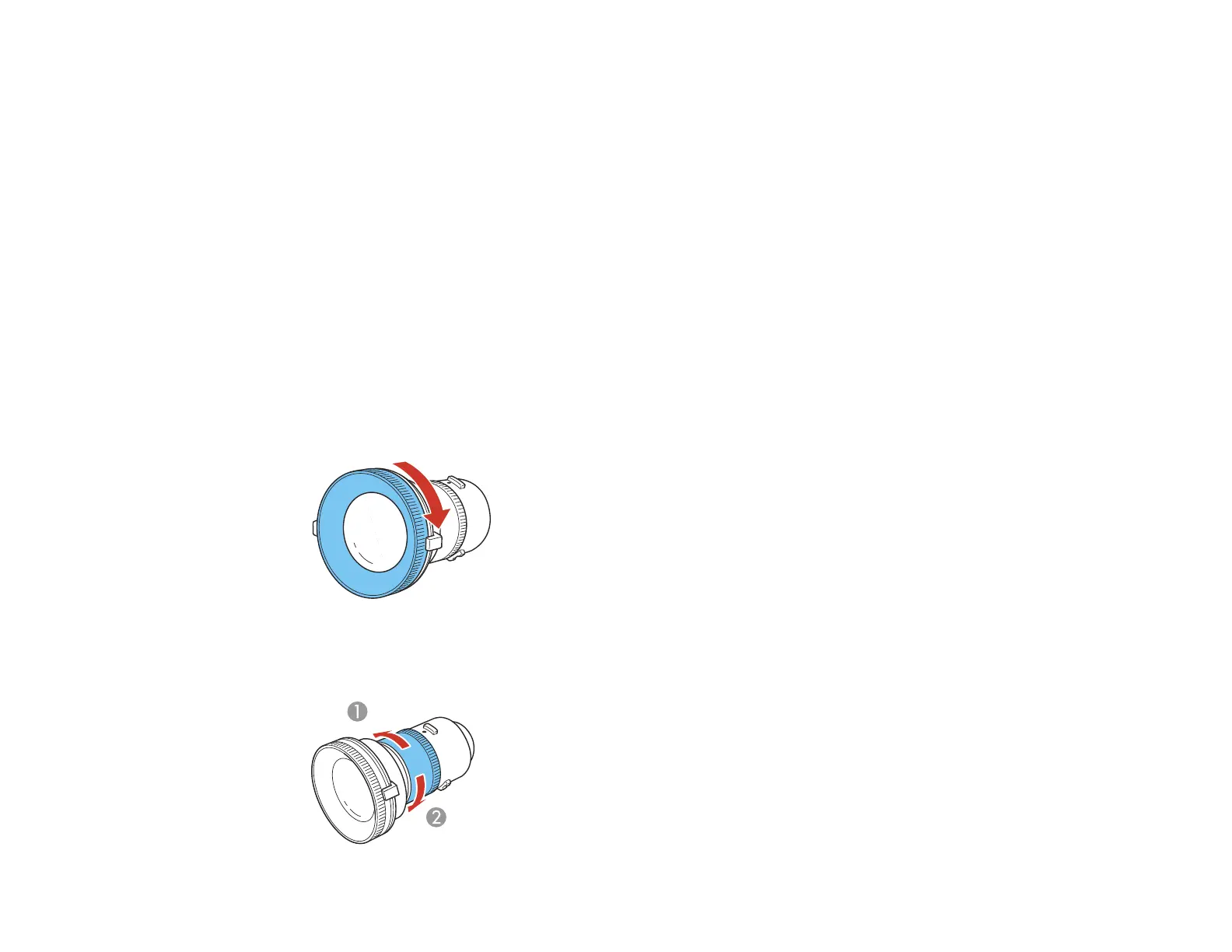
1. Turn the focus ring as shown until it stops.
Note: If the projector is installed at an angle of ± 35 to 150°, tighten the lens torque ring but not too
tightly. Over tightening the torque ring can cause it to not function properly.
43




 To Next Page