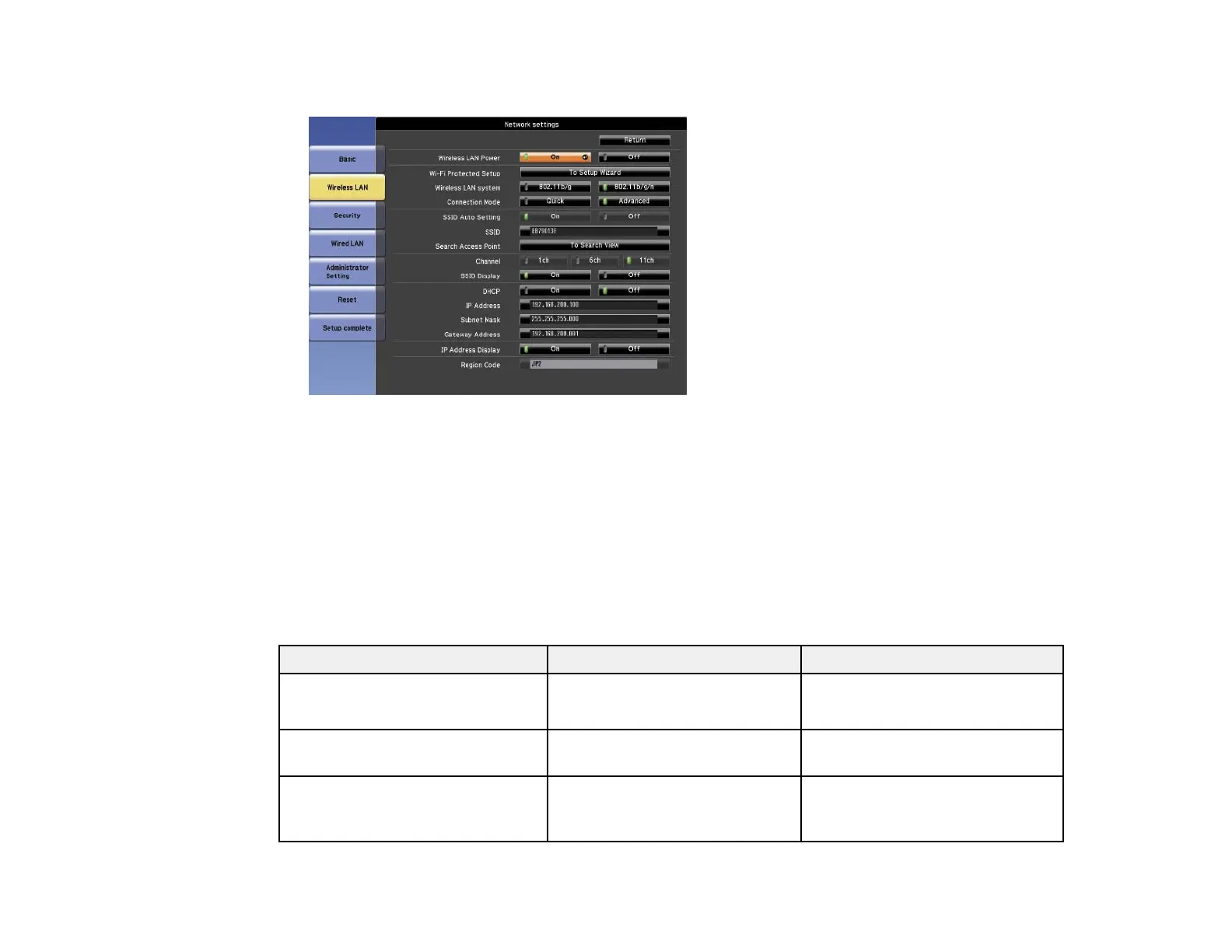
7. Select the Wireless LAN menu and press Enter.
8. Select the settings on the Wireless LAN menu as necessary for your network.
9. When you finish selecting settings, select Setup complete and follow the on-screen instructions to
save your settings and exit the menus.
After you complete the wireless settings for your projector, you need to select the wireless network on
your computer.
Wireless LAN Menu Settings
Parent topic: Wireless Network Projection
Wireless LAN Menu Settings
Setting Options Description
Wireless LAN Power On Turns wireless LAN support on
and off
Off
Wi-Fi Protected Setup To Setup Wizard Select To Setup Wizard to start
the WPS Connection Setup utility
Wireless LAN System 802.11b/g Sets the type of wireless LAN
system the projector is
802.11b/g/n
connecting to
63




 To Next Page