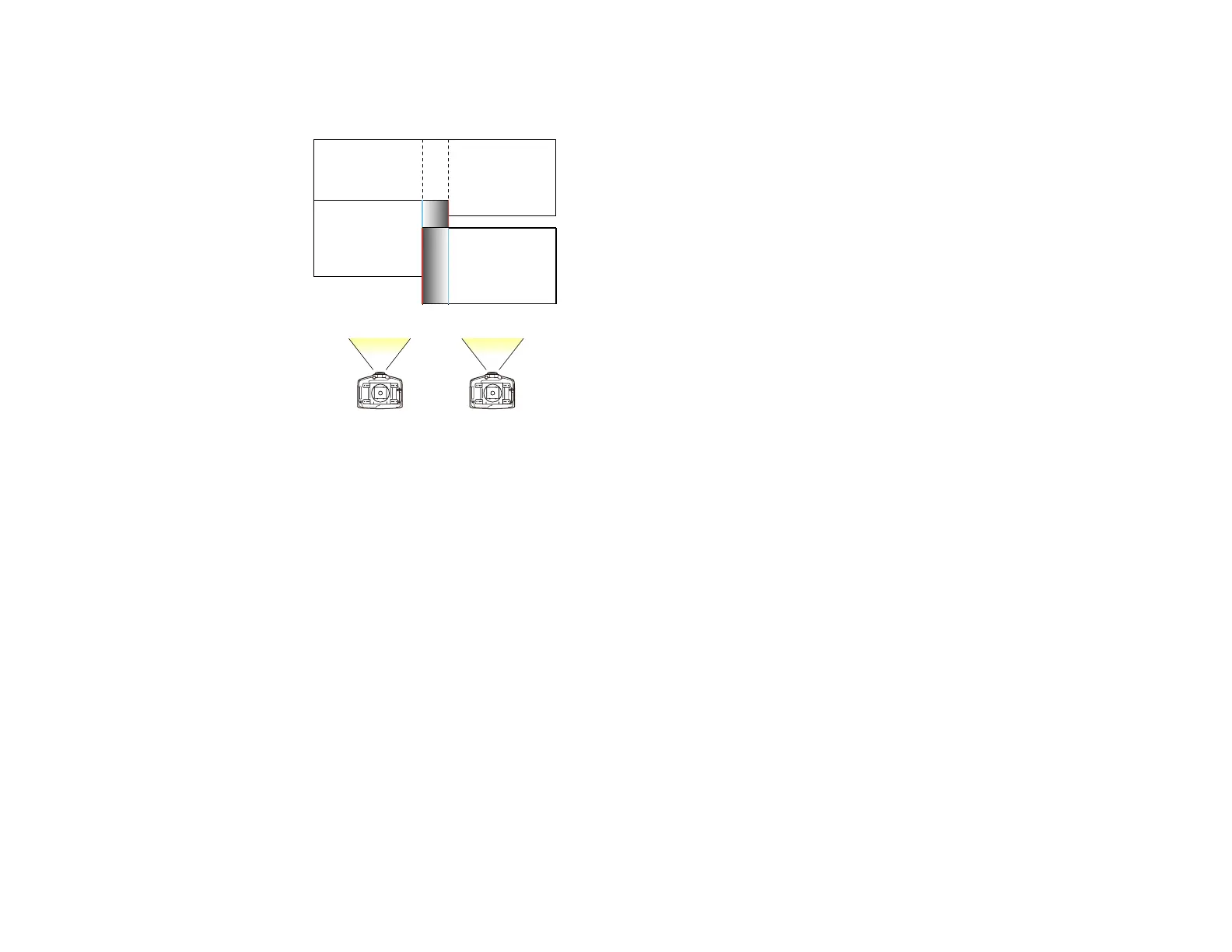
The range should be set so that the displayed guides are at the edges of the overlapping area
between the two images.
9. Press Esc to go back to the previous screen.
10. Select the Blend Curve setting (PowerLite Pro G6050W/G6150/G6450WU/G6550WU/G6750WU)
and select a gradient for the shaded area.
11. When you are finished, press the Menu button.
Parent topic: Using Multiple Projectors
Adjusting the Black Level
When two images overlap, the overlapping area can be different in brightness and tone from the areas
that do not overlap. You can use the projector's Black Level setting to reduce this difference and make it
less noticeable (PowerLite Pro G6800/G6900WU).
143




 To Next Page