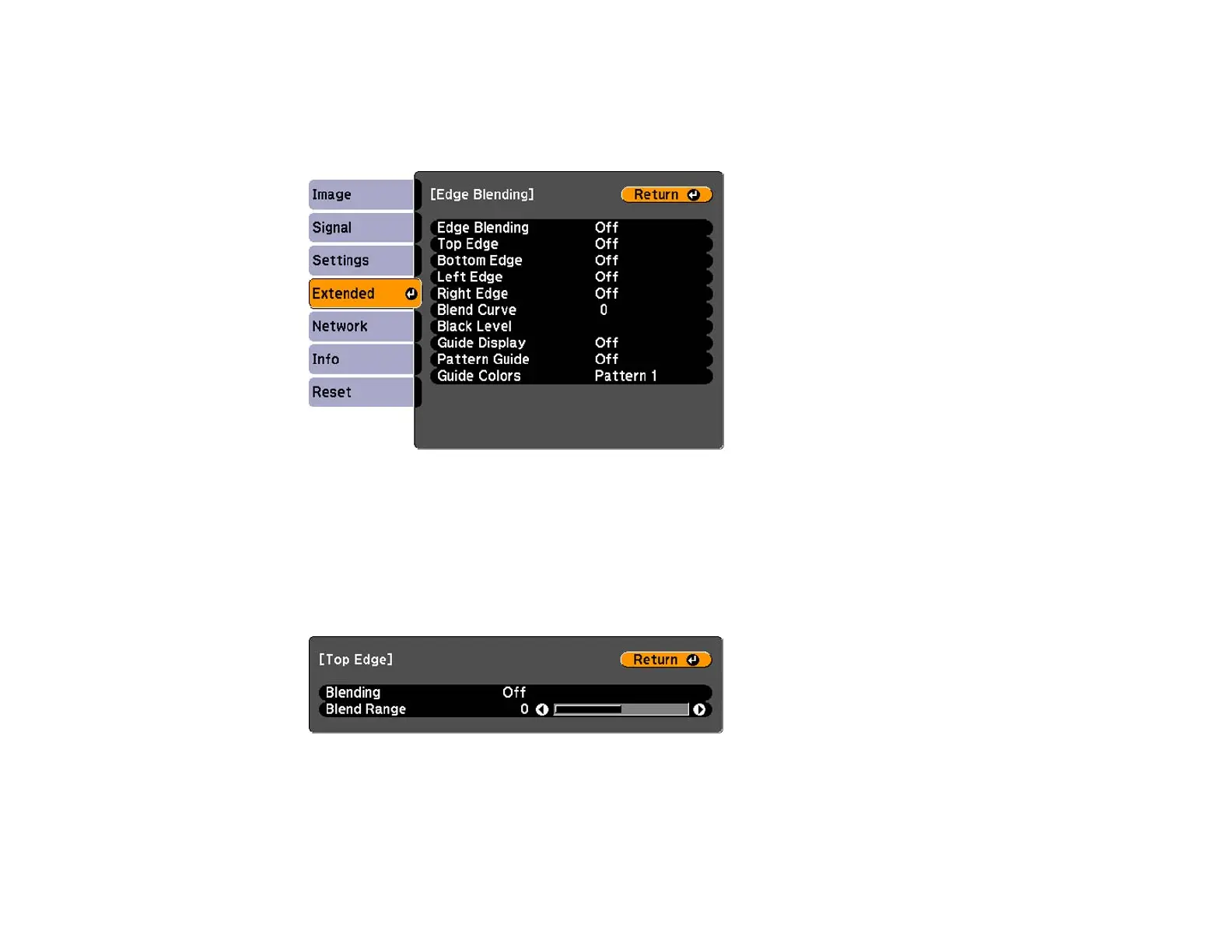
3. Select the Multi-Projection setting and press Enter.
4. Select the Edge Blending setting and press Enter.
You see this screen:
5. Turn on the Edge Blending, Guide Display, and Pattern Guide settings.
Note: If the projected guide is unclear, try changing the Guide Colors setting.
6. Select the edge you want to blend and press Enter.
You see a screen like this:
7. Select the Blending setting and select On.
8. Select the Blend Range setting and select the width of the blended area.
142







 To Next Page