Viewing 3D Images
Using an optional polarizer and 3D glasses, you can use two projectors to project and view passive 3D
images. See the instructions supplied with the optional equipment for setup and use.
For optimal viewing, select the 3D Images setting from the Signal menu and select one of the 3D color
modes.
Parent topic: Adjusting Projector Features
Related concepts
Color Mode
Saving Settings to Memory and Using Saved Settings
You can save customized settings for each of your video inputs and then select the saved settings
whenever you want to use them.
1. Turn on the projector and display an image.
2. Press the Menu button.
3. Select the Settings menu and press Enter.
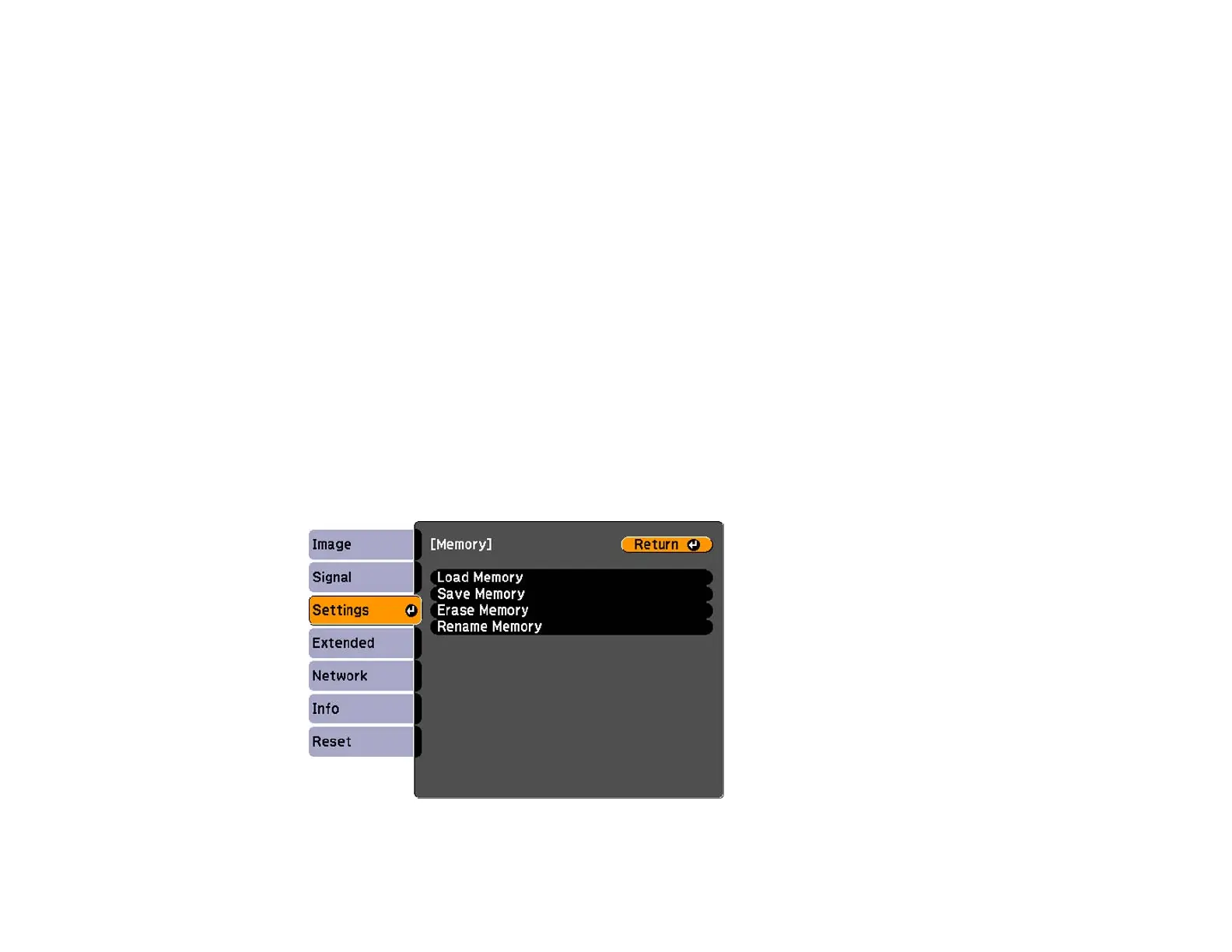
4. Select the Memory setting and press Enter.
You see this screen:
149






 To Next Page