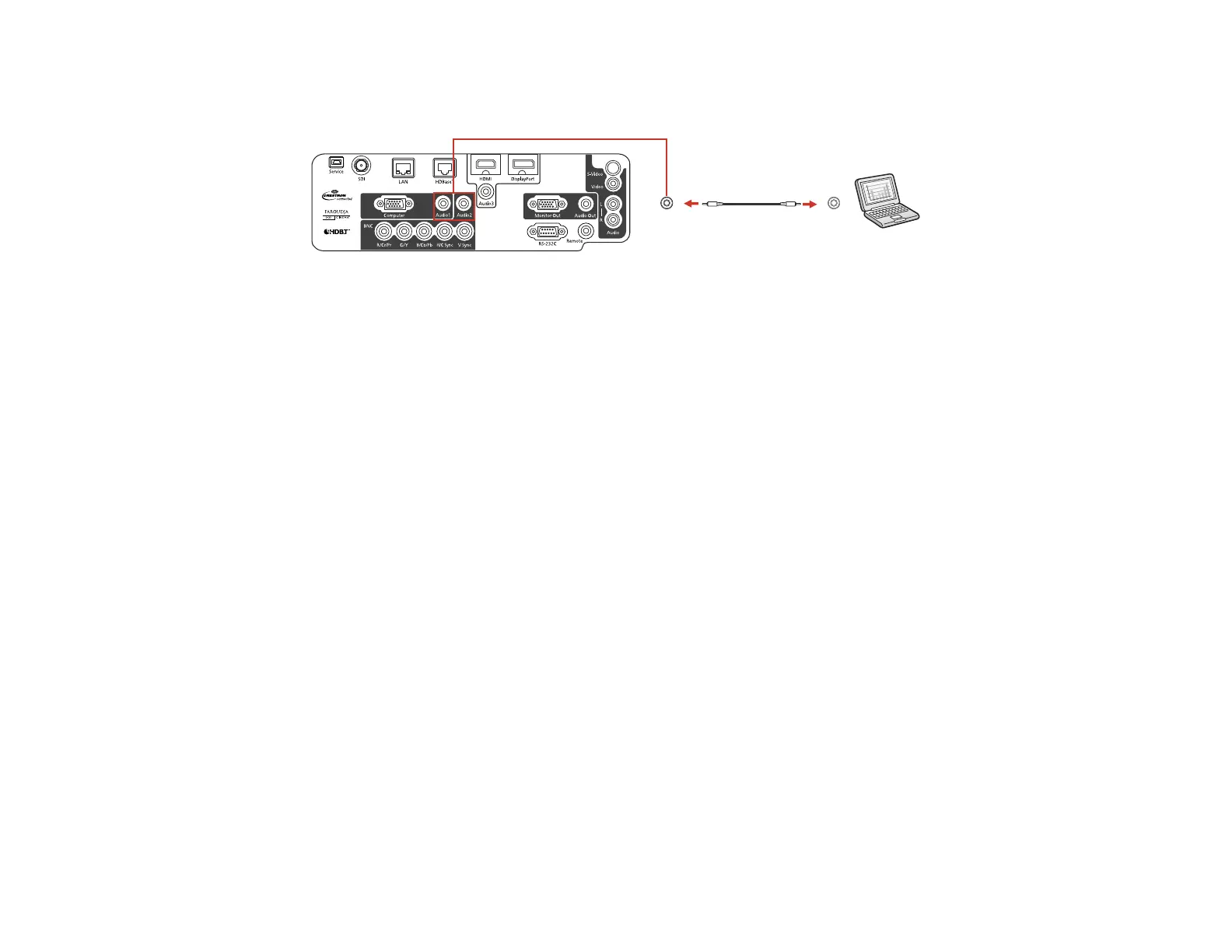
2. Connect the other end to the Audio port that corresponds to the Computer or BNC ports you are
using.
Parent topic: Connecting to Computer Sources
Related tasks
Connecting to an External Computer Monitor
Connecting to Video Sources
Follow the instructions in these sections to connect video devices to the projector.
Connecting to an HDMI Video Source
Connecting to a Component-to-BNC Video Source
Connecting to a Component-to-VGA Video Source
Connecting to an S-Video Video Source
Connecting to a Composite Video Source
Connecting to an SDI Video Source
Connecting to a Video Source for Sound
Parent topic: Projector Connections
Connecting to an HDMI Video Source
If your video source has an HDMI port, you can connect it to the projector using an optional HDMI cable.
The HDMI connection provides the best image quality.
1. Connect the HDMI cable to your video source's HDMI output port.
35




 To Next Page