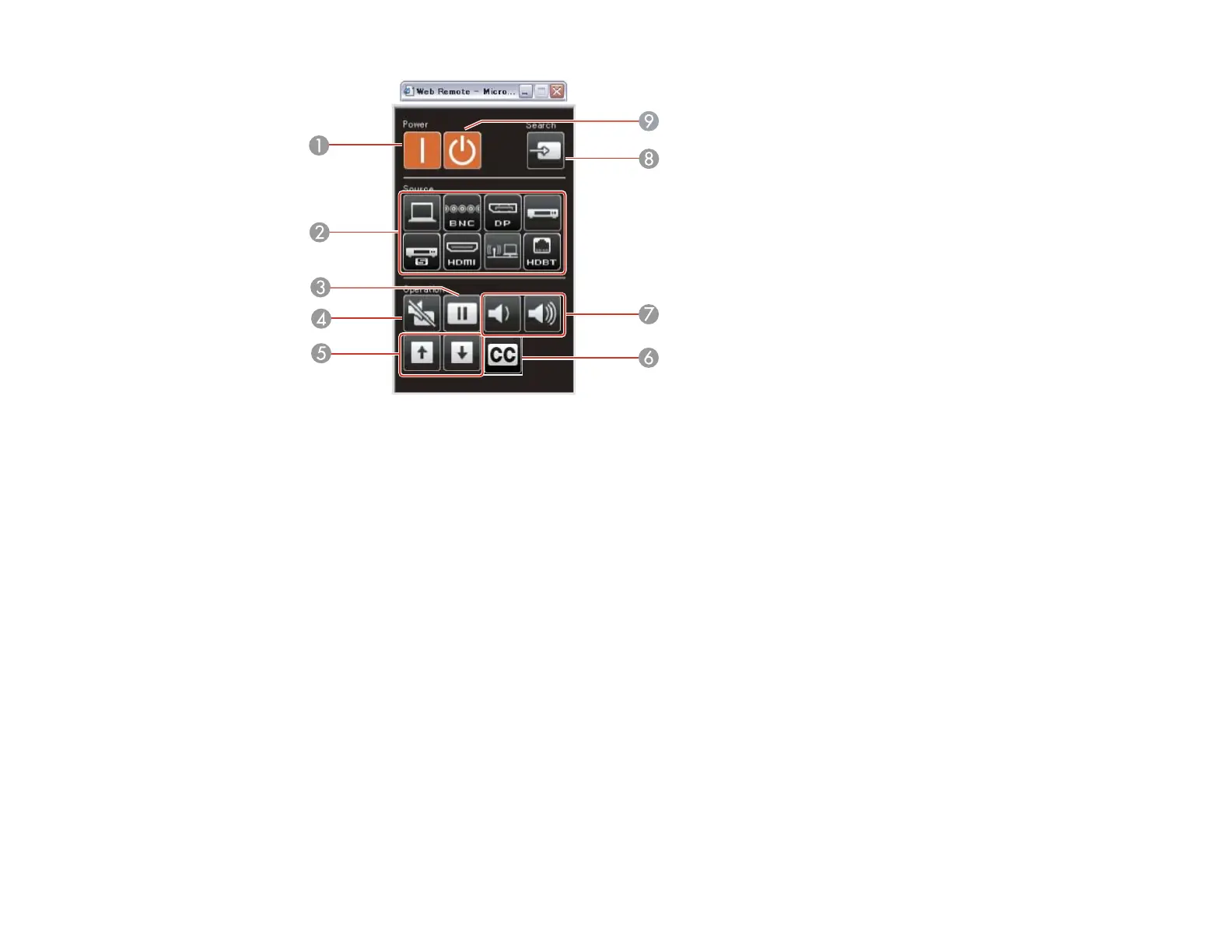
1 Power on button control
2 Input source selection controls (some buttons may not be available depending on the model)
3 Freeze button control
4 A/V Mute button control
5 Page Up and Page Down button controls
6 Closed caption control
7 Volume button controls
8 Source search control
9 Standby button control
6. Select the icon corresponding to the projector function you want to control.
Parent topic: Using the Projector on a Network
Related references
Projector Setup Settings - Extended Menu
78







 To Next Page