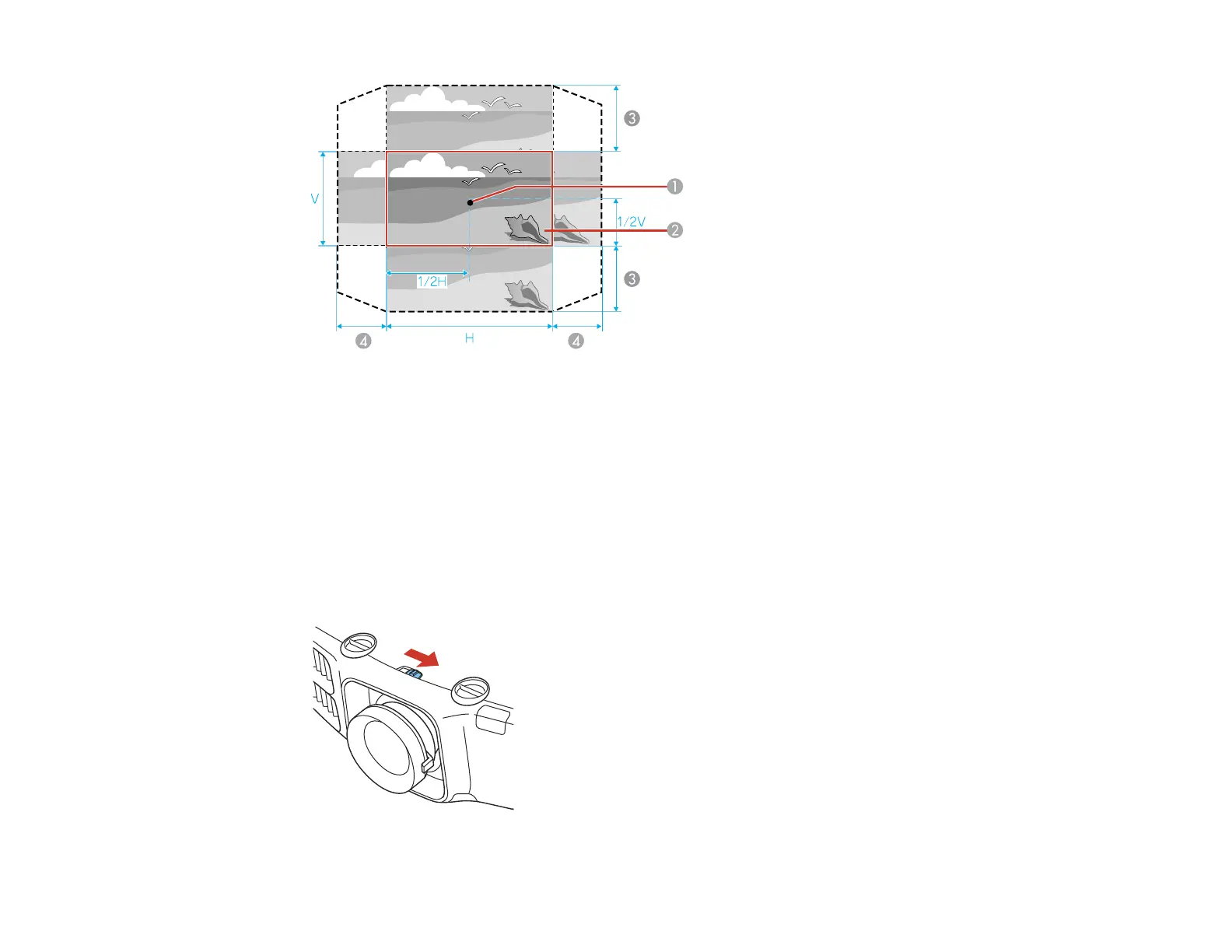
1 Center of lens
2 Projected image when lens shift is set in the center
3 V × 67% (PowerLite Pro G6050W/G6450WU/G6550WU/G6750WU/G6900WU); V× 57%
(PowerLite Pro G6150/G6800)
4 H × 30%
Note: The image cannot be moved to both the horizontal and vertical maximum values.
4. When you are finished, slide the lens shift dial lock as shown to lock the dials.
90




 To Next Page