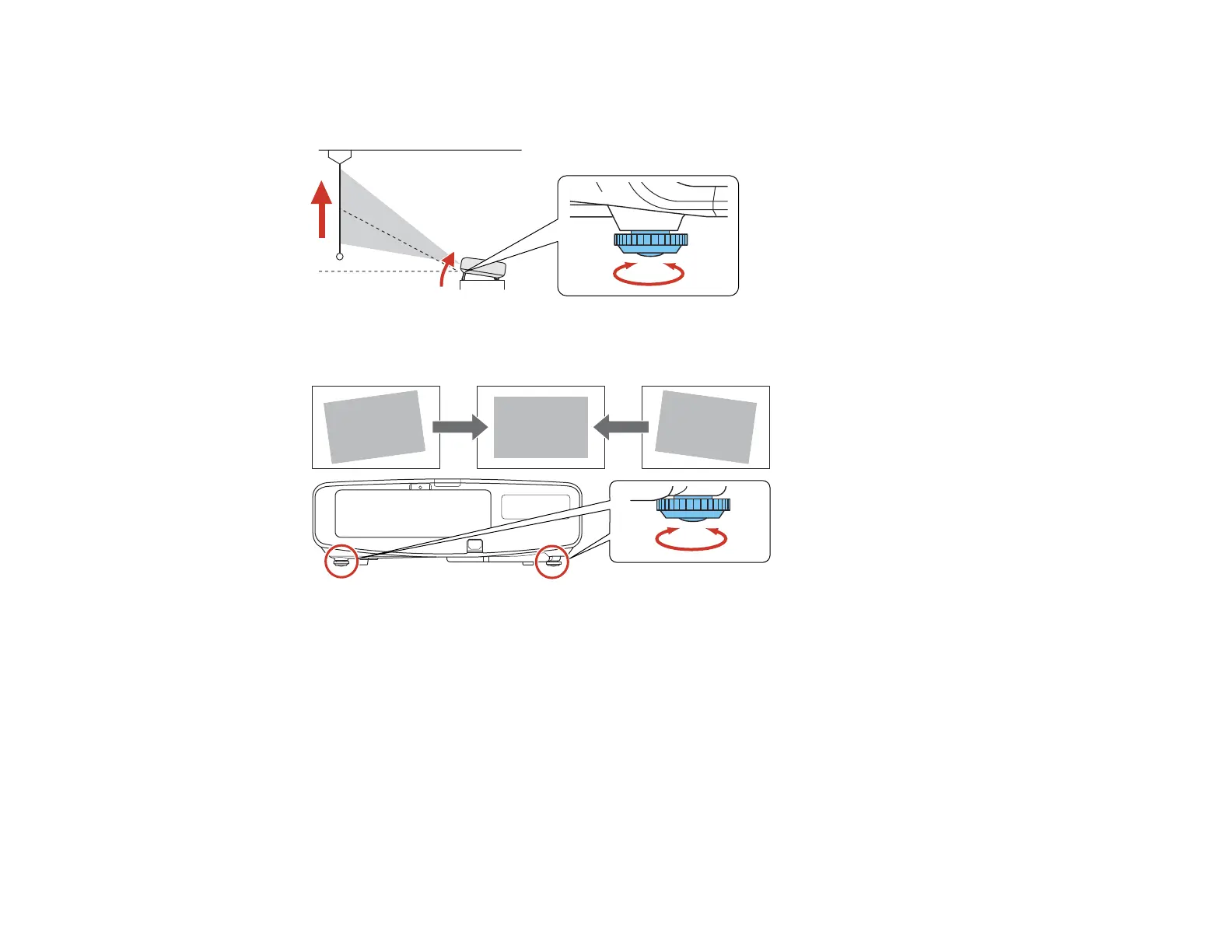
1. Turn on the projector and display an image.
2. To adjust the image height, rotate the front foot to extend or retract it.
3. If the image is tilted, rotate the rear feet to adjust their height.
If the projected image is unevenly rectangular, you need to adjust the image shape.
Parent topic: Using Basic Projector Features
Related concepts
Image Shape
Related references
Projector Feature Settings - Settings Menu
93




 To Next Page