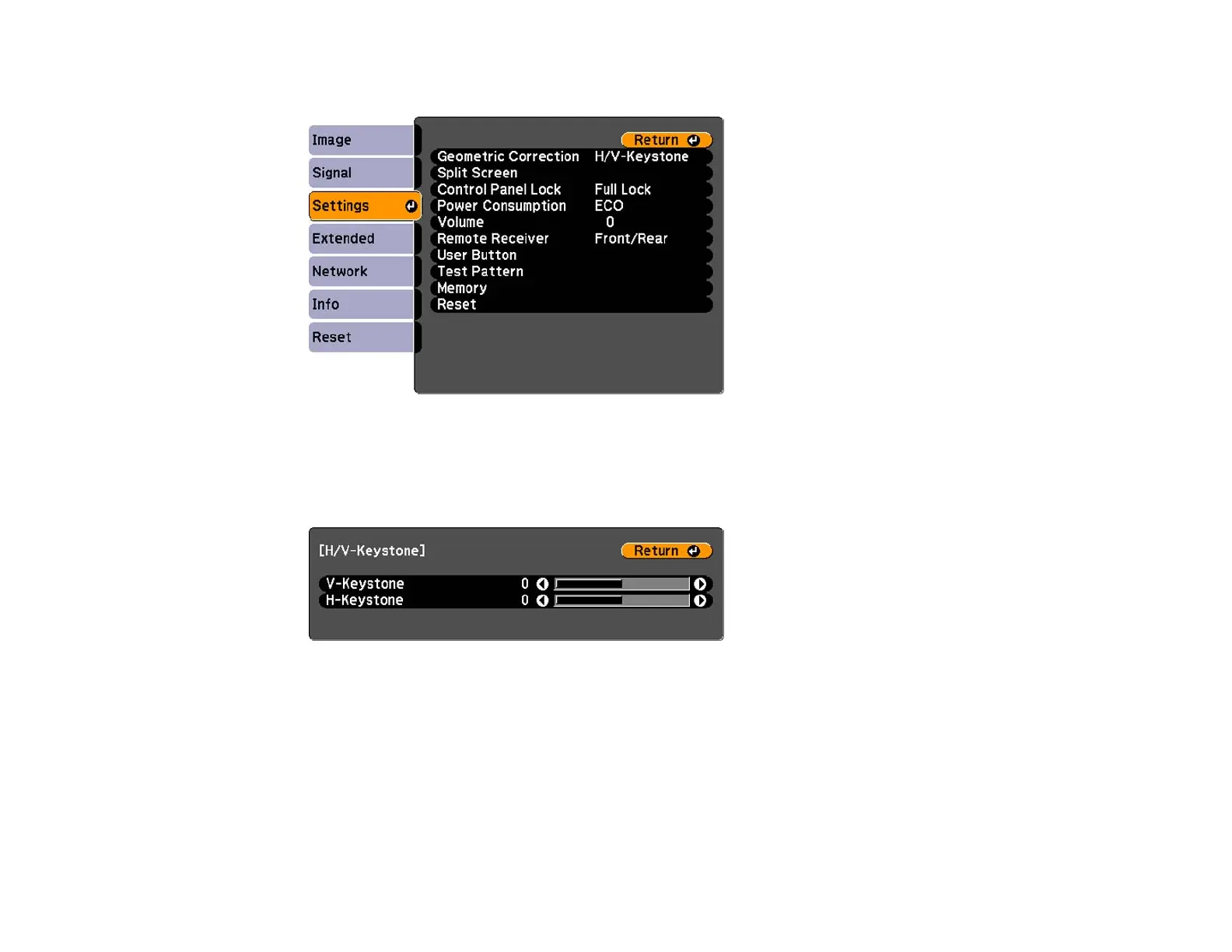
3. Select the Settings menu and press Enter.
4. Select the Geometric Correction setting and press Enter.
5. Select the H/V-Keystone setting and press Enter. Then press Enter again.
You see the H/V-Keystone adjustment screen:
6. Use the arrow buttons on the projector or the remote control to select between vertical and
horizontal keystone correction and to adjust the image shape as necessary.
7. When you are finished, press Esc.
After correction, your image is slightly smaller.
Parent topic: Image Shape
Related references
Projector Feature Settings - Settings Menu
95




 To Next Page