A
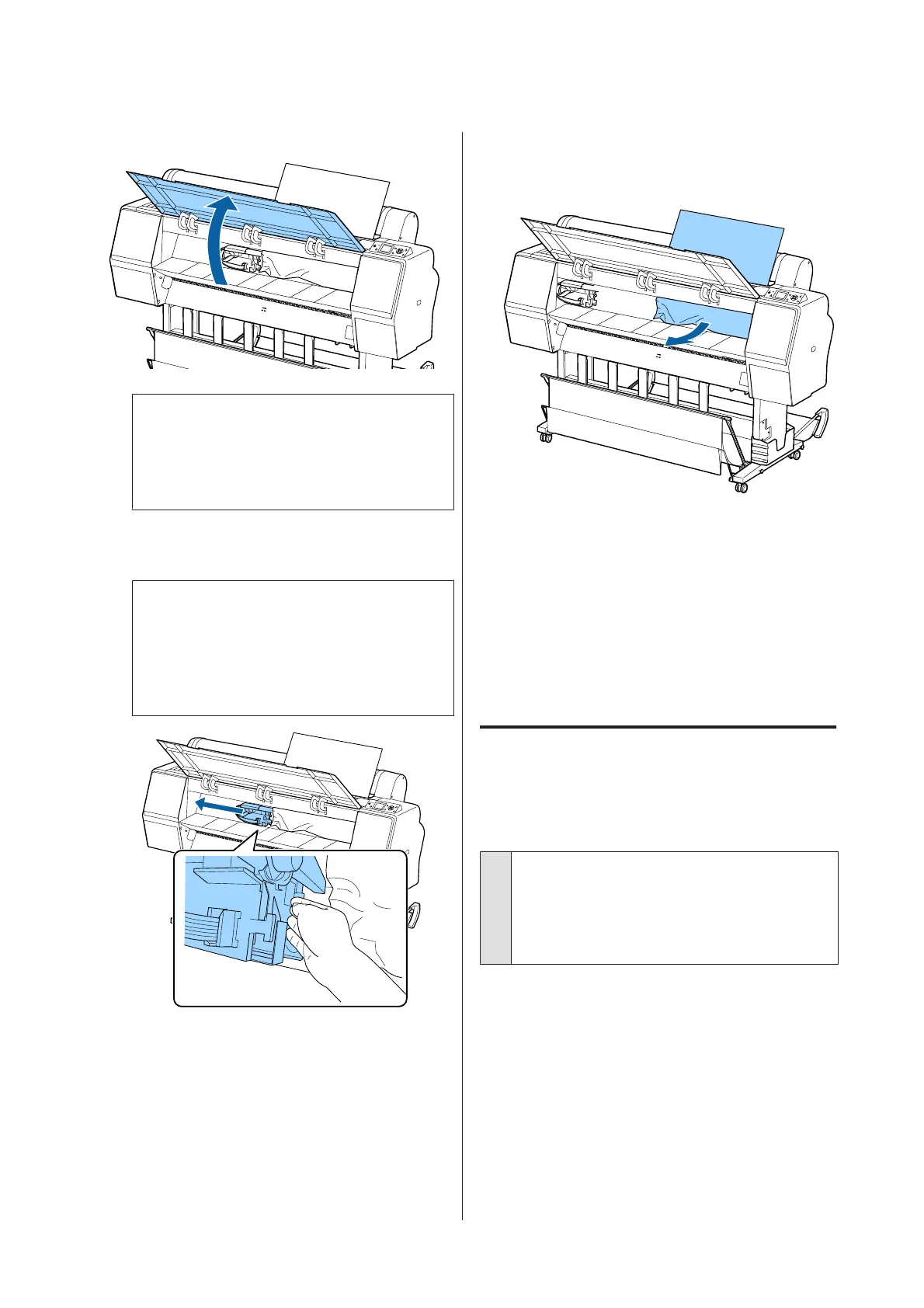
Open the front cover.
c
Important:
Do not touch the cables around the print head.
Failure to observe this precaution could
damage the printer.
B
Using your hand, slowly move the print head to
the side that is not jammed with paper.
c
Important:
Other than when you are removing paper
jams, do not touch the print head. If you touch
the print head with your hand, static
electricity may cause a malfunction.
C
Remove the jammed paper.
Do not touch the rollers, ink absorbing areas, or
ink tubes.
D
Close the front cover.
E
Turn the printer off and then back on.
F
Reload the paper and resume printing.
U “Loading and Removing Cut Sheets” on
page 34
Others
The control panel display keeps
turning off.
o
Is the printer in sleep mode?
Sleep mode is exited if a print job is received or the P
button on the control panel is pressed. The delay can
be changed from the Preferences menu.
U “Preferences” on page 123
SC-P9000 Series/SC-P7000 Series/SC-P8000 Series/SC-P6000 Series User's Guide
Problem Solver
153


 To Next Page
 Loading...