33
Chapter 2
Using the Chronograph Function
Changing the chronograph screen
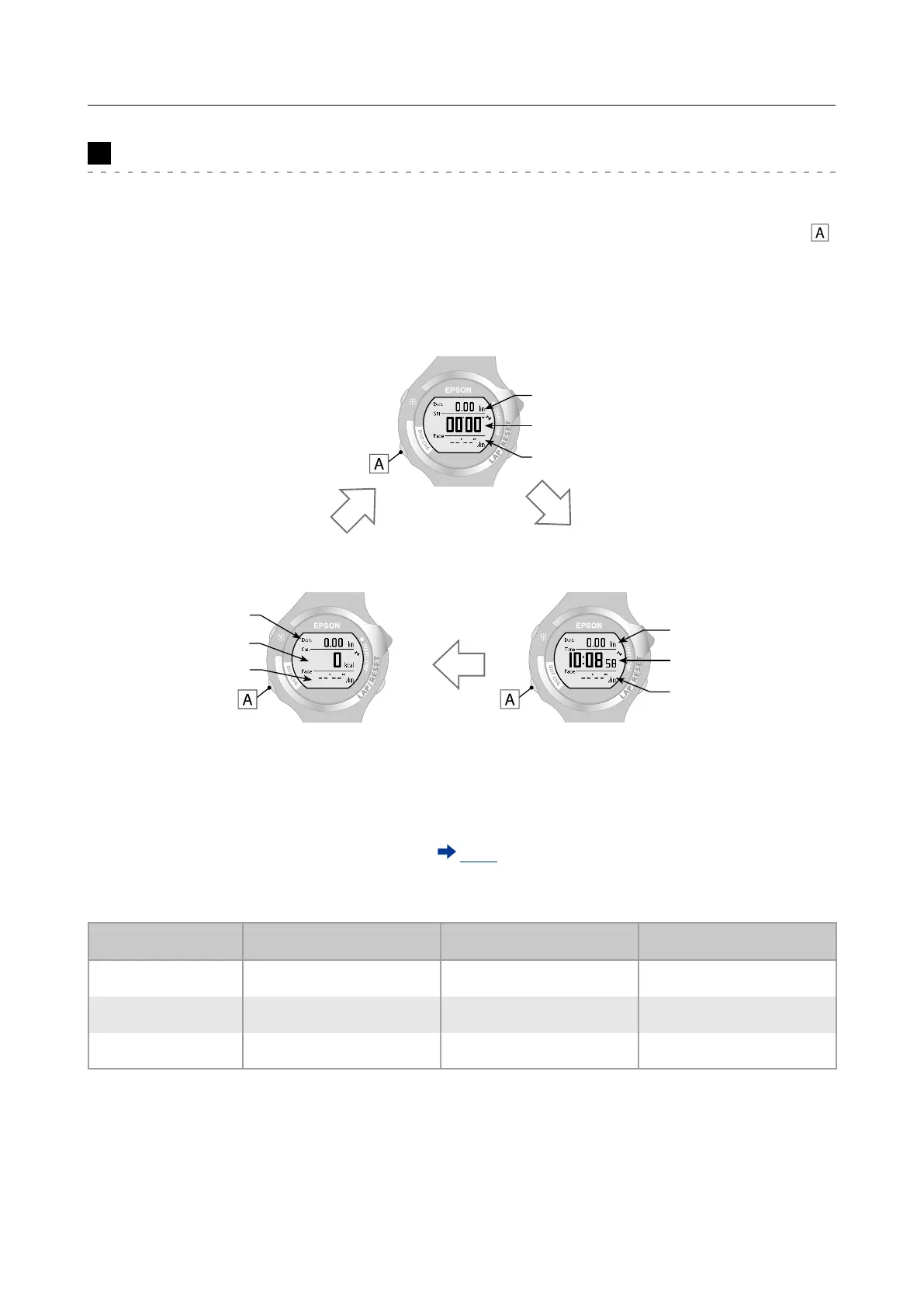
During chronograph measurement, three items are displayed on one screen.
There are three measurement screens available. You can change screens by pressing .
Chronograph screen
Screen 1
Distance (Dist.)
Split time (Spl)
Pace
Chronograph screen
Screen 3
Chronograph screen
Screen 2
Distance (Dist.)
Distance (Dist.)
Time
Calories burnt (Cal.)
Pace
Pace
You can change the measurement item displayed on each screen (screens 1, 2, and 3)
from [Menu] - [Settings] - [Scrn. Settings] (
P. 75). Change to the item you want to check.
The following measurement items are displayed by default.
Default settings Screen 1 Screen 2 Screen 3
Top row Distance (Dist.) Distance (Dist.) Distance (Dist.)
Middle row Split time (Spl) Time Calories burnt (Cal.)
Bottom row Pace Pace Pace



 To Next Page