17
Chapter 1 Product Overview
Product Configurations
Models
• Wi-Fi + Bluetooth model
• Standard model
Available models may differ depending on the area.
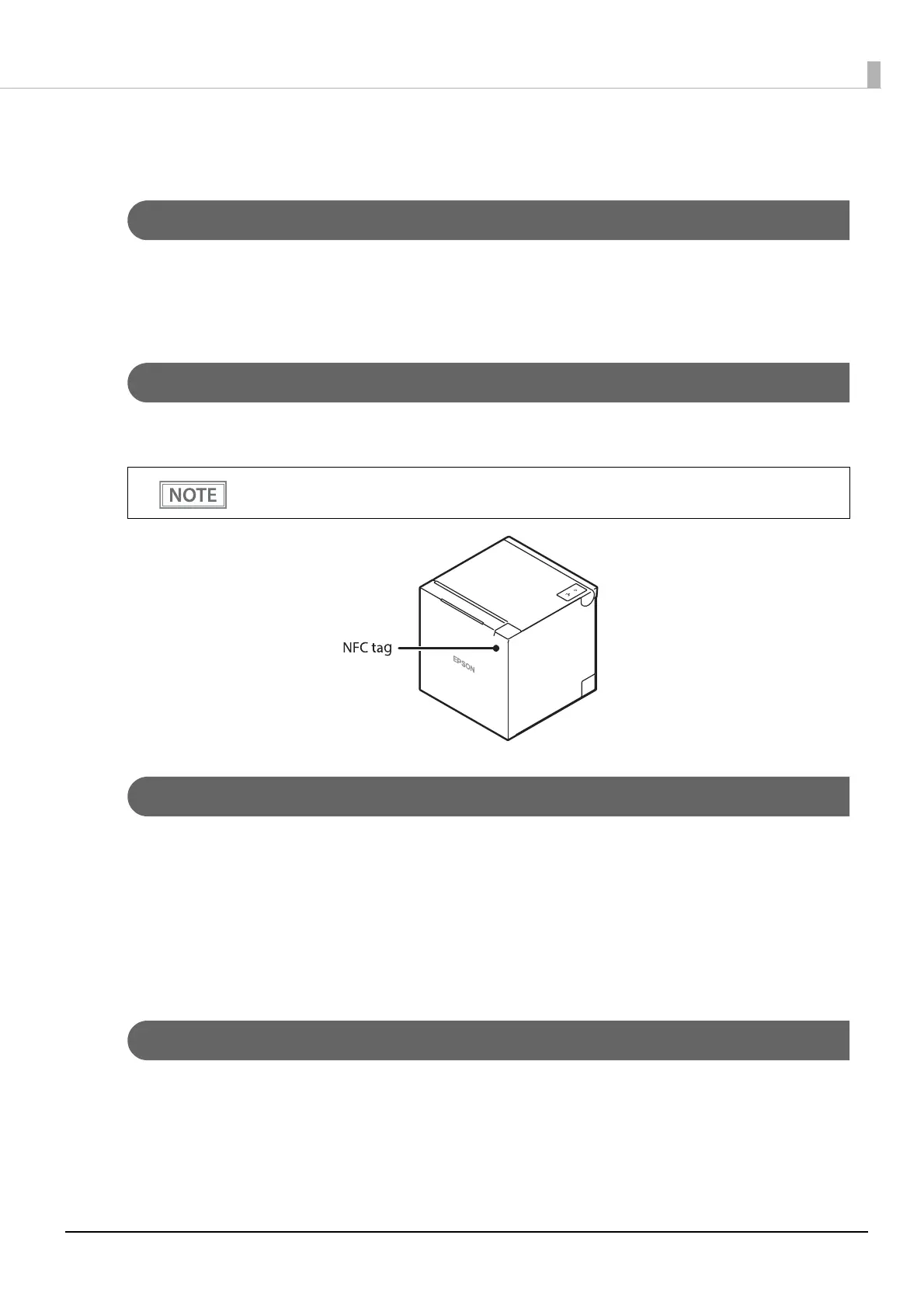
NFC Tag
You can select the printer you want to use by simply placing an NFC device over the NFC tag (mark) on the
printer. There is a limit to the distance over which communication is possible. See "NFC Tag" on page 136.
Included
• 58 mm width roll paper guides*
• 80 mm width roll paper (for operation check)
• AC adapter
• AC cable
• Manuals
* They may have been installed in the printer depending on the model.
Options
• Wireless LAN cable set (Model: OT-WL06)
• Customer display (Model: DM-D30/DM-D70)
• Optional external buzzer (Model: OT-BZ20)
• Wall Hanging Bracket Set (Model: OT-WH30)
• There is no data rewriting function.
• Use Epson ePOS SDK to build this function into your application.





 To Next Page