QX50/QX200/QX2000; (SW Version 6.0.x) 47
QX50/QX200/QX2000 Manual I: Installation Guide
Appendix: Configuring QX IP PBX Extensions
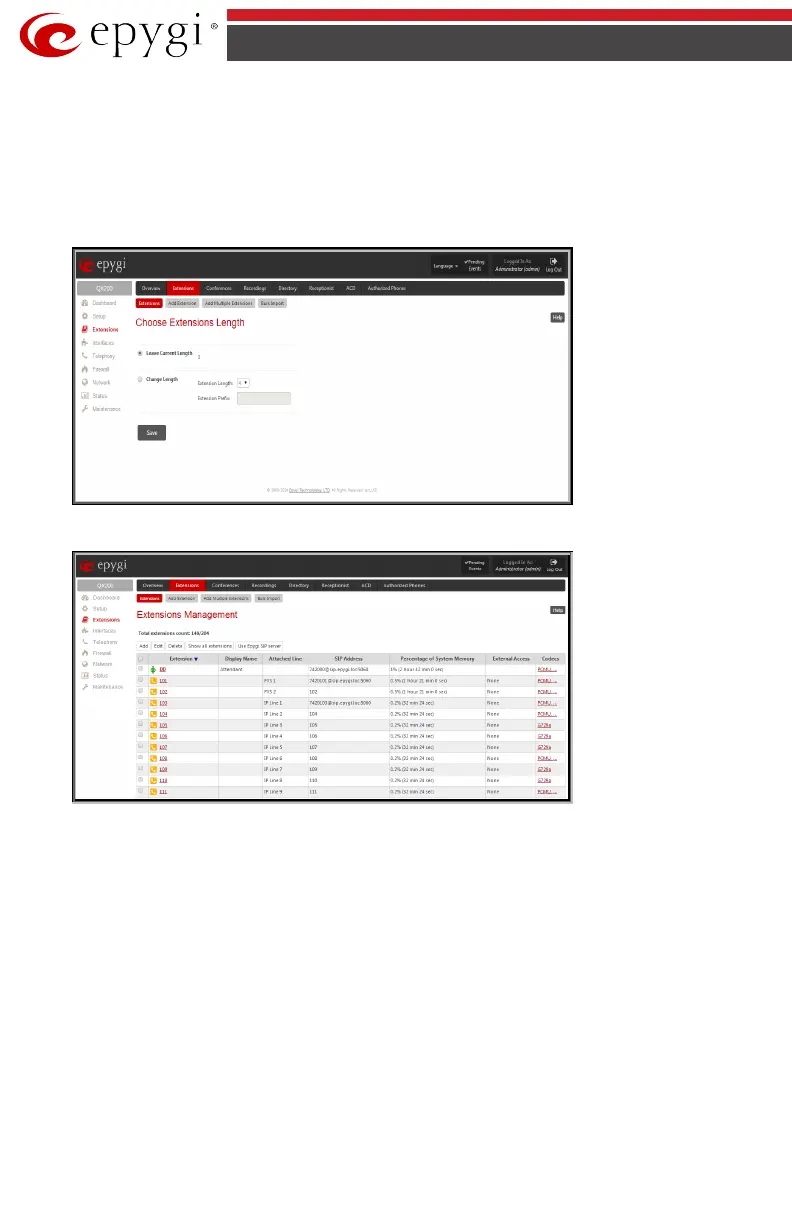
Login to the QX IP PBX and go to Extensions menu (see Fig.I- 41).
When this page is accessed for the first time after the QX IP PBX’s initial boot-up or the default
configuration settings restore, an intermediate page is displayed where the length of the ex-
tension should be defined.
Fig.I- 40: Choose Extensions Length page
Fig.I- 41: Extensions Management page
Select the first extension to change by clicking the appropriate checkbox and press Edit func-
tional button. The Extensions Management – Edit Entry page will be displayed.
Go to the General Settings page and adjust the Display Name as needed.



 To Next Page
 Loading...


