PS6500 Rack Mount Instructions 13
2. Open the chassis cover by holding the handles on the right side and the left side of the chassis front
panel and pulling out the front panel.
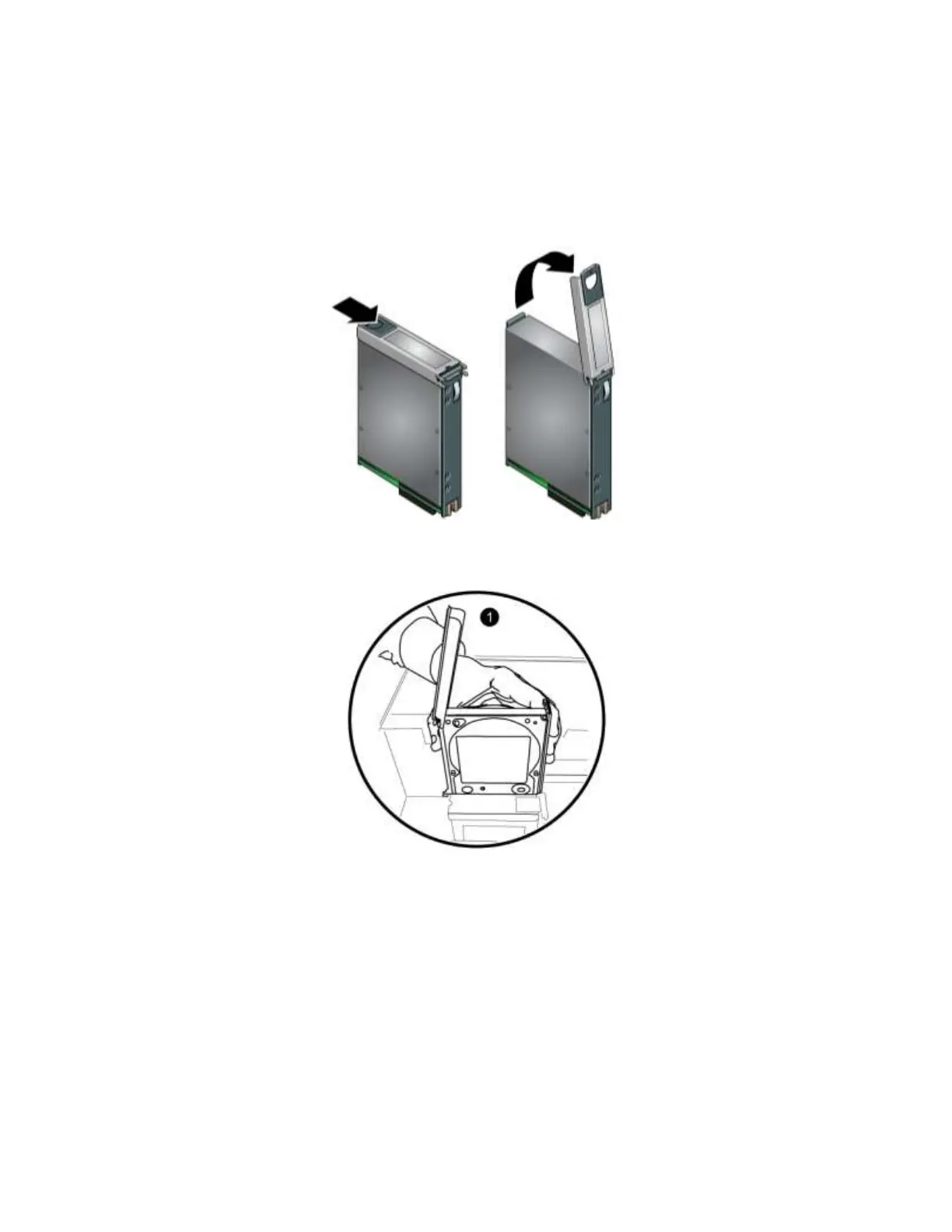
3. Open the disk release lever on the replacement disk by sliding the latch in the direction of the arrow
on the disk drive and pulling up the latch. See Figure 11.
Figure 11 Opening the Disk Release Latch
4. Hold the disk drive by the plastic carrier and position the disk drive so that the latch is toward the rear
of the array (where the power supplies and control modules are). Start to insert the drive (1).


 To Next Page