EasyManua.ls Logo

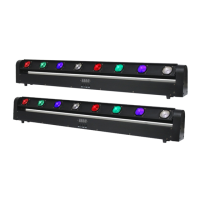
Equinox Systems PIXELpoint Batten - User Manual

Equinox Systems PIXELpoint Batten
14 pages
Print Icon
To Next Page IconTo Next Page
Loading...
Order codes: EQLED059
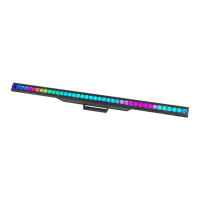
PIXELpoint Batten
User Manual
Question and Answer IconNeed help?

Do you have a question about the Equinox Systems PIXELpoint Batten and is the answer not in the manual?

Summary

Safety Advice and Precautions

Initial Start-up and General Safety

Essential safety guidelines for initial start-up, handling, and maintenance to prevent damage or injury.

Important Operating Guidelines

Key instructions for proper use, including power handling, modifications, and environmental conditions.

Operating Determinations and Warranty

Specific conditions for use, warranty voidance, and suitability for intended applications.

Product Overview and Specifications

PIXELpoint Batten Feature Description

Detailed description of the PIXELpoint multi-beam batten, its LEDs, beams, and creative effects.

Technical Specifications Summary

Key technical data including power, supply, fuse, dimensions, weight, and order code.

Fixture Components and Package Contents

Component Identification Diagram

Visual identification of fixture ports, controls, and connections on the rear panel.

Included Accessories List

List of items provided with the PIXELpoint Batten fixture.

DMX Addressing and Basic Modes

DMX Address and Channel Mode Selection

Guidance on setting DMX addresses and selecting various DMX channel modes for control.

Color, Strobe, Fade, and Pulse Modes

Instructions for operating color mix, strobe, color change, fade, and pulse modes.

Advanced Operating Modes and Effects

Static Colour and Fade In;Out Modes

Instructions for static colour selection and colour fade in/out effects.

Flow Effect and Sound Mode Operation

Details on operating flow effects and sound-activated modes with sensitivity settings.

DMX Channel Mode Breakdown

DMX Address and Channel Mode Setup

Step-by-step guide to setting the DMX address and selecting channel modes.

3, 4, 6, and 7 Channel Mode Details

Detailed breakdown of channel functions for 3, 4, 6, and 7-channel DMX modes.

DMX Channel Mode Details (Continued)

8 Channel Mode Functions Explained

Comprehensive explanation of channel functions within the 8-channel DMX mode.

Channel 5 Functionality in 8-Channel Mode

Explanation of how Channel 5 is used for colour selection and sensitivity in 8-channel mode.

DMX Channel Mode Details (Continued)

12, 13, 24, and 25 Channel Mode Details

Detailed breakdown of channel functions for 12, 13, 24, and 25-channel DMX modes.

High Channel DMX Modes and Colour Mix

60, 61, 120, and 121 Channel Modes

Overview of high-channel DMX modes and their pixel mapping capabilities.

Colour Mix Mode Operation Guide

Instructions for setting custom colours using the RGB colour mix mode.

Comprehensive Operating Mode Instructions

Strobe, Colour Change, Fade, and Pulse Control

Procedures for controlling strobe, colour change, fade, and pulse effects.

Flow Effect and Sound Mode Configuration

Guide to setting up flow effects and sound-activated modes with sensitivity.

DMX Setup, Linking, and Cables

Setting the DMX Address Procedure

Explanation of how to set the starting DMX address for fixture control.

DMX 512 Protocol and Linking

Understanding DMX protocol, linking fixtures, and data transmission.

DMX Cable Types and Requirements

Information on necessary DMX cables (3-pin/5-pin) and recommended order codes.

DMX Connectors and Cable Management

DMX 512 Connector Pinouts

Diagrams and pinouts for 3-pin and 5-pin XLR DMX connectors.

Line Termination and Cable Adapters

Guidance on DMX line termination and using cable adapters for different connector types.

Power Linking and Product Disposal

Multiple Fixture Power Linking Guide

Instructions on how to power link multiple PIXELpoint battens and maximum unit limits.

WEEE Notice for Correct Disposal

Information regarding the proper disposal of the product as electronic waste.

Summary

Safety Advice and Precautions

Initial Start-up and General Safety

Essential safety guidelines for initial start-up, handling, and maintenance to prevent damage or injury.

Important Operating Guidelines

Key instructions for proper use, including power handling, modifications, and environmental conditions.

Operating Determinations and Warranty

Specific conditions for use, warranty voidance, and suitability for intended applications.

Product Overview and Specifications

PIXELpoint Batten Feature Description

Detailed description of the PIXELpoint multi-beam batten, its LEDs, beams, and creative effects.

Technical Specifications Summary

Key technical data including power, supply, fuse, dimensions, weight, and order code.

Fixture Components and Package Contents

Component Identification Diagram

Visual identification of fixture ports, controls, and connections on the rear panel.

Included Accessories List

List of items provided with the PIXELpoint Batten fixture.

DMX Addressing and Basic Modes

DMX Address and Channel Mode Selection

Guidance on setting DMX addresses and selecting various DMX channel modes for control.

Color, Strobe, Fade, and Pulse Modes

Instructions for operating color mix, strobe, color change, fade, and pulse modes.

Advanced Operating Modes and Effects

Static Colour and Fade In;Out Modes

Instructions for static colour selection and colour fade in/out effects.

Flow Effect and Sound Mode Operation

Details on operating flow effects and sound-activated modes with sensitivity settings.

DMX Channel Mode Breakdown

DMX Address and Channel Mode Setup

Step-by-step guide to setting the DMX address and selecting channel modes.

3, 4, 6, and 7 Channel Mode Details

Detailed breakdown of channel functions for 3, 4, 6, and 7-channel DMX modes.

DMX Channel Mode Details (Continued)

8 Channel Mode Functions Explained

Comprehensive explanation of channel functions within the 8-channel DMX mode.

Channel 5 Functionality in 8-Channel Mode

Explanation of how Channel 5 is used for colour selection and sensitivity in 8-channel mode.

DMX Channel Mode Details (Continued)

12, 13, 24, and 25 Channel Mode Details

Detailed breakdown of channel functions for 12, 13, 24, and 25-channel DMX modes.

High Channel DMX Modes and Colour Mix

60, 61, 120, and 121 Channel Modes

Overview of high-channel DMX modes and their pixel mapping capabilities.

Colour Mix Mode Operation Guide

Instructions for setting custom colours using the RGB colour mix mode.

Comprehensive Operating Mode Instructions

Strobe, Colour Change, Fade, and Pulse Control

Procedures for controlling strobe, colour change, fade, and pulse effects.

Flow Effect and Sound Mode Configuration

Guide to setting up flow effects and sound-activated modes with sensitivity.

DMX Setup, Linking, and Cables

Setting the DMX Address Procedure

Explanation of how to set the starting DMX address for fixture control.

DMX 512 Protocol and Linking

Understanding DMX protocol, linking fixtures, and data transmission.

DMX Cable Types and Requirements

Information on necessary DMX cables (3-pin/5-pin) and recommended order codes.

DMX Connectors and Cable Management

DMX 512 Connector Pinouts

Diagrams and pinouts for 3-pin and 5-pin XLR DMX connectors.

Line Termination and Cable Adapters

Guidance on DMX line termination and using cable adapters for different connector types.

Power Linking and Product Disposal

Multiple Fixture Power Linking Guide

Instructions on how to power link multiple PIXELpoint battens and maximum unit limits.

WEEE Notice for Correct Disposal

Information regarding the proper disposal of the product as electronic waste.

Equinox Systems PIXELpoint Batten Specifications

General IconGeneral
BrandEquinox Systems
ModelPIXELpoint Batten
CategoryLighting Equipment
LanguageEnglish

Related product manuals