- 24 -
6.3 Setting the strap tensioning range at the
sealing head
Two strap tensioning ranges can be set at the sealing head:
NORMAL = 400-1200N (713E); 900-2500N (726E); 1300-4500N (745E),
standard tension range for PET strap
SOFT = 150-750N (713E); 400-1360N (726E) bzw. 400-1600N (745E),
soft tension for PP straps
Fig. 16
3
4
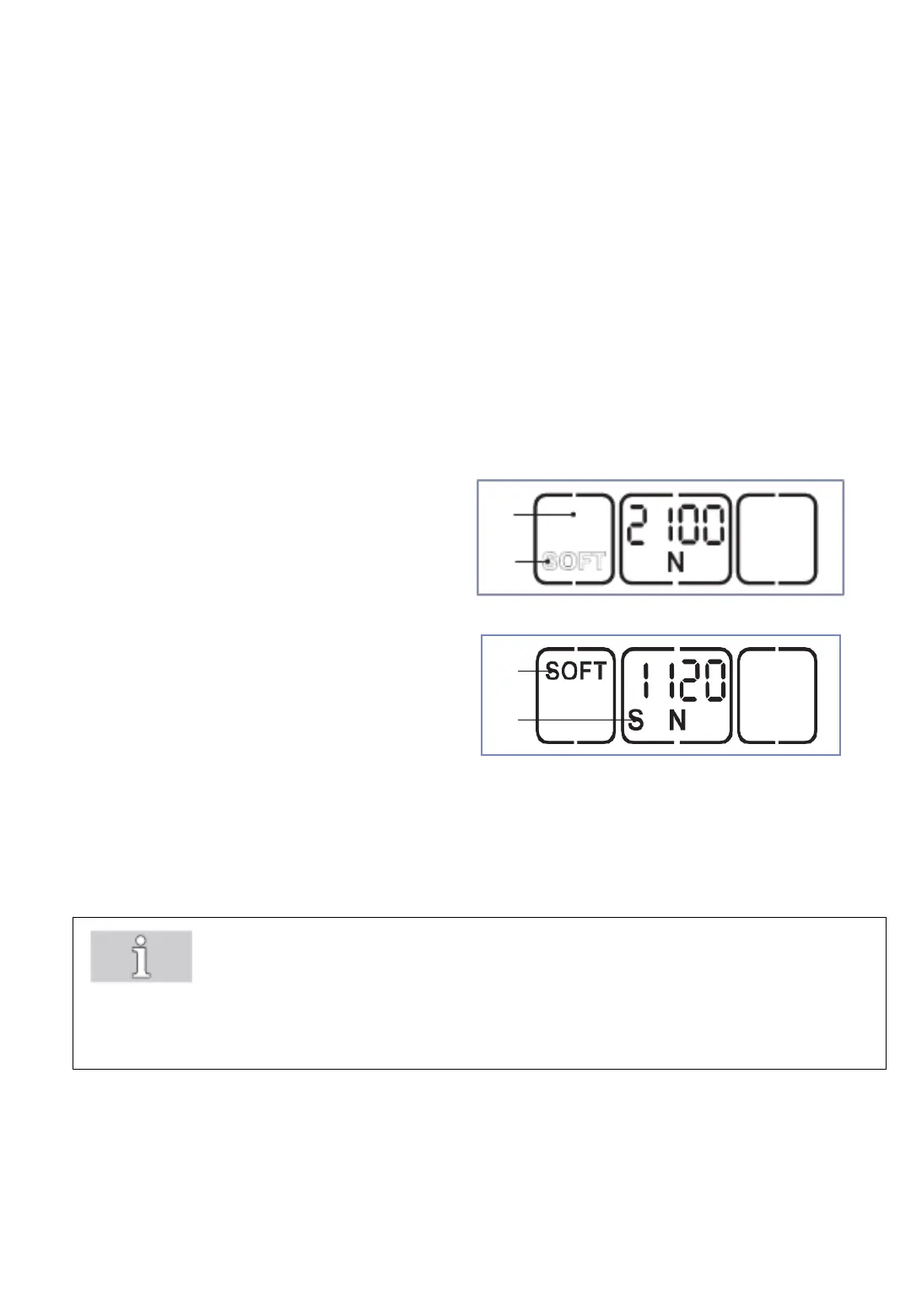
Press "Soft" button (1).
The soft mode is deactivated when the
"SOFT" display (2) changes position and
is shown outlined.
Press "Soft" button (1).
The soft mode is activated when the
"SOFT" display (3) changes position and
is shown in bold.
The displayed tension force is reduced
correspondingly.
On the left under the tension force an "S"
(4) also appears.
1
2
Important!
Always use the SOFT tension mode when working with PP-strap!
By using the Soft mode, the tension wheel accelerates more slowly
and avoids excessive strap waste when sealing with PP strap.



 To Next Page