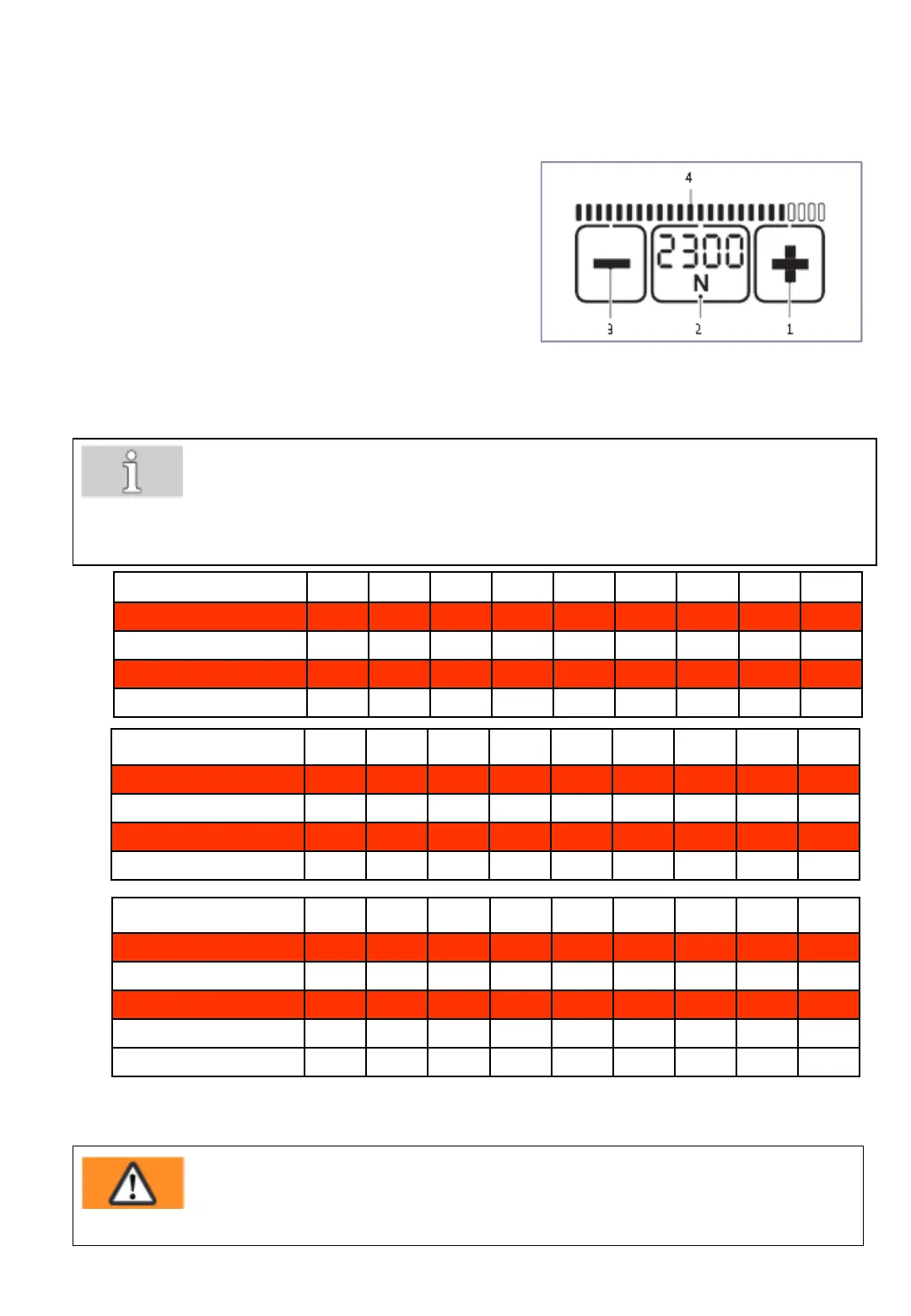
6.4 Setting strap tension at the sealing head
Fig. 17a
- 25 -
The set tension force is displayed continuously when
the tool is ready for operation.
Press "Tension force" button (2).
• The set tension force flashes for 5 seconds.
• The + (1) and – (3) buttons appear.
• Unused displays disappear.
Press the + (1) or – (3) button until the desired
tension force is displayed.
• The status indicator bar (4) shows the set tension
force in relation to the possible maximum value.
Save: Press the "Tension force" button (2) or wait
for 5 seconds.
713E
Standard N* 400 500 600 700 800 900 1000 1100 1200
lbf* 90 110 135 155 180 200 225 250 270
Soft N 150 225 300 375 450 525 600 675 750
lbf 33 50 67 85 100 120 135 150 165
726E
Standard N* 900 1100 1300 1500 1700 1900 2100 2300 2500
lbf* 200 250 290 340 380 430 470 520 560
Soft N 400 520 640 760 880 1000 1120 1240 1360
lbf 90 115 145 170 200 225 250 280 305
745E
Standard N* 1300 1700 2100 2500 2900 3300 3700 4100 4500
lbf* 290 380 470 560 650 740 830 920 1000
Soft N 400 550 700 850 1000 1150 1300 1450 1600
lbf 90 120 160 190 225 260 290 325 360
(rounded values)
* N = Newton, lbf = pound-force per square inch
• Switch between display in "N" or "lbf": Press the flashing "Tension force" button (2) for two
seconds.
• Every time the button is pressed an acoustic signal confirms the action.
• The tension force is displayed continuously when the tool is operational.
• Setting soft tension (Section 6.3).
Warning!
Adjusted tension force must relate to the goods to be strapped.Possible hazards caused by
damages of dangerous goods or their packaging are not considered with the design of the
strapping system.



 To Next Page