7.7 Changing the control box with the motor
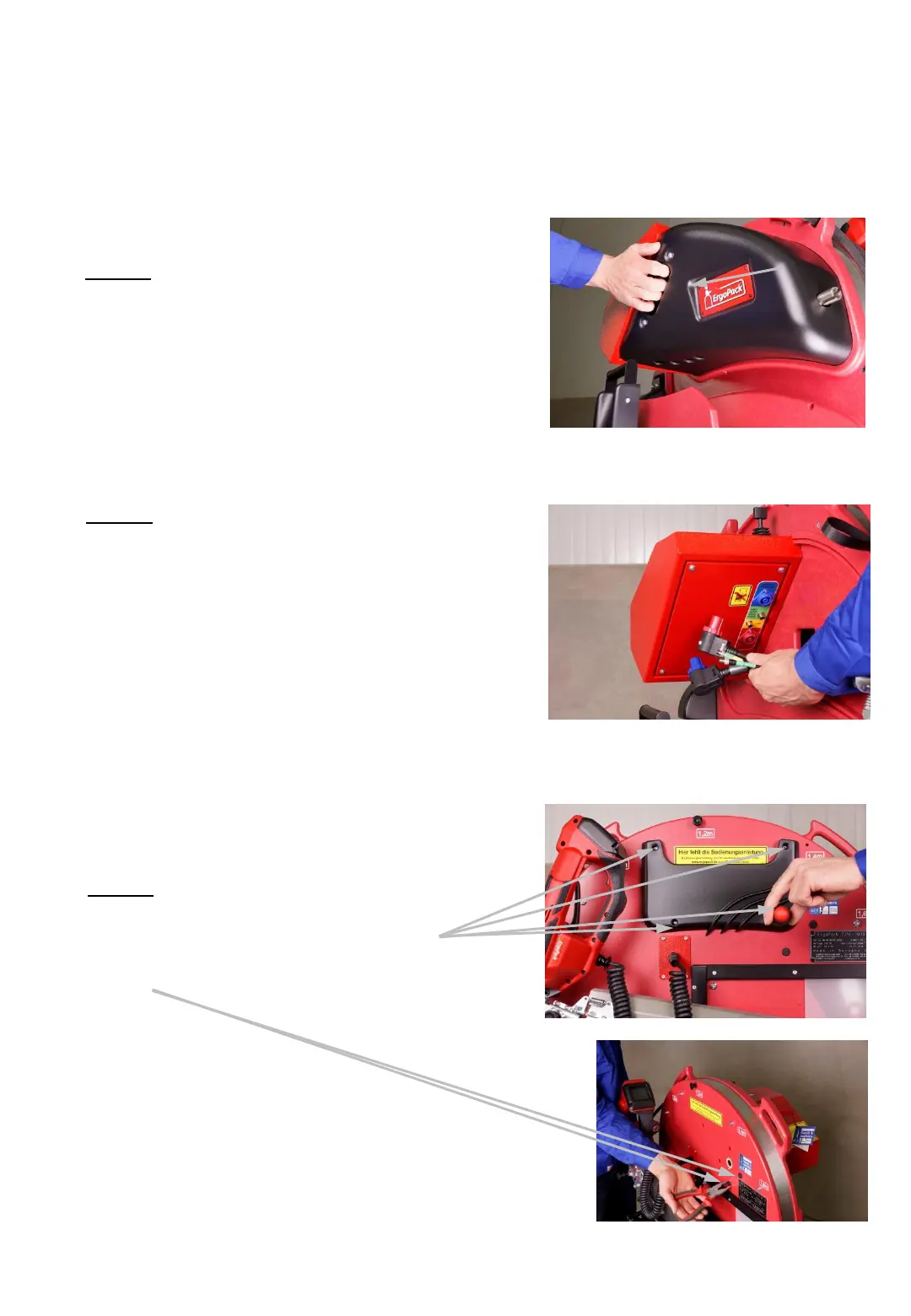
2. Step
Remove all three plugs on the lower
side of the control unit. (4 plugs if
optional laser is installed)
All three plugs are secured with a
safety ring which is unlocked by
turning it counterclockwise.
3. Step
Remove the 4 screws of the pocket
for the manual and the 2 small cover
caps.
- 64 -
1. Step
Remove the cover by pulling at
the handle.
(the cover is fixed by magnets).
Fig. 93
Fig. 94
Fig. 95
Fig. 96



 To Next Page