7.6 Changing the sealing head
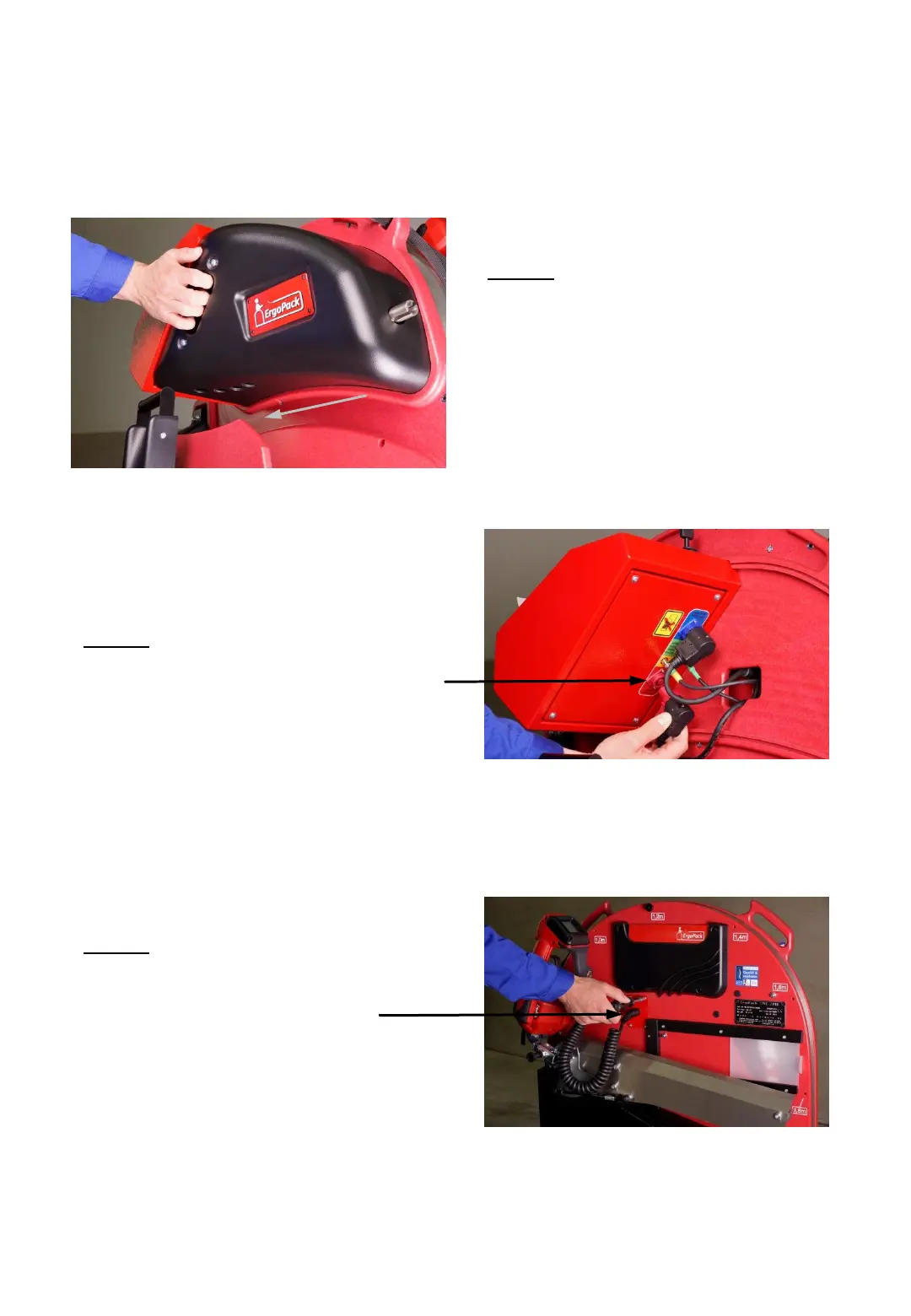
3. Step
Remove the 4 screws of the red
metal cover at the operator’s
side.
2. Step
Turn the red ring of the plug counter
clockwise and remove the red plug.
- 62 -
1. Step
Remove the cover by pulling at
the handle.
(the cover is fixed by magnets).
Fig. 86
Fig. 87
Fig. 88



 To Next Page