EasyManua.ls Logo

Escene ES220 - Understanding Phone Screen Features

Escene ES220
66 pages
Print Icon
To Next Page IconTo Next Page
To Previous Page IconTo Previous Page
Loading...
2xx Series IP Phone
www.escene.cn/en/
Escene Communication
10
Understanding Phone Screen Features
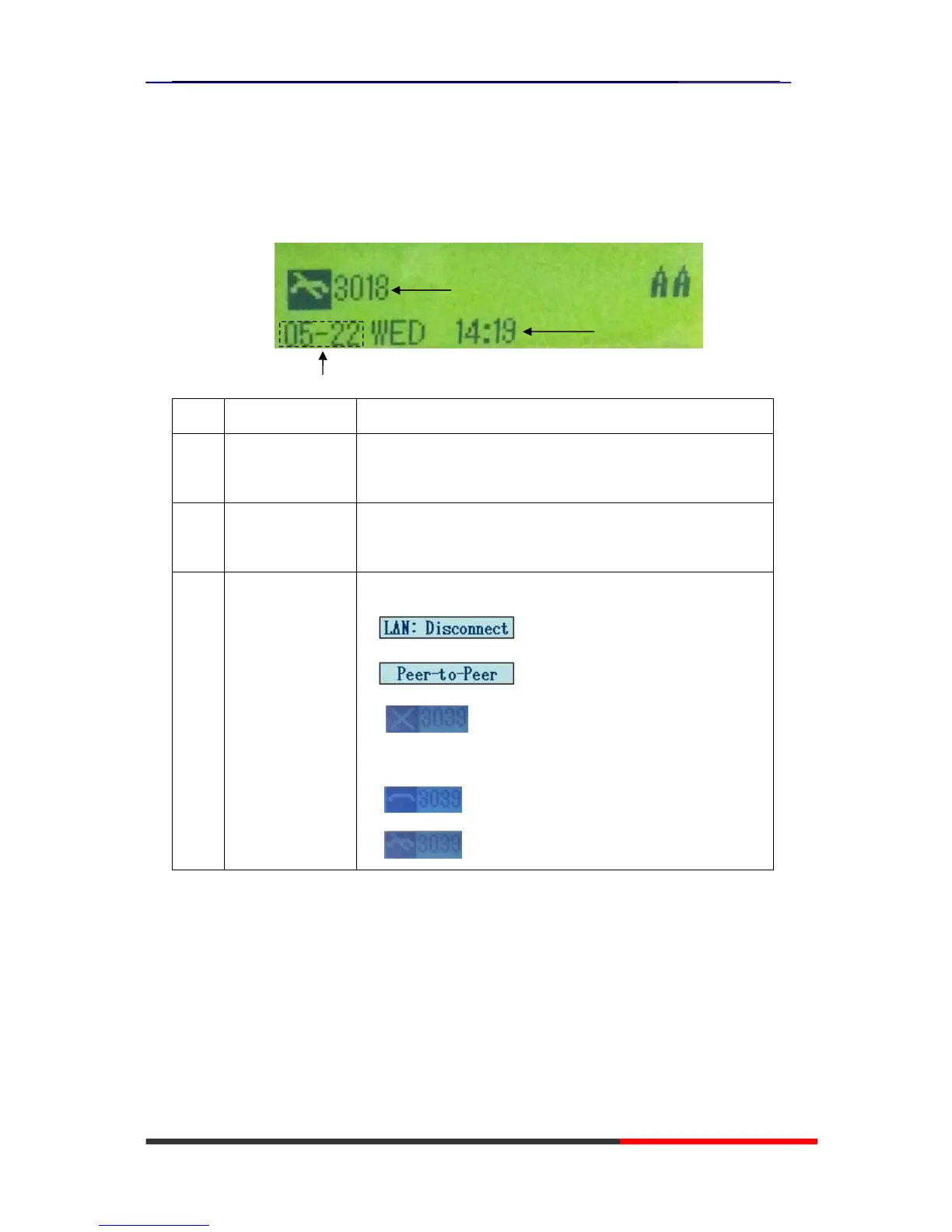
This is what your main phone screen might look like:
Figure 3.3 2xx Series Phone LCD
Screen displays Functions
1 Date
Show current dateYou can set with different sourcesthe more
7. Web Setting)
2 Time
Show current timeYou can set with different sourcesthe more
7. Web Setting)
3 Line status Show the phone line status:
1) : Disconnect into network.
2) : Only Peer-to-Peer call.
3) : Network connected normal, but the line is not
successfully registered.
4) : Network is OK and the line is available.
5) : Line is turned on DND.

1
2

Related product manuals