When used VLAN Setting option, you can set several parameters as follow:
VLAN Setting
Enable VLAN You can enable/disable vlan for phone and pc
VID
[LAN/PC Port]
The VLAN you want the phone or pc to join
VPN Setting
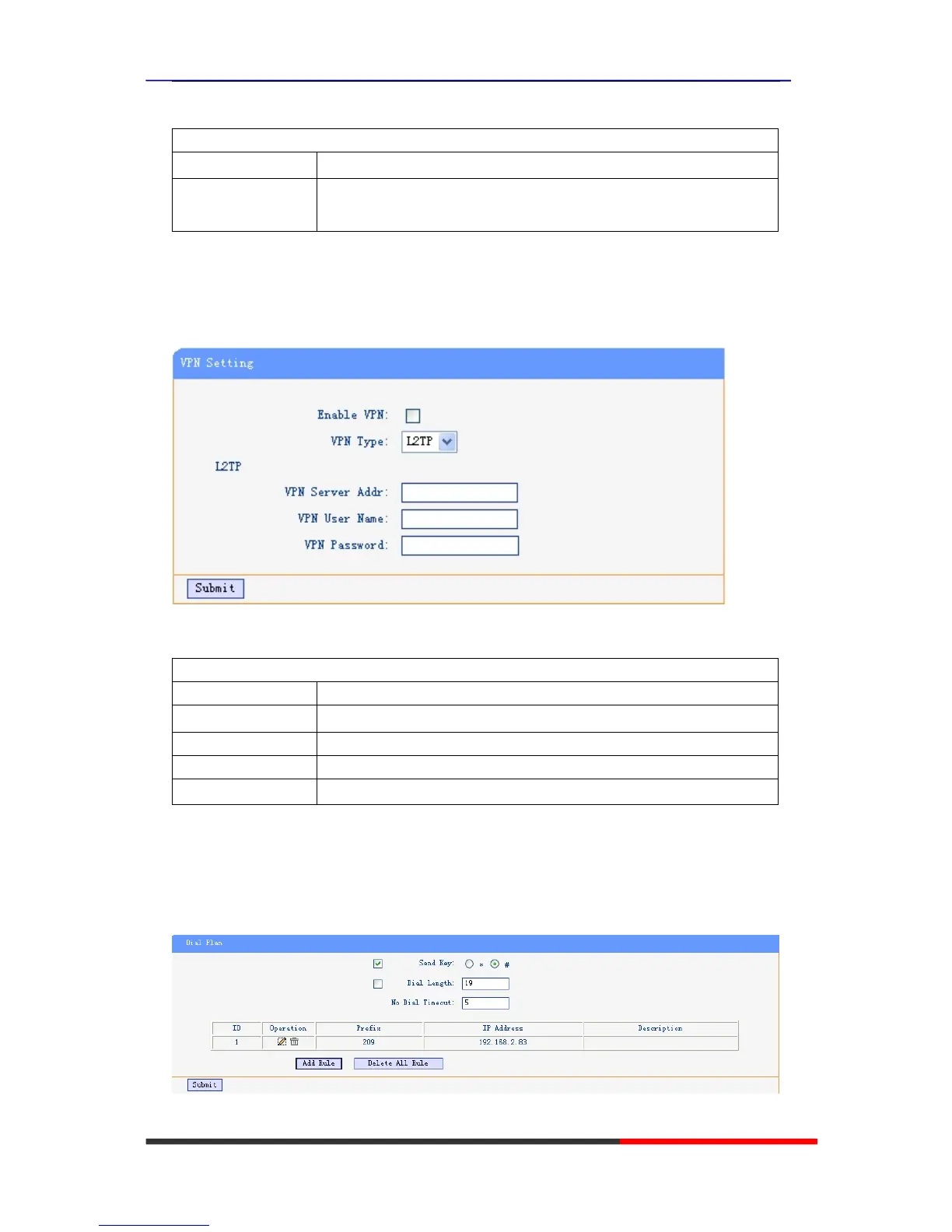
IF you need to setup a VPN Setting, you should fill below options.
When used VPN Setting option, you can set several parameters as follow:
VLAN Setting
Enable VPN You can enable/disable VPN for phone and pc
VPN Type: There is one choose you can choice.
VPN Server Addr VPN server's ip
VPN User Name VPN user's name
VPN Password A password be used for authentication
Dial Plan setting
If you want to setup a dial plan, you can click "Dial Plan".
Click "add rule" to entry this interface.



 To Next Page