4.Basic Call Handling
You can perform basic call-handling tasks using a range of features and services. Feature
availability can vary; see your system administrator for more information.
Note: The bold type of the following text in table signifies the phone's button.
Placing a Call
Here are some easy ways to place a call on SayHi IP Phone:
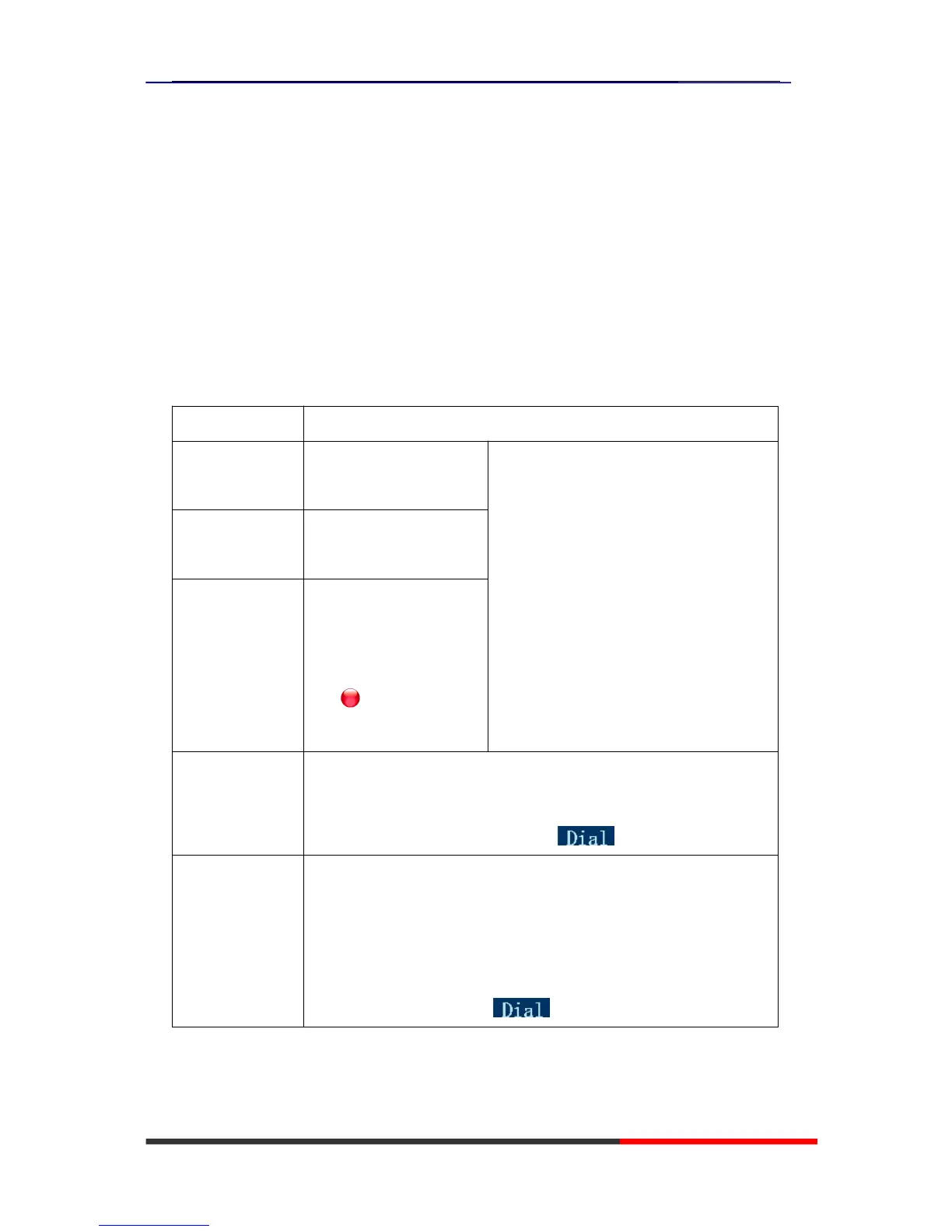
If you want to... Then…
Place a call using
the handset
Pick up the handset
--1) You can hear dial tone;
--2) Enter a number;
--3) Press # button (default),
-or wait 5s (default), then it send the
number automatically.
Place a call using
a speakerphone
Press Speaker button
Place a call using
a headset
Put on your headset,
active Headset button so
that the status light is
Red , and then do as
using speakerphone
Redial --Press REDIAL button to dial the last number,
-or press Navigation button-Right (in Standby interface) > “Dialed
number”, select a number, and press or OK button.
Dial from a call
log
--1) Press MENU or OK button > “Call history”, you can select “Missed
calls”, “Received calls” and “Dialed numbers”,
- or press Navigation button (in Standby interface) > select “Missed
calls” (down), “Received calls” (left) and “Dialed numbers” (right) );
--2) Then press OK button or .
Tips
• You can dial on-hook, without a dial tone (pre-dial). To pre-dial, enter a number, and then go
off-hook by lifting the handset or pressing Headset or Speaker button.
• If you make a mistake while dialing, press C button to erase digits.



 To Next Page