3.Phone overview
Understanding Buttons and Hardware
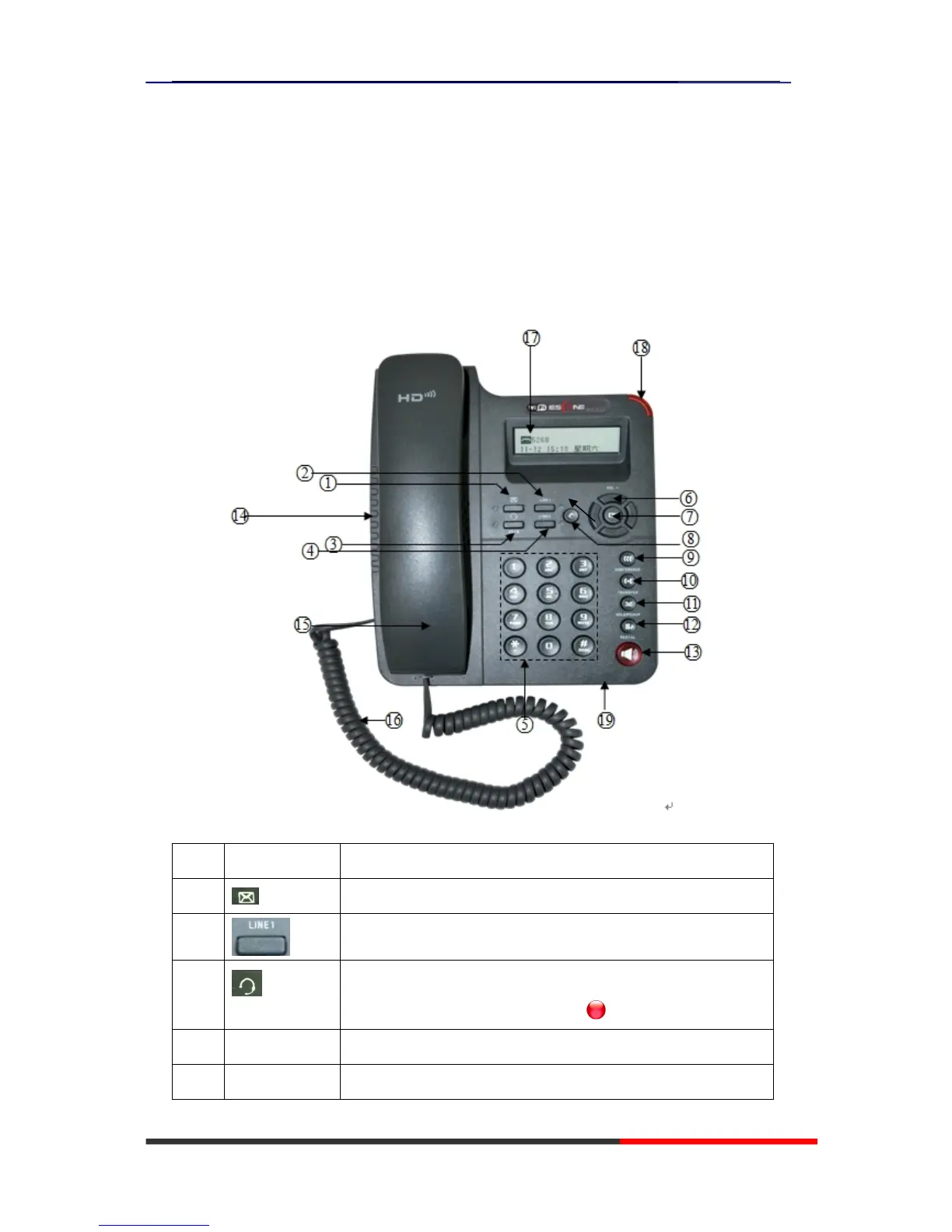
ou can identify buttons and hardware on your 2xx Series from figure 3.1.
Figure 3.1 2xx Series
Item Description
1 Message button: Auto-dials your voice message service.
2
SIP line with VOIP or PSTN.
3 Headset button: Toggles the headset on or off.
When the headset is on, the light is red .
4 MENU Menu button: Allows you to scroll through menus.
5 0-9,*,# Basic Call Handling: press “#” send out a call by default.



 To Next Page