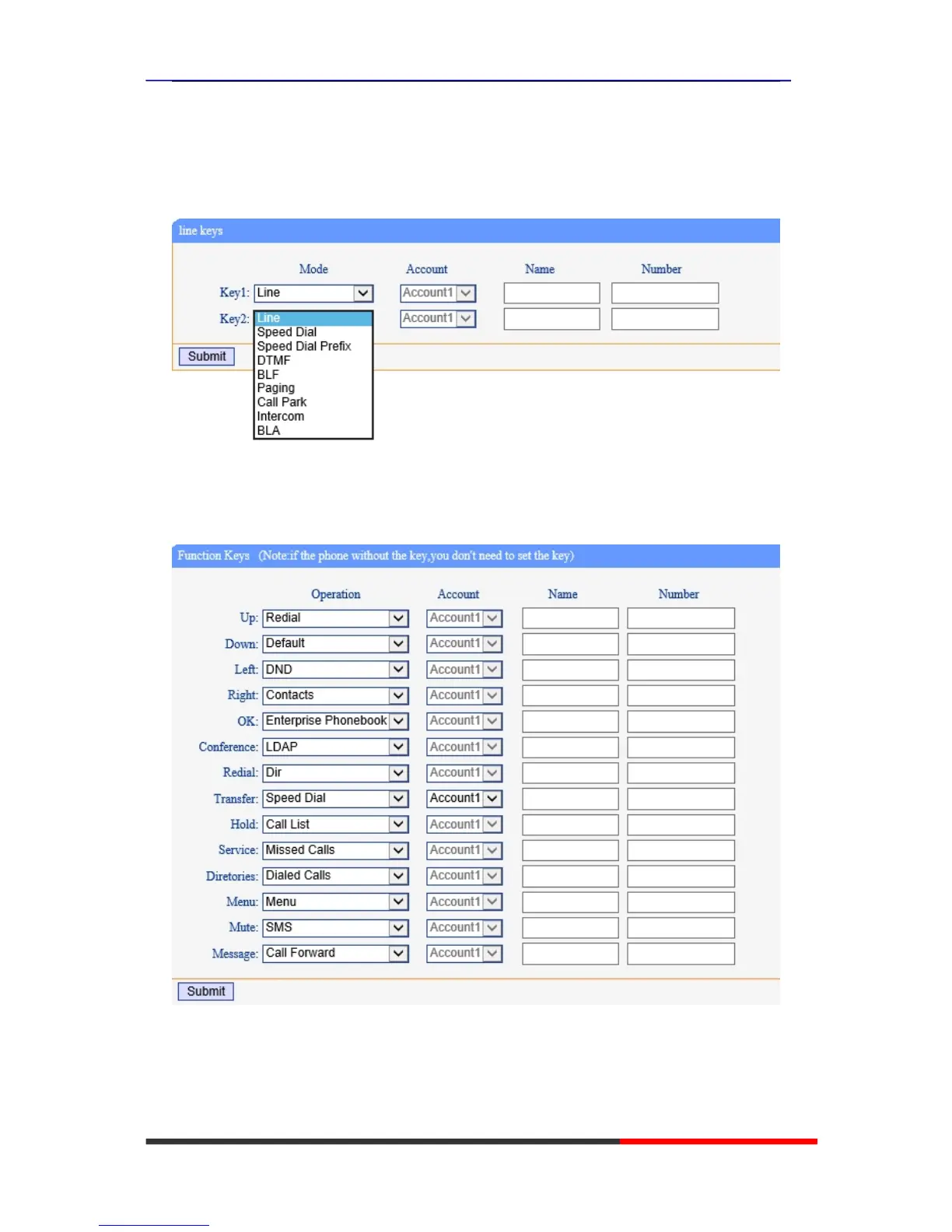
Programmable Keys
Line Keys: If you do not need more of the lines to use. you can change it to other features, like
Speed Dial/ Speed Dial Prefix/ DTMF/ BLF/ BLA/ Paging/ Call Park/ Intercom.
Function Keys: If you do not like the default setting with the function keys feature. You can
change it options to what you like or normal use.
NOTE: IF THE PHONE WITHOUT THE KEY, YOU DO NOT NEED TO SET THE KEY.
Soft Keys: Soft keys is the key with below display in the LCD. You can change it for your mind to
the other features in many all kinds of status.
NOTE: In this US Series, it just have two soft keys, so it only can work with one and two feature.



 To Next Page