Escene Communication www.escene.cn/en/
5 SIP Account
5.1Basic
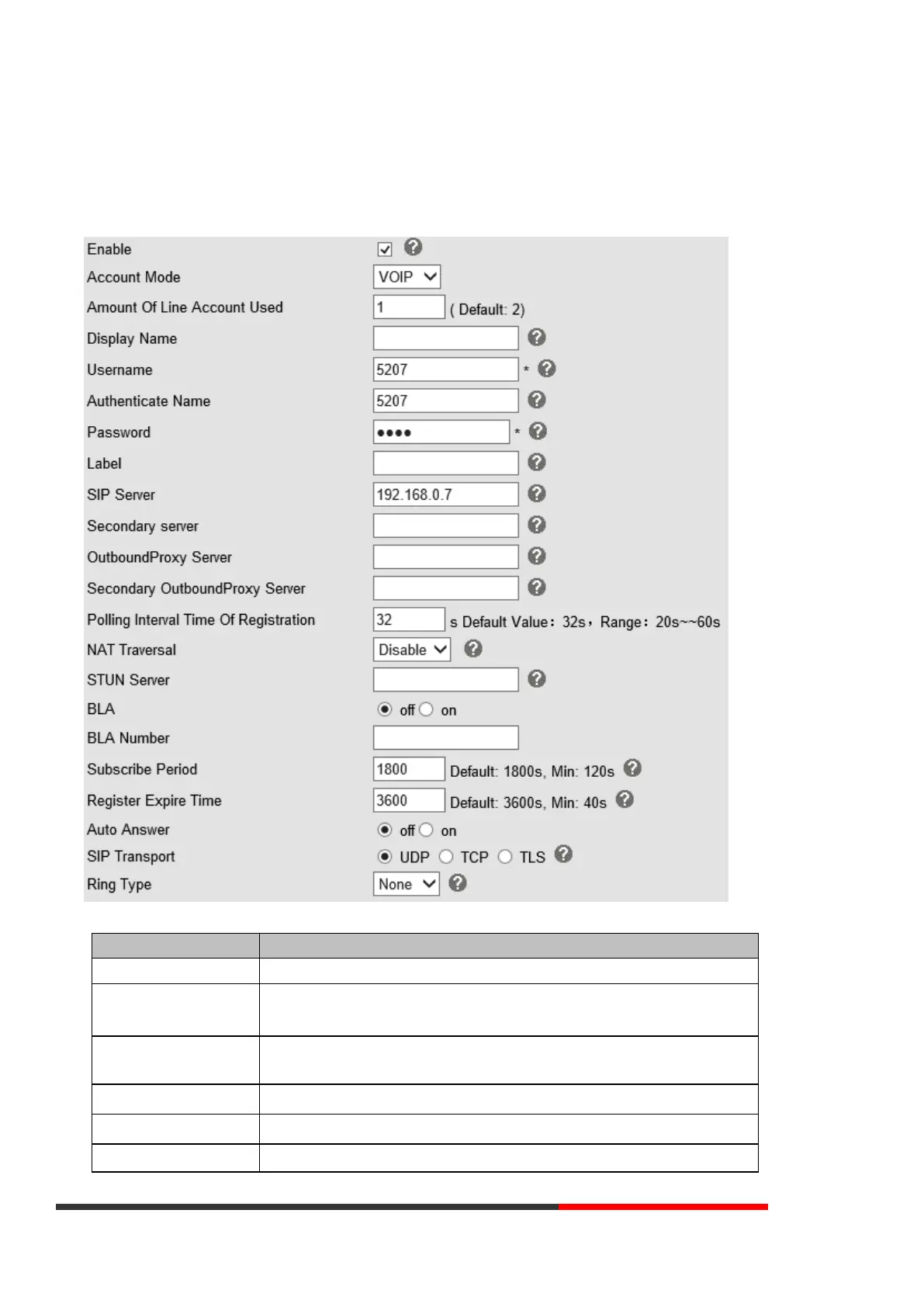
Choose one Account, you will find the following parameters:
You can choose on/off to enable/disable the line.
You can choose VOIP/PSTN, but this model nonsupport PSTN, if you need, Pls contact us to buy
another model that can supports PSTN.
Amount of Line Account Used
The line key of account used; default is 2
It is showed as Caller ID when making a phone call
It is a username provided by SIP Server
It is authenticated ID for authentication



 To Next Page