Escene Communication www.escene.cn/en/
is empty:
Line 1 & 2: press and hold can quickly enter account setting. If you want to set it to another
function, you need to login into website to change it.
Navigation key UP & DOWN, redial key press and hold can quickly enter programmable key
setting function, they can change to Redial\DND\Personal Phonebook\Enterprise
Phonebook\LDAP
\Directory\Speed Dial\Call History\Received Calls\Dialed Calls\Main Menu\New
Message\Forwarded Calls\View Status\Enable/Disable SIP Account\Default.
NOTE:MUTE&C key is not support programmable function.
Toggles the hands-free speaker phone mode. Press and hold can change to headset mode
Highly sensitive pickup Mic.
Provides the digits, letters, and special characters in context-sensitive applications.
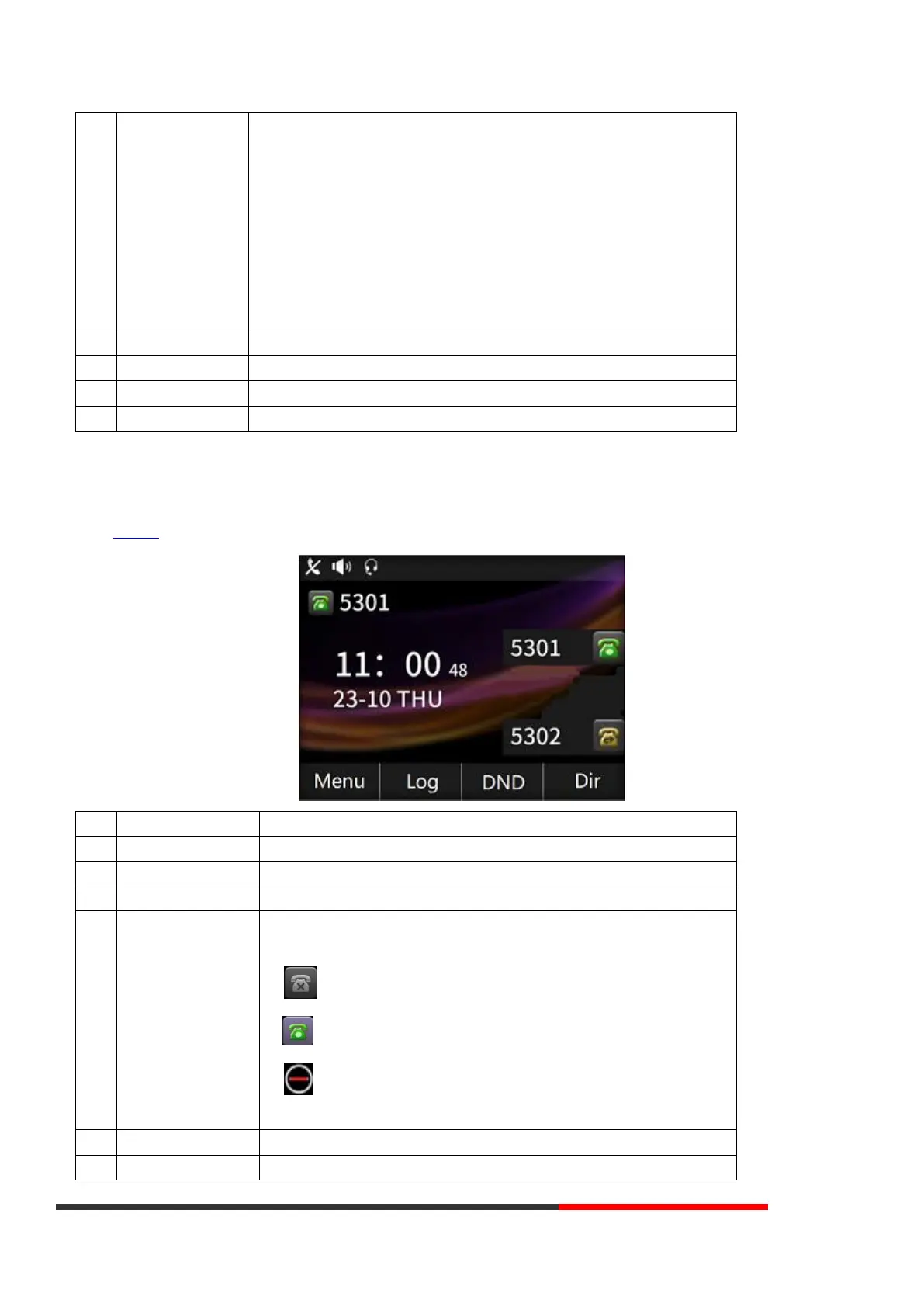
3.2 Phone Screen Display Features
If the IP PHone has successfully started up and after using, the idle LCD display will show information as below:
TIME & DATE display in the middle of the screen.
Enable this feature, it will display "AA" at the top right corner.
Missed Call under the TIME in the middle of screen
There are four status as below:
a. LAN Disconnect: Disconnect the network
b. :Account failed to register
c. :Account successfully registered
d. :Account successfully registered and DND feature is enabled. The DND icon also
will display at the top right corner.
Labels automatically to identity their context-sensitive features
The Screen Top Icon from left to right is:



 To Next Page