Escene Communication www.escene.cn/en/
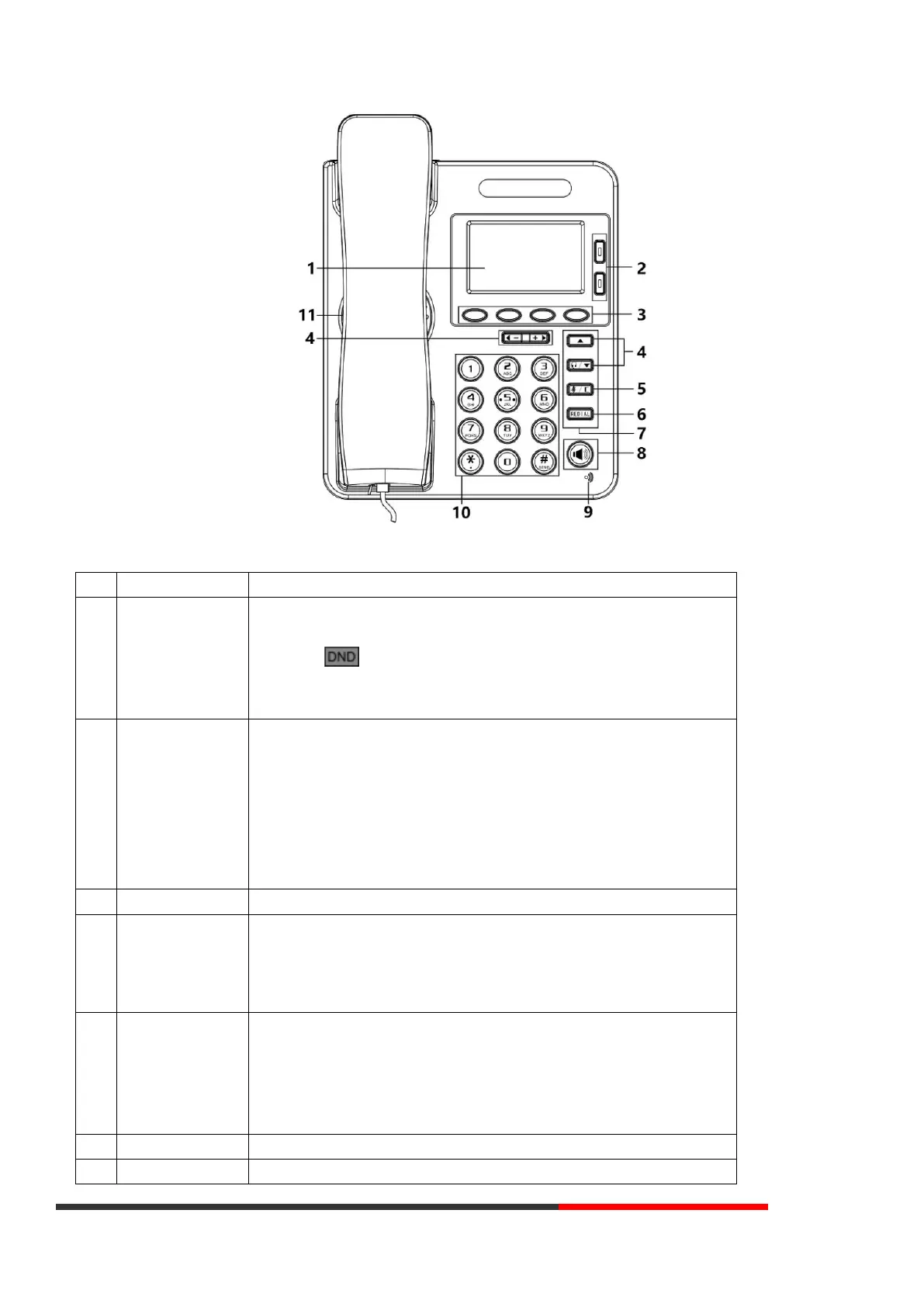
Hardware component instructions of the ES270-C IP Phone are:
Displayed information about calls, messages, soft keys, time, date, and other relevant data:
• Call information — caller ID, call duration
• Icons (e.g. )
• Missed calls or second incoming caller's information
•Time and date
Red, flashing: Incoming call
Red, steady: Pick up but not on communication
Green, steady: On communication
Green, flashing: On hold
Light off: Idle
NOTE: Light yellow steady: Under the idle status, the light will on when: Missed Call, Transfer,
DND, Message, Mute, SIP-Unregistered.
Labels automatically to identity their context-sensitive features
Navigation Key
Volume Key
In the idle status, press UP or DOWN key can check the call log:
UP: Open the "All CONTACT LOG”, DOWN: Open the "MISSED CALL",
RIGHT and LEFT can check other list, like "RECEIVED CALL\DAIL CALL".
In the idle or talking status, press RIGHT or LEFT key can adjust the volume.
Cancels actions or rejects an incoming call, and the other feature:
In the idle: Open the "Phone Status".
Diagnosis: Press and hold 3 second to open "Hardware Diagnosis".
MUTE: "MUTE" feature is enabled if you press it while the conversation making on the
phone.
In the idle status, press and hold 3s will enter programmable function, the default password



 To Next Page