Escene Communication www.escene.cn/en/
If you want to add a Contact, you just ought to click ‘Add Contact’.
You can edit an existed Contact by click .
You can delete an existed Contact by click , if you want to delete all Contacts, you just ought to click ’Delete All Contact’.
You can edit or move this contact to Ban List after you select .
You can download and save this contact to PC after you select .
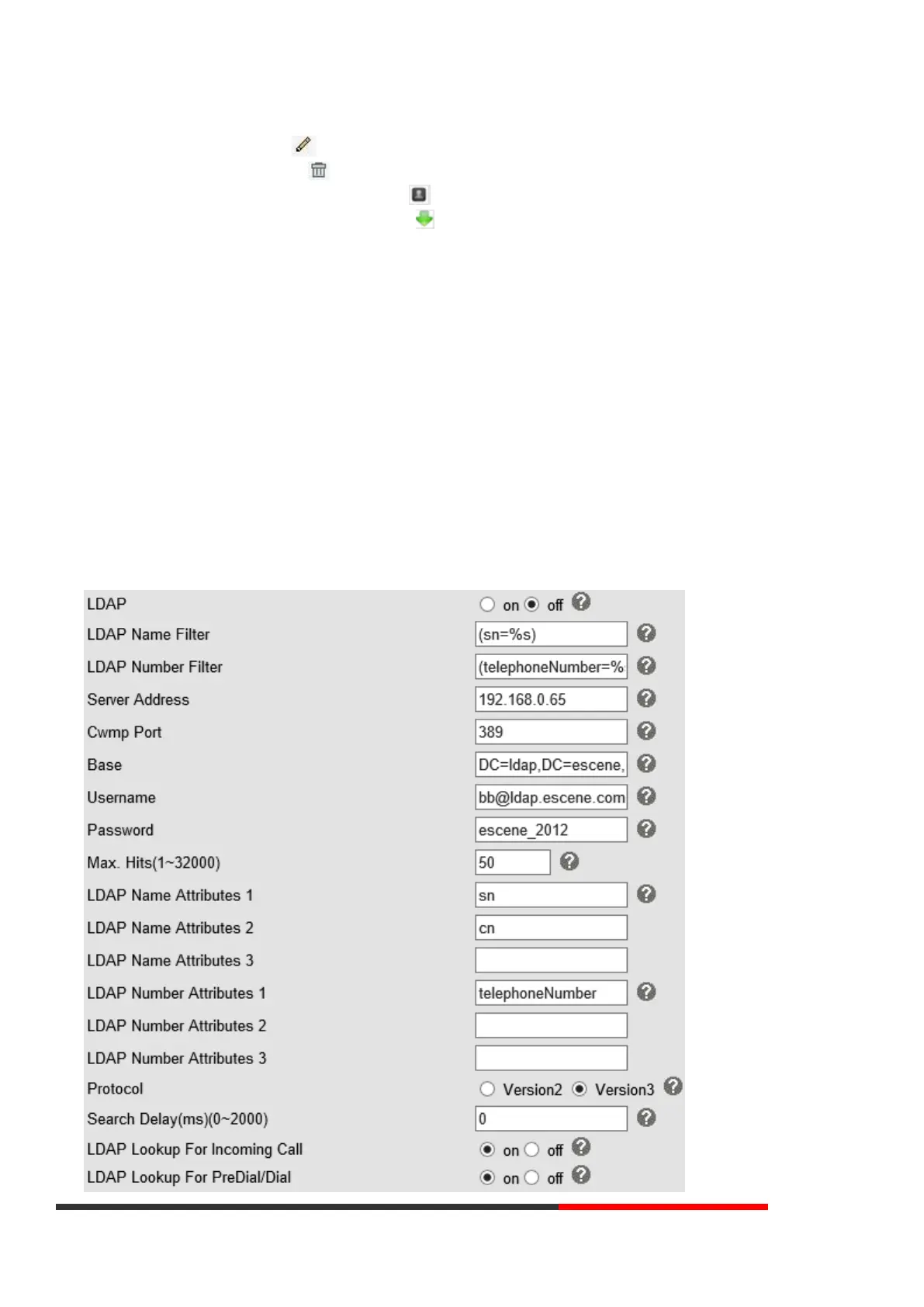
7.3 LDAP
NOTES: If you want to know more detail about LDAP, pls find it in the office website to download the specific document.
HTTP://www.escene.cn/en. As below figure is an example.
e.g.
LDAP Name Filter:(sn=%s)
LDAP Number Filter:(telephoneNumber=%s)
Server Address:192.168.0.65
BASE: DC=ldap, DC=escene, DC=com
Username:bb@ldap.escene.com
Password:escene_2012
LDAP Name Attributes 1:sn
LDAP Name Attributes 2:cn
LDAP Number Attributes 1: telephoneNumber



 To Next Page