www.escene.cn/en/ Escene Communication
The phone book including Group, Contact, LDAP and Ban list, please review the following for more details:
7.1 Group
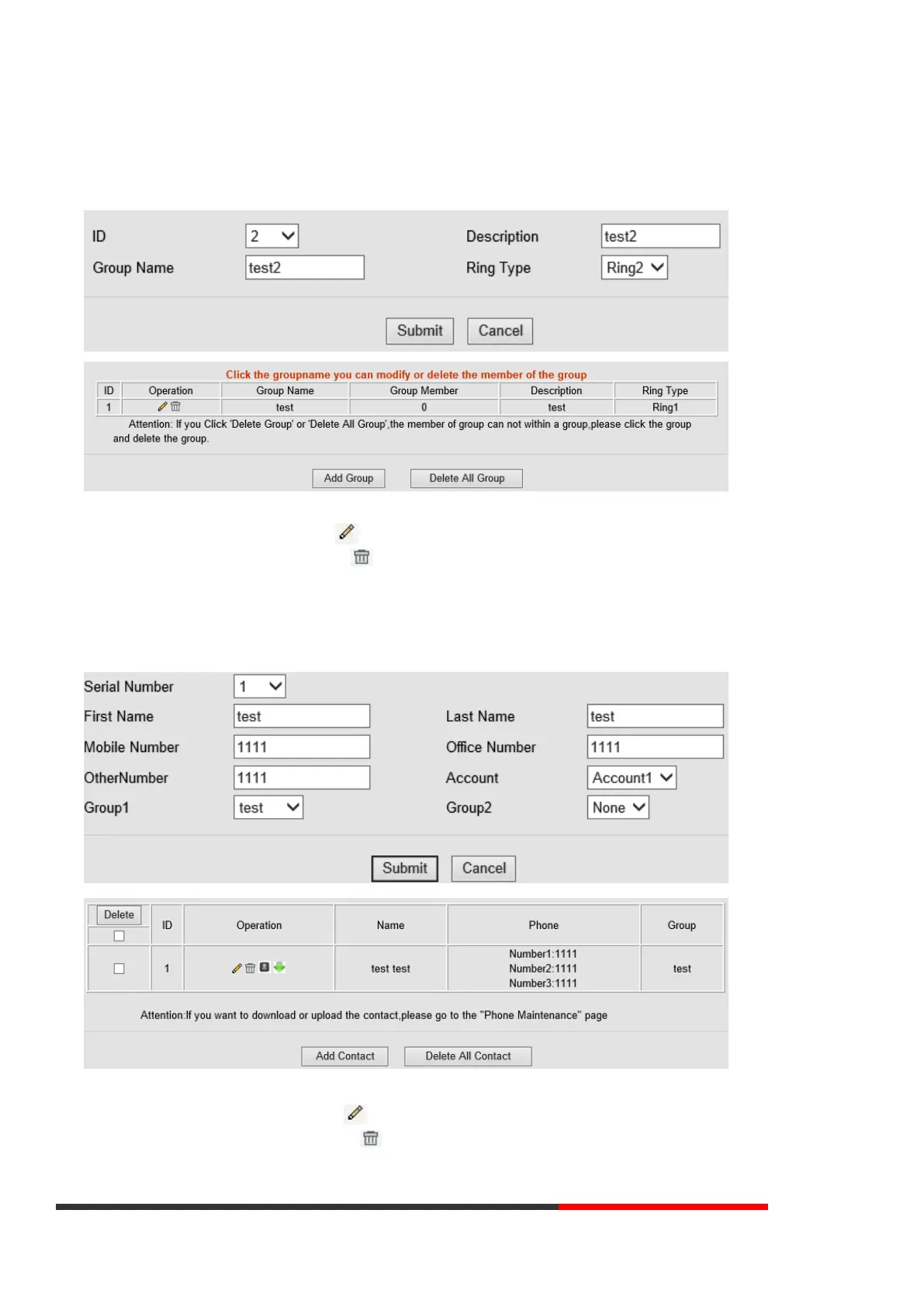
You can add, edit, and delete group in a phone book on this web page.
If you want to add a Group, you just ought to click ‘Add Group’.
You can edit an existed Group by click .
You can delete an existed Group by click , if you want to delete all Groups, you just ought to click ’Delete All Group’.
7.2 Contact
You can add, edit, and delete contact in a phone book on this web page.
The phonebook can storage 300 contacts entry
If you want to add a Contact, you just ought to click ‘Add Contact’.
You can edit an existed Contact by click .
You can delete an existed Contact by click , if you want to delete all Contacts, you just ought to click ’Delete All
Contact’.



 To Next Page