www.escene.cn/en/ Escene Communication
d. :Account successfully registered and DND feature is enabled. The
DND icon also will display at the top right corner.
Labels automatically to identity their context-sensitive features
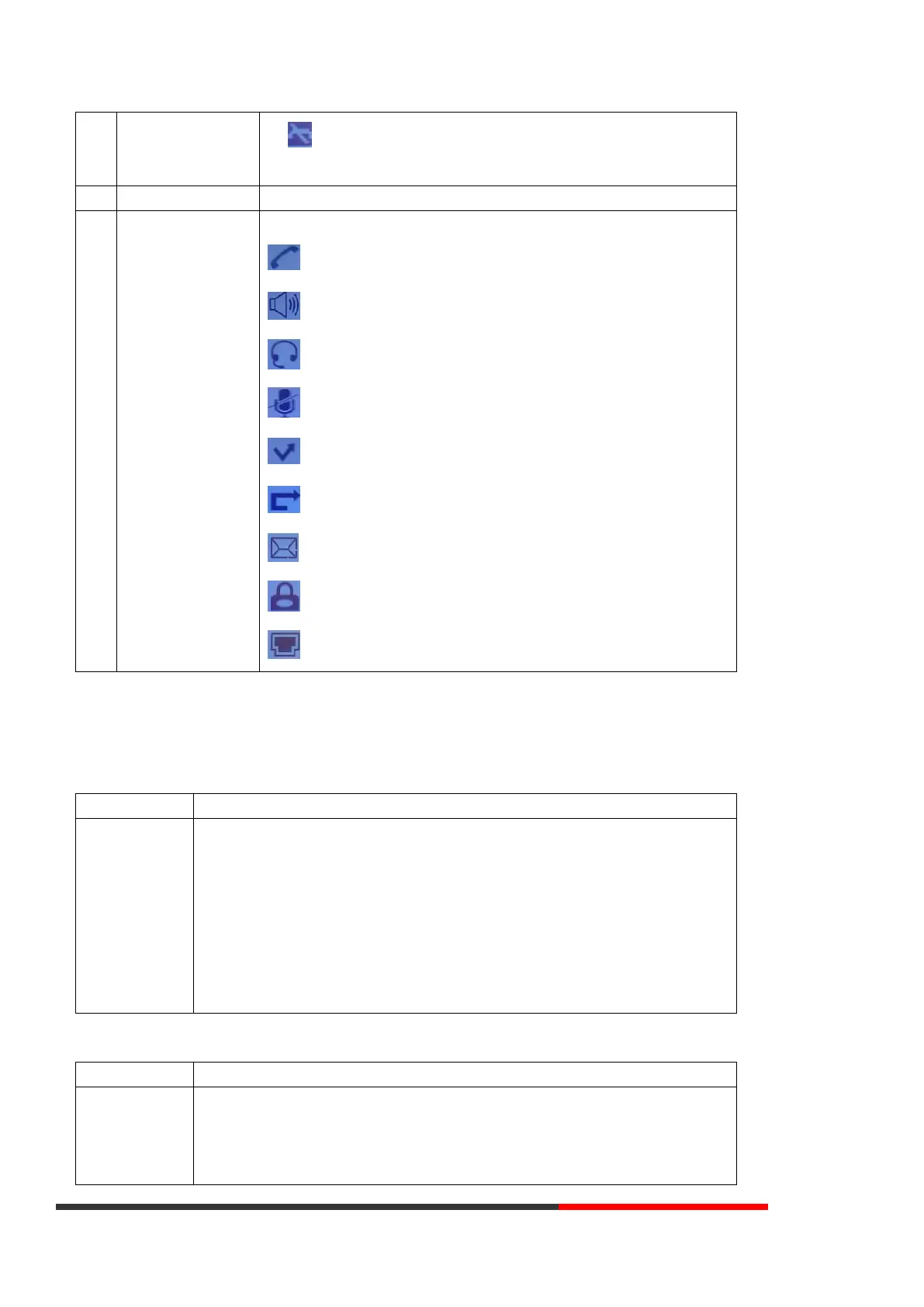
The Screen Top Icon from left to right is:
: Handset Hand on status
: Speaker Hand on status
: Headset Hand on status
: Call MUTE
: Missed Call
: Call Forward
: Text Message
: Keypad Lock
: Network is unavailable
3.3 Basic Network Settings
The phone supports Three Modes of Network Setting. Include PPPoE\Static IP\DHCP.
DHCP Setting
Press OK or MENU> System Settings> Advanced Settings> Password (Default is
Empty)> Network> LAN Port
⚫ Press LAN Port to login into the menu
⚫ Select DHCP mode
⚫ Press Enter key
⚫ Set the DNS\web port\telnet port
⚫ Press Save key to make it work
⚫ Tips Network is changed, press OK reboot
Press OK or MENU> System Settings> Advanced Settings> Password (Default is
Empty)> Network> LAN Port
⚫ Press LAN Port to login into the menu
⚫ Select Static mode



 To Next Page